مكتبة الفيديوهات التعليمية
تعلم كيفية استخدام نظام بريما سكوليز | نظام ادارة المدارس الاحترافي من خلال فيديوهاتنا التعليمية الشاملة
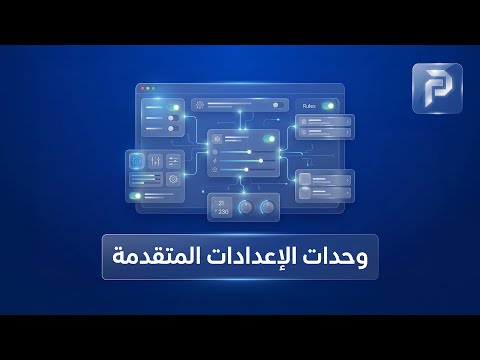
وِحدات الإعدادات المتقدمة
وِحدات الإعدادات المتقدمة "يمنحك نظامُ بريما Schools لوحة الإعدادات المتقدمة؛ المحرك الرئيسي الذي يتيح لك تشكيل النظام بالكامل ليتناسب مع هويتك واحتياجاتك التشغيلية بدقة متناهية". 1. اللغات : "النظام يدعم تعدد اللغات؛ يمكنك من هنا إدارة اللغات المتاحة، وإضافة أو تعديل الترجمات لضمان تواصل فعال مع كافة فئات المجتمع المدرسي". 2. المِديولاَتِ : "تَحَكمُ في قوة نظامك؛ يتيح لك قسم المديولات تفعيل أو تعطيل الوحدات البرمجية المختلفة، مما يمنحك نظاماً مخصصاً وخفيفاً يركز فقط على ما تحتاجه". 3. الإضافات البرمجية : "من هنا يمكنك التحكم في الإضافات البرمجية المساعدة، مع كامل الصلاحيات لضبطها وتعديلها لتوسيع قدرات النظام التقنية". 4. البِلوكَاَتْ: "صمم واجهة موقعك بمرونة؛ يتيح لك قسم البلوكات التحكم في توزيع المحتوى على صفحات الموقع، مع إمكانية الإضافة والتعديل لضمان مظهر احترافي وجذاب". 5. الثيمَات والقوالب : "اصنع هويتك البصرية الخاصة؛ يوفر لك النظام أدوات متكاملة تشمل: إضافةِ ستايل: لإنشاء قوالب تصميم جديدة بالكامل. تعديل: لتطوير وتحسين القوالب الحالية. ألوان التصميم: للتحكم الكامل في باليتة الألوان بما يتوافق مع شعار وهوية المدرسة". 6. الدول والمدن: "يمكنك إدارة قواعد بيانات الدول والمدن، مما يسهل عمليات التسجيل وتحديد النطاقات الجغرافية للطلاب بدقة". 7. سجلات النظام : "يتيح لك قسم سجلات النظام تتبع كافة الحركات والنشاطات التي تتم على المنصة، لضمان أعلى مستويات الشفافية والمتابعة الإدارية". "بريما Schools.. نبني بيئة رقمية خاصة بسيطرة كاملة، وإدارة ذكية."
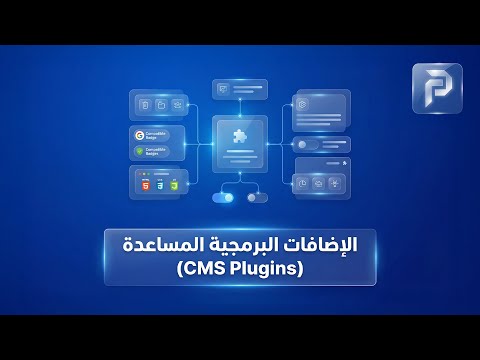
الإضافات البرمجية المساعدة
الإضافات البرمجية المساعدة "لتعزيز تجربة المستخدم وجعل موقع مدرستك أكثر تفاعلية، يوفر نظام بريما Schools قائمة من الإضافات البرمجية الذكية. أدوات مساعدة تمنحك سيطرة مطلقة على أدق تفاصيل التواصل والعرض الرقمي." 1. الاتصال بنا: "من خلال إضافة وتعديل بيانات الاتصال وفروع المدرسة، والتحكم في أقسام الاتصال لضمان وصول استفسارات أولياء الأمور للقسم الصحيح". 2. الإعلانات: "أبرز أهم تنبيهاتك؛ يتيح لك النظام إضافة وتعديل الإعلانات المنبثقة أو الثابتة، مع القدرة على تنظيمها في أقسام إعلانية لاستهداف فئة محددة من الزوار". 3. القائمة البريدية: "ابقَ على تواصل مع مجتمعك؛ أداة متكاملة لإضافة المشتركين، مما يسهل عليك إرسال النشرات الإخبارية والتحديثات الدورية". 4. التصويت: "يمكنك إضافة وتعديل استطلاعات الرأي السريعة، وتنظيمها لقياس مدى رضا أولياء الأمور والطلاب". 5. مركز التحميل: "مستودعك الرقمي للملفات؛ يتيح لك إضافة الملفات والكتب والمنشورات، مع إمكانية حذف المحتوى وتنظيمه داخل أقسام تحميل واضحة ومباشرة". 6. سِجلُْ الزوار: "استعرض آراء زائريك؛ أداة تتيح لك إدارة وتعريف أقسام سجل الزوار، مع صلاحية كاملة لمراجعة وتعديل أو حذف المشاركات لضمان جودة المحتوى المنشور". 7. الأسئلة الشائعة : "وفْر وقت فريق الدعم؛ من خلال إضافةُ الإجابات على التساؤلات المتكررة وتصنيفها في أقسام الأسئلة الشائعة، مما يسهل على الزوار الحصول على إجابات فورية". 8. الاستبيانات : "للحصول على تقارير تحليلية دقيقة، توفر ميزة الاستبيانات الاحترافية إمكانية إضافة وتعديل نماذج تقييم معقدة وتنظيمها في أقسام استبيانات خاصة بجودة التعليم أو الخدمات". 9. السيلايد شو: "اجعل واجهة موقعك حيوية؛ تَحَكمْ في الصور المتحركة عبر إضافة وتعديل السيلايد شو، وتوزيعها في أقسام سيلايد شو مخصصة لكل صفحة في الموقع". "كل إضافة برمجية هي أداة قوية تمنحك مرونةِ ال (إضافة، التعديل، الحذف، والتحكم في الأقسام) لتصمم تجربة رقمية فريدة. بريما Schools.. إضافات ذكية، لمدرسة عصرية."
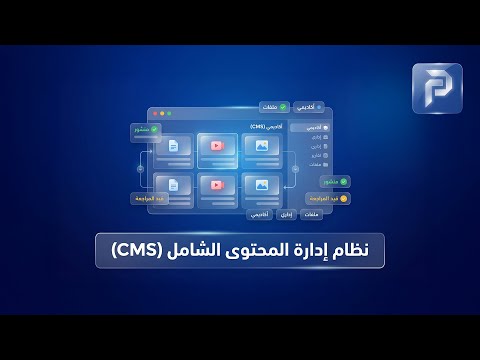
نظام إدارة المحتوى الشامل (CMS)
"نظام إدارة المحتوى الشامل (CMS)" لأن موقع مدرستك هو واجهتك أمام العالم، يمنحك نظامِ بريما Schools لوحة تحكم هي الأقوى والأكثر مرونة، لإدارة كل تفاصيل محتواك الرقمي بترتيب واحترافية. 1. الصفحات الإضافية : تحكم كامل في بناء صفحات موقعك التعريفية؛ يمكنك إضافةٌ، تعديل، أو حذف صفحات كاملة لتوضيح رؤية ورسالة المدرسة. 2. الأخبار: اجعل جمهورك على اطلاع دائم بآخر المستجدات من خلال قسم الأخبار، مع إمكانية تصنيفها في أقسام إخبارية متنوعة والتحكم الكامل في محتواها. 3. المقالات: انشر المعرفة عبر قسم المقالات التعليمية والتربوية، حيث يمكنك إضافة وتعديل المقالات وتنظيمها داخل أقسام مقالات مخصصة. 4. الفيديو: حَوِلْ موقعك إلى منصة مرئية؛ سَجل وأَضَف فيديوهات الفعاليات والأنشطة، ونظمها داخل أقسام فيديو مُرَتَبَْةُ لسهولة الوصول إليها. 5. الصور: وَثِق أجمل اللحظات المدرسية في تصنيفات منظمة، مع ميزة إضافة وتعديل الصور والتحكم في أقسام الصور والمعارض الفنية. 6. الصوتيات: يدعم النظام المحتوى الصوتي؛ يمكنك إضافةِ تسجيلات الإذاعة المدرسية أو الأناشيد داخل أقسام صوتية محددة. 7. الكتبْ : بناء مكتبة رقمية متكاملة عبر إضافتك للكتب الدراسية والمراجع، وتصنيفها داخل أقسام كتب تيسرعلى الطالب عملية البحث والتحميل. 8. دليل المواقع: كُنْ مرجعاً لطلابك عبر إضافةِ الروابط التعليمية الخارجية الهامة وتنظيمها داخل أقسام الدليل لسهولة التصفح". 9. المسابقات: فَعَلْ روح المنافسة من خلال إضافة مسابقات دورية، والتحكم في أقسام المسابقات وشروطها بشكل إلكتروني بالكامل. 10. بنك الأسئلة: "مخزن ذكي للمحتوى الأكاديمي؛ يُمَكِنَكْ إضافةُ وتعديل الأسئلة وتصنيفها حسب المواد والمراحل". 11. اختبارات القدرات: "أداة متطورة لتقييم المهارات؛ تتيح لك إضافةُ اختبارات وتعديل مساراتها داخل أقسام اختبارات القدرات المتخصصة". "في النهاية كل قسم في هذه المنظومة يمنحك صلاحيات (إضافة - تعديل - حذف - وتحكم في الأقسام)، ليكون موقع المدرسة تحت سَيطَرتكِ الإدارية الكاملة. بريما Schools.. بوابتك الرقمية نحو التميزُ."
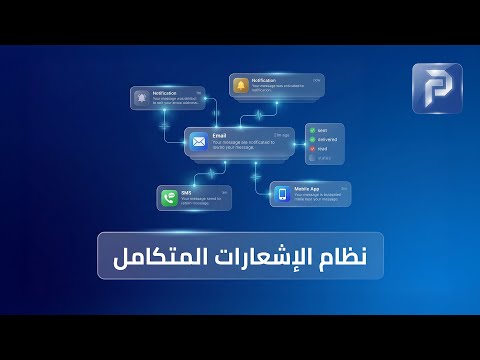
نظام الإشعارات المتكامل
نظام الإشعارات المتكامل في بريما سكولز المقدمة: "التواصل الفعال هو أساس نجاح أي مؤسسة تعليمية؛ ولأننا في بريما سكولز ندرك أهمية ذلك، صممنا لكم مركز إشعارات متكامل يضمن بقاء الجميع على اطلاع دائم وبأسرع وسيلة ممكنة." شرح مكونات القسم (بناءً على الصورة): 1. لوحة تحكم الإشعارات: "من هنا، تحصل على نظرة عامة وشاملة لكل ما يتعلق بحركة التنبيهات داخل النظام، مما يسهل عليك إدارة قنوات الاتصال بكفاءة عالية." 2. إرسال إشعار يدوي: "هل تحتاج لإرسال تنبيه عاجل لصف معين أو لمجموعة محددة؟ خاصية الإرسال اليدوي تمنحك المرونة الكافية لكتابة رسالتك المخصصة وإرسالها فوراً بضغطة زر." 3. إدارة القوالب: "توفيراً للوقت والجهد، يمكنك إنشاء قوالب جاهزة للرسائل المتكررة (مثل إشعارات الغياب أو التهنئة بالنجاح). صمم القالب مرة واحدة، واستخدمه كلما احتجت بلمحة بصر." 4. إشعارات الدفع: "عزز كفاءة التحصيل المالي من خلال نظام إشعارات الدفع. يرسل النظام تلقائياً تذكيرات ذكية لأولياء الأمور بالمصروفات المستحقة، مما يسهل عليهم السداد ويضمن تدفقاتك المالية." 5. إعدادات واتساب (WhatsApp Integration): "ولأننا نستخدم أكثر الوسائل انتشاراً، نوفر لك الربط المباشر مع تطبيق واتساب. يمكنك الآن إرسال إشعارات مدرستك مباشرة إلى هواتف أولياء الأمور، مما يضمن وصول المعلومة وقراءتها في أسرع وقت." 6. سجل الإشعارات: "للشفافية والمتابعة الدقيقة، يتيح لك سجل الإشعارات تتبع كافة الرسائل الصادرة، معرفة وقت وصولها، وحالتها، ليكون لديك أرشيف كامل لكل تواصل تم بين المدرسة والجمهور." "مع نظام إشعارات بريما سكولز، مدرستك دائماً قريبة من الجميع. تواصل أذكى، إدارة أسرع، ونتائج أفضل."
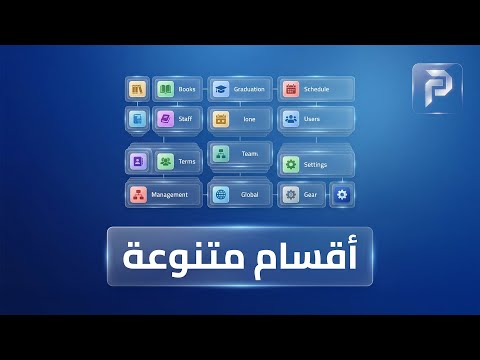
وحدات متنوعة
وحدات متنوعة مع نظام بريما Schools، نقدم لكم وحدات ذكية لإدارة مدرستك "النتائج" , "طلبات الالتحاق" و"طلبات التوظيف"، "المنشَئات" ومواعيد الاختبارات" لتحويل عملية لتجربة رقمية سلسة واحترافية. 1. منشَآت المدرسة : "يمكنك من خلاله تعريف كافة مرافق المؤسسة، من القاعات الدراسية، المختبرات، والملاعب، مما يسهل عملية تعريف المدرسة والأنشطة." 2. مواعيد الاختبارات : "يتيح لك النظام إدارة مواعيد الاختبارات بدقة متناهية. يمكنك إضافة موعد جديد لكل مادة، وتحديد التوقيتات، مع مرونة كاملة في تعديل أو حذف المواعيد، مما يضمن وصول جدول الامتحانات للطلاب وأولياء الأمور." 3. منظومة النتائج : "يوفر لك النظام أدوات متكاملة تشمل: - إضافةُ أنواع النتائج: لتصنيف التقييمات (شهري، فصل دراسي، أعمال سنة). - إضافةُ النتيجة: رصد الدرجات لكل طالب في المواد المختلفة بكل سهولة. - التعديل والحذف: مرونة كاملة لمراجعة الدرجات وتدقيقها قبل الاعتماد النهائي، لضمان أعلى درجات الدقة والعدالة في التقييم." 4. وحدة طلبات الالتحاق : - إعدادات طلبات الالتحاق: "يمكنك تخصيص النماذج المطلوبة وتحديد المواعيد، لضمان استقبال كافة البيانات والمستندات التي تحتاجها مَدرستك بدقة". - إدارة الرسائل والطلبات: حيث يوفر لك النظام قسماً لـ جميع الرسائل وآخر مخصصاً لـ الرسائل الجديدة. يتيح ذلك لفريق القبول المتابعة الفورية للطلاب المتقدمين، مما يعطي انطباعاً بالسرعة والاحترافية لدى أولياء الأمور. 5. وِحدة الوظائف : -إعدادات الوظائف من خلالها يمكنك نشر التخصصات المطلوبة وتحديد المعايير والشروط الواجب توافرها في المتقدمين". - فرز الكوادر التعليمية ومتابعة جميع الرسائل والتركيز على الرسائل الجديدة للمتقدمين للوظائف. يمكنك فرز السير الذاتية والتواصل مع المرشحين الأنسب. مما يجعل عملية التوظيف أسرع وأكثر دقة في اختيار الكفاءات". مع بِريما Schools.. بوابتك نحو نظام تعليمي عالمي المنظور.
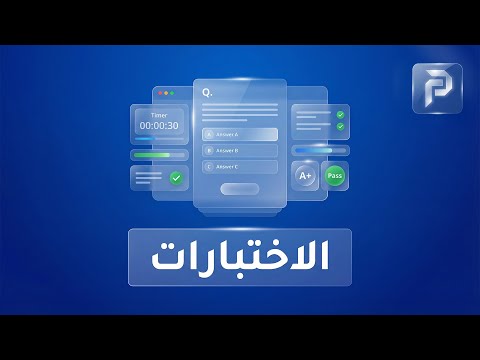
وِحدة الاختبارات
وِحدة الاختبارات المنظومة الأكاديمية المسؤولة عن إدارة عملية التقييم بالكامل، من وضع الأسئلة وحتى تصحيح إجابات الطلاب: 1. وِحدة إدارة الاختبارات "يقدم لكم نظام بريما Schools وِحدة الاختبارات المتكاملة. منصة رقمية قوية تمكن المعلمين من بناء اختبارات احترافية ومتابعة أداء الطلاب بكل سهولة وشفافية." 2. إعدادات الاختبارات: "يمكنك تحديد المعايير الأساسية لكل فصل دراسي، بما يضمن توافق الاختبارات مع السياسة التعليمية لمدرستكم." 3. بناء وإدارة الاختبارات: "من خلال قسم الاختبارات، تملك المرونة الكاملة لـ إضافة اختبارات جديدة أو تعديل وحذف اختبارات سابقة. سواء كانت اختبارات شهرية أو نهائية." 4. بنك الأسئلة والأجوبة: "يتيح النظام للمعلمين إضافةُ وتعديل الأسئلة والأجوبة بطرق متنوعة، مما يسهل بناء نماذج اختبارات متعددة وشاملة للمنهج الدراسي." 5. تصحيح إجابات الطلاب: "يمكنكَ استعراض كافة الإجابات المقدمة وتصحيحها يدوياً او تلقائياً. يضمن هذا القسم توثيق أداء كل طالب وتوفير تغذية راجعة فورية تساعده على التحسن." "مع وحدة الاختبارات في بريما Schools.. تقييم دقيق، لمستقبل أكاديمي مشرق."
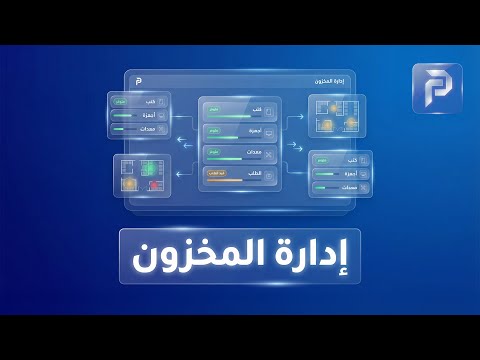
وِحدة إدارة المخزون
وِحدة إدارة المخزون "يقدم لكم نظام بريما Schools وِحدة إدارة المخزون المتكاملة. منظومة دقيقة تمنحكم الرقابة الكاملة على كل قطعة داخل مستودعاتكم، من الكتب والزي المدرسي وحتى الأدوات المكتبية." 1. لوحة تحكم وتقارير المخزون: "توفر لك تقارير المخزون جردًا دوريًا آليًا يوفر عليك ساعات من العمل اليدوي ويضمن دقة البيانات." 2. تنظيم الأقسام والبنود: "تقسيم مستودعاتك عبر أقسام المخزون وتصنيف الأصناف بداخل بنود المخزون. هذا التنظيم الشجري يسهل عليك الوصول لأي صَنف." 3. إدارة الموردين والمواقع: "سَجل كافة بيانات الموردين الذين تتعامل معهم المدرسة, وذلك لسهولة التواصل وطلب التوريدات. كما يمكنك إدارة المواقع المختلفة للمخازن إذا كانت مَدرستكَ تمتلك أكثر من فرع أو مستودع." 4. حركات المخزون : "تابع كل ما يدخل ويخرج من عهدة المدرسة عبر قسم حركات المخزون. سَجل عمليات الاستلام، الصرف، والتحويل بين المخازن، لضمان أعلى مستويات الشفافية." "مع وِحدة إدارة المخزون في بريما Schools.. إدارة مواردك، بذكاء وأمان."
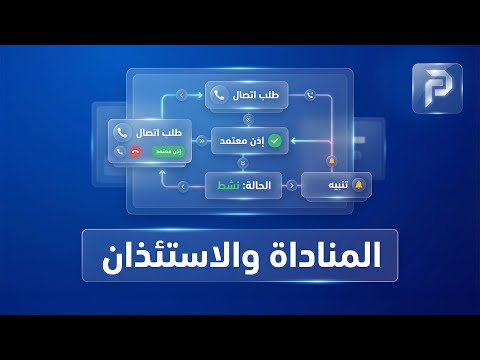
وِحدة المناداة والاستئذان
وِحدة المناداة والاستئذان "وداعاً للازدحام عند أبواب المدرسة وقت الانصراف! يقدم لكم نظام بريما Schools. وِحدة المناداة والاستئذان. منظومة ذكية تربط بين ولي الأمر، أمن البوابة، والمعلم داخل الفصل، لضمان خروج آمن ومنظم لكل طالب." 1. إعدادات المناداة: "يتيح لك إعدادات المناداة تهيئة القنوات الإذاعية أو الشاشات المستخدمة لعرض أسماء الطلاب فور وصول أولياء أمورهم." 2. عرض الطلبات والطلبات المعلقة: "بمجرد وصول ولي الأمر، يظهر الطلب فوراً في قسم عرض الطلبات. وإذا كان هناك أي إجراء إداري مطلوب، تظهر في قسم الطلبات المعلقة، مما يضمن أن الإدارة تتابع كل حركة خروج بدقة متناهية." 3. أسباب الطلبات: "سواء كان انصرافاً عادياً في نهاية اليوم، أو استئذاناً طارئاً لظرف صحي، يتيح لك قسم أسباب الطلبات تصنيف كل حالة خروج وتوثيقها، لضمان وجود سجل واضح وشفاف لكل طالب." 4. تقارير المناداة: "للرقابة والتوثيق، يوفر النظام تقارير المناداة الشاملة. يمكنك مراجعة أوقات خروج الطلاب، ومعرفة من قام بالمناداة، مما يرفع من مستوى الأمان داخل المؤسسة التعليمية." "مع وحدة المناداة والاستئذان من بريما Schools.، انصراف آمن، ومدرسة منظمة."
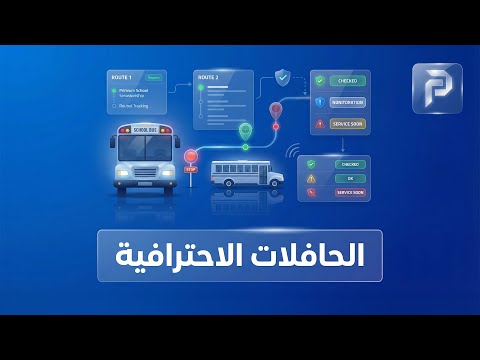
وِحدة إدارة الحافلات الاحترافية
"لأن أمان أبنائنا في طريقهم من وإلى المدرسة هو مسؤوليتنا الأولى، يقدم لكم نظام بريما Schools وِحدة إدارة الحافلات المتقدمة. منظومة تكنولوجية شاملة تمنحكم الرقابة الكاملة والاطمئنان التام على حركة أسطولكم المدرسي". 1. لوحة التحكم والتتبع المباشر: "يمكنك مراقبة تحركات الحافلات لحظة بلحظة على الخريطة. هذه الميزة تضمن الشفافية وتتيح للإدارة التدخل السريع في حالات الطوارئ أو الازدحام المروري". 2. إدارة المسارات والرحلات: "يتيح لكم النظام تعريف مسارات الحافلات بدقة، وتوثيق كافة التفاصيل في سجل الرحلات وتقارير الحافلات. هذا التنظيم يضمن الالتزام بالمواعيد ويمنحكم أرشيفاً كاملاً لكل رحلة تمت". 3. إدارة القوة البشرية (سائقو الحافلات): "يمكنكم توثيق كافة بيانات سائقي الحافلات ومتابعة أدائهم، لضمان أن من يتولى مسؤولية نقل الطلاب هم كوادر مؤهلة وموثوقة". 4. التعيينات الذكية للطلاب: "من خلال تعيينات الطلاب وتعيينات الحافلات، يتم توزيع كل طالب على الحافلة والمسار المناسب له آلياً، مما يمنع التخبط ويسهل مهمة المشرفين في ضبط قوائم الركاب". 5. صيانة الحافلات وسجلات الوقود: "للحفاظ على كفاءة الأسطول، يوفر النظام قسماً خاصاً لـ صيانة الحافلات وسجلات الوقود. تابع مواعيد الصيانة الدورية واستهلاك الوقود بدقة محاسبية تضمن إطالة عمر حافلاتكم وتقليل التكاليف". 6. إدارة الحوادث والحضور: "في حالات الطوارئ، يوفر النظام قسماً لتوثيق حوادث الحافلات لضمان المتابعة القانونية والإدارية. كما تتيح ميزة حضور الحافلات التأكد من ركوب ونزول كل طالب في مكانه الصحيح وفي الوقت المحدد". "مع وحدة إدارة الحافلات المتقدمة من بريما Schools ، رحلة الطالب أصبحت أكثر أماناً وإدارتها أصبحت أكثر ذكاءً. بريما Schools.. أمانهم غايتنا، وتميزكم وسيلتنا."
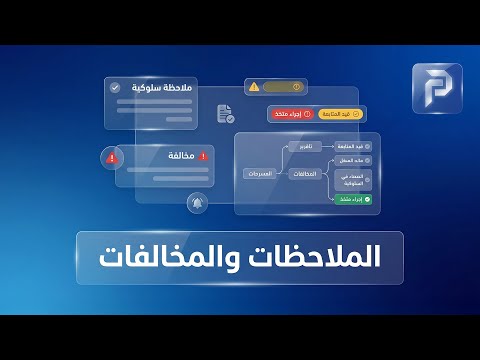
الملاحظات والمخالفات
وِحدة الملاحظات والمخالفات "يقدم لكم نظام بريما Schools وِحدة الملاحظات والمخالفات. نظام رقابي متكامل يتيح للإدارة والمعلمين توثيق ومتابعة السلوك بكفاءة." 1. إضافة الملاحظات (سلوكية أو أكاديمية): "بمنتهى السهولة، يمكن للمعلم أو الإداري إضافة ملاحظة فورية على أداء الطالب أو سلوكه. سواء كانت ملاحظة إيجابية للتحفيز أو تنبيهاً لتصحيح مسار، يتم توثيقها فوراً لضمان المتابعة المستمرة." 2. قائمة الملاحظات (الأرشيف التفاعلي): "تتوفر للإدارة رؤية شاملة وتاريخية لكل ما تم تدوينه. يمكنك البحث، الفرز، واستخراج تقارير دورية تساعد في تقييم السلوك العام وتوجيه الدعم التربوي لمن يحتاجه من الطلاب." 3. أسباب الملاحظات (التصنيف الذكي): "لتنظيم العمل، يتيح لك النظام استعراض أسباب الملاحظات المسجلة مسبقاً، مما يوفر معايير واضحة وموحدة للتقييم السلوكي داخل المدرسة، ويمنع العشوائية في اتخاذ القرارات التربوية." 4. إضافة أسباب الملاحظات (تخصيص النظام) : "يمنحكم خاصية إضافة سبب للملاحظة المرونة الكاملة لتعريف مخالفات أو مميزات سلوكية جديدة تتوافق مع لائحة الانضباط الخاصة بمدرستكم." "مع وِحدة الملاحظات والمخالفات في بريما Schools ، ريادة في التعليم، ودقة في التقويم."
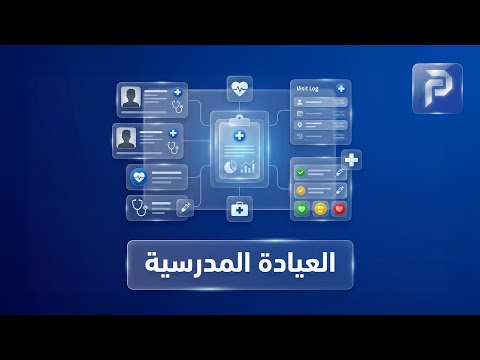
وِحدة إدارة العيادة المدرسية
وِحدة إدارة العيادة المدرسية "يقدم لكم نظام بريما Schools. منظومة رقمية ذكية تضمن متابعة الحالة الصحية لكل طالب وتوثيق كافة الإجراءات الطبية بدقة وأمان." 1. التقارير والإحصائيات الطبية : "حيث توفر لك وِحدة التقارير والإحصائيات نظرة شاملة وحية عن الوضع الصحي العام في المدرسة، مما يساعد الإدارة والوِحدة الطبية على اتخاذ إجراءات وقائية استباقية." 2. هيكلة العيادة وفريق العمل : "يمكنكم من خلال النظام تعريف أقسام العيادة المختلفة وتوثيق بيانات أطباء العيادة المسؤولين.." 3. السجلات والزيارات الطبية : " يتم تدوين التاريخ الصحي لكل طالب وتوثيق كل زيارة للعيادة، بما تشمله من تشخيص وإجراءات متخذة، ليكون لكل طالب ملف طبي رقمي دائم." 4. منظومة التطعيمات : "يوفر النظام قسماً خاصاً لـ التطعيمات العامة وتطعيمات الطلاب الفردية. يساعدكم هذا في جدولة مواعيد اللقاحات وتنبيه أولياء الأمور." "مع وِحدة إدارة العيادة المدرسية من بريما Schools. رعاية ذكية، لجيل أصَحاء."
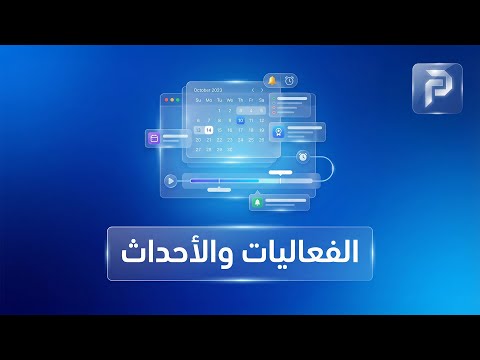
وِحدة الفعاليات والأحداث
وِحدة الفعاليات والأحداث "مع وحدة الفعاليات والأحداث في بريما Schools، يمكنك تحويل أنشطة المدرسة إلى سجل بصري جذاب وتفاعلي يراه الجميع على موقعك الرسمي." 1. تنظيم أقسام الفعاليات: "يمكنك إضافة قسم جديد لكل نوع من الأنشطة، سواء كانت رياضية، ثقافية، أو حفلات تخرج، مع إمكانية تعديل أو حذف الأقسام في أي وقت لضمان ترتيب المحتوى بالشكل الذي يناسبكم". 2. إدارة الفعاليات: "فمن خلال خيار إضافةُ فعالية، يمكنك رفع صور وفيديوهات الرحلات المدرسية، المسابقات، والندوات، وإضافة وصف تفصيلي لها. كما يتيح لك النظام تعديل أو حذف فعالية سابقة". "مع وحدة الفعاليات والأحداث، أَنَت تبني ذاكرة مدرستكَ الرقمية وتزيد من تفاعل أولياء الأمور والطلاب."
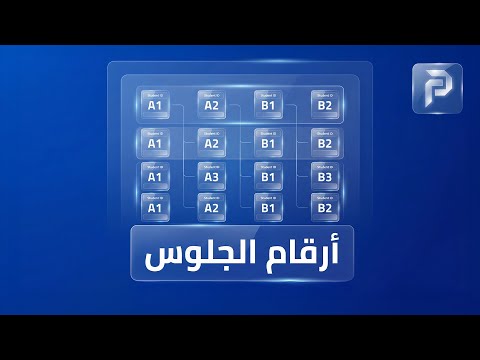
وِحدة إدارة أرقام الجلوس
وحدة إدارة أرقام الجلوس في بريما سكولز "تنظيم قاعات الاختبارات لم يعد مجهوداً شاقاً؛ فمع نظام بريما سكولز، نقدم لكم وحدة أرقام الجلوس التي تضمن لكم دقة التوزيع وسهولة الوصول للمعلومات لكل طالب ومراقب." تفاصيل مكونات القسم (بناءً على القائمة): إدارة أرقام الجلوس (إضافة وعرض): "يتيح لكم النظام توليد أرقام الجلوس وتخصيصها للطلاب بمرونة تامة. يمكنك إضافة أرقام الجلوس يدوياً أو آلياً، ثم عرضها في قوائم منظمة تسهل على الإدارة مراجعتها قبل بدء ماراثون الاختبارات." تخصيص أنواع الاختبارات: "لأن كل اختبار له طبيعته، يمكنك من خلال قسم أنواع الاختبارات تعريف وتصنيف الامتحانات (سواء كانت شهرية، نصف عام، أو نهائية) لربطها بأرقام الجلوس المناسبة." إعدادات الظهور: "تحكم كامل في خصوصية البيانات؛ حيث تمنحكم إعدادات الظهور القدرة على تحديد متى وكيف تظهر أرقام الجلوس للطلاب عبر حساباتهم الخاصة أو على موقع المدرسة، لضمان وصول المعلومة في التوقيت الذي تحدده الإدارة." الأرشفة والإعدادات العامة: "من خلال خيار الأرشفة، يمكنك الاحتفاظ بسجلات أرقام الجلوس للأعوام السابقة للرجوع إليها عند الحاجة. كما توفر الإعدادات العامة مرونة في ضبط تنسيق وشكل بطاقات أرقام الجلوس لتناسب هوية مدرستك." (الخاتمة) "مع وحدة أرقام الجلوس من بريما سكولز، أنت تنظم اختباراتك بذكاء وهدوء. بريما سكولز.. شريكك الموثوق في كل خطوة تعليمية."
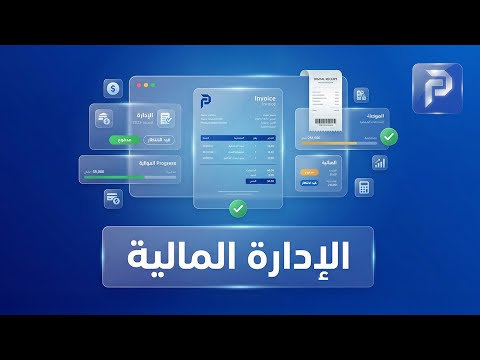
وحدة الإدارة المالية
وِحدة الإدارة المالية "يقدم لكم نظام بريما Schools, وِحدة الإدارة المالية المتكاملة. منظومة محاسبية ذكية مصممة خصيصاً لتناسب احتياجات المدارس، تمنحكم الرقابة الكاملة على كل مبلغ بوضوح وشفافية مطلقة." 1. الإعدادات والتقارير المالية: "تتيح لك الإعدادات المالية تهيئة النظام محاسبياً بما يناسب لوائحكم. ومن خلال التقارير المالية، ستحصل على كشف حساب دقيق وشامل لكافة العمليات." 2. هيكلة الرسوم الدراسية: "يمنحكم النظام مرونة عالية في تعريف أنواع الرسوم وبناء هياكل الرسوم المختلفة. سواء كانت رسماً دراسياً، حافلات، أو أنشطة، يمكنك ربطها بالصفوف والفصول وتخصيصها لكل طالب عبر قسم رسوم الطلاب بكل سهولة." 3. المدفوعات والفواتير الإلكترونية: "وداعاً للأخطاء اليدوية؛ فمن خلال وِحدة المدفوعات والفواتير، يصدر النظام فواتير احترافية تلقائياً، مع إمكانية متابعة التحصيلات المتأخرة وإرسال التنبيهات للأهالي لضمان سرعة التحصيل." 4. الخصومات والمنح: "يدعم النظام إدارة الخصومات والمنح الدراسية بشكل دقيق. يمكنك تطبيق خصومات الأشقاء، التفوق، أو الحالات الخاصة، مع عكس تأثيرها فوراً على الموقف المالي للطالب وفاتورته النهائية." 5. الرواتب والمشتريات: "يوفر النظام وِحدة متكاملة لإدارة الرواتب وحسابها بدقة بناءً على سجلات الموظفين. كما يتيح قسم المشتريات والموردين متابعة كافة التوريدات والمدفوعات الخارجية لضمان توازن الميزانية." "مع وِحدة الإدارة المالية في بريما Schools.، مَدرستك تدير مواردها بذكاء، أمان، ودقة متناهية.
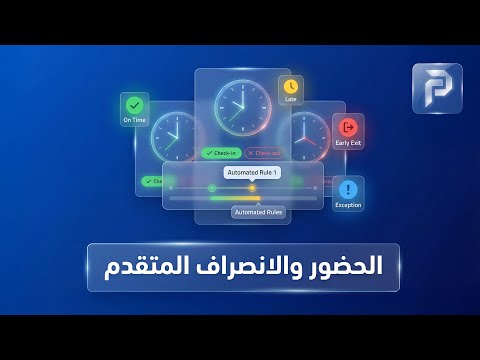
وِحدة الحضور والانصراف المتقدم
وِحدة الحضور والانصراف المتقدم "يقدم نظام بريما Schools وِحدة الحضور والانصراف المتقدم . ذلك لتوفير رقابة ذكية ودقيقة لحظة بلحظة لضمان أمان الطلاب وانضباط الكادر التعليمي". 1. لوحة الحضور : "تمنحكم لوحة الحضور نظرة بانورامية وفورية على حالة الحضور داخل المدرسة. بضغطة واحدة، يمكنك معرفة من حضر ومن تغيب، مما يسهل اتخاذ الإجراءات الإدارية اللازمة في وقتها". 2. تسجيل الحضور الذكي: "من خلال قسم تسجيل الحضور، يتيح النظام طرقاً متعددة ومرنة لتوثيق حضور الطلاب والموظفين، مما يقلل من الأخطاء البشرية ويضمن دقة البيانات المسجلة". 3. الربط مع أجهزة المسح : "حيث يدعم النظام الربط المباشر مع أجهزة المسح المتطورة (مثل أجهزة البصمة أو الكروت الذكية).، يتم تحديث الحالة تلقائياً في النظام وإخطار المعنيين". 4. السجلات والتقارير التفصيلية: "لا حاجة للأوراق بعد الآن؛ فقسم السجلات والتقارير يوفر لكم أرشيفاً كاملاً وتاريخياً لكل حركة حضور وانصراف. يمكنك استخراج تقارير تحليلية شاملة تساعد في تقييم الانضباط العام وحساب الرواتب والجزاءات بدقة مطلقة". 5. إعدادات الحضور المخصصة: "لأن لكل مدرسة نظامها الخاص، تمنحكم الإعدادات القدرة على تخصيص مواعيد الحضور، الانصراف، وفترات السماح، بما يتناسب تماماً مع اللوائح الداخلية لمدرستكم". "مع وحدة الحضور والانصراف المتقدم من بريما Schools ، أَنَت تبني بيئة تعليمية منضبطة وآمنة للجميع. بريما Schools.. دقة في المواعيد، ريادة في التعليم."
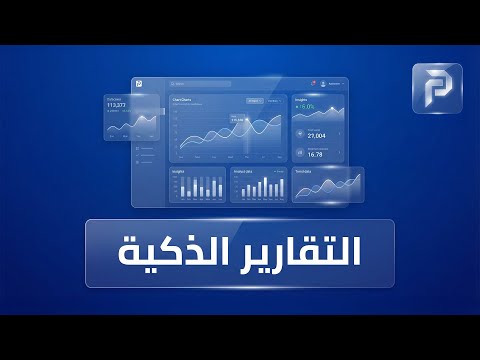
منظومة التقارير الذكية
منظومة التقارير الذكية في بريما سكولز "لأن الإدارة الناجحة تبدأ من المعلومة الدقيقة، يقدم لكم نظام بريما سكولز وحدة التقارير الاحترافية (PRO). هنا تتحول البيانات إلى رؤية واضحة تساعدكم على اتخاذ أذكى القرارات لمدرستكم." تفاصيل قسم التقارير (بناءً على القائمة): نظرة عامة على التقارير: يمنحكم هذا القسم ملخصاً شاملاً وسريعاً لكافة مؤشرات الأداء داخل المدرسة، لتكونوا دائماً في قلب الحدث بضغطة زر واحدة. التقارير المالية: وداعاً للتعقيدات المحاسبية! تابعوا الإيرادات، المصروفات، والتدفقات النقدية من خلال تقارير مالية مفصلة تضمن لكم رقابة تامة على ميزانية المدرسة. منظومة إدارة الحافلات (Bus Management): ينفرد النظام بقسم متكامل لتقارير الحافلات؛ يشمل لوحة تحكم خاصة، تتبعاً مباشراً لخطوط السير، وتقارير تفصيلية عن كل رحلة، لضمان أمان وسلامة الطلاب. تقارير المناداة والحضور: تابعوا انضباط المجتمع المدرسي من خلال تقارير دقيقة للمناداة اليومية وحضور وانصراف الطلاب والمعلمين، مما يسهل عملية المتابعة الدورية. التقارير والإحصائيات العامة: هنا تجدون الأرقام والرسوم البيانية التي تحلل أداء المدرسة بشكل إحصائي متطور، مما يسهل عرض النتائج السنوية والشهرية. تقارير المخزون وعناصره: إدارة موارد المدرسة أصبحت أسهل؛ تابعوا كل ما يتعلق بالمخازن، الأدوات، والعهدة من خلال تقارير المخزون التي توضح الوارد والمنصرف بدقة متناهية. (الخاتمة) "مع نظام تقارير بريما سكولز، مدرستك بين يديك في شكل بيانات منظمة وموثوقة. بريما سكولز.. رؤية أوضح لمستقبل أفضل."
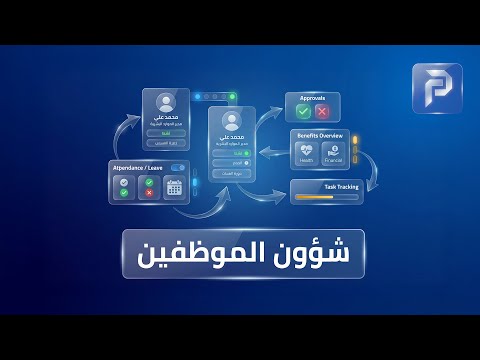
بريما سكولز , نظام شؤون الموظفين
شؤون الموظفين (HR) في بريما سكولز "لأن فريق العمل هو أساس نجاح أي مدرسة، يقدم لكم نظام بريما سكولز وحدة شؤون الموظفين (HR) المتكاملة، التي تمنحكم تحكماً كاملاً في تنظيم الكادر التعليمي والإداري بكل احترافية". تفاصيل مكونات القسم (بناءً على القائمة): تخصصات الموظفين: "نبدأ بتنظيم الهيكل الوظيفي؛ حيث يتيح لك النظام تعريف تخصصات الموظفين بدقة، مما يسهل عملية توزيع الأدوار والمسؤوليات بناءً على الخبرات الأكاديمية والإدارية". إدارة ملفات الموظفين: "من خلال قسم الموظفين، يمكنك إنشاء قاعدة بيانات شاملة لكل فرد في المؤسسة، تشمل الملفات الشخصية، العقود، والمؤهلات، للوصول إليها في أي وقت بضغطة زر". جدول الحصص: "لتنظيم اليوم الدراسي، يوفر النظام أداة ذكية لإدارة جدول الحصص، تضمن توزيع المدرسين على الفصول بكفاءة تمنع أي تضارب في المواعيد وتسهل متابعة الحصص اليومية". الخطط الأسبوعية: "تعزيزاً للمتابعة الأكاديمية، يمكن للموظفين والمعلمين رفع الخطط الأسبوعية عبر النظام، مما يتيح للإدارة مراقبة سير المناهج وضمان التزام الجميع بالجدول الزمني المحدد". غياب الموظفين: "لإدارة الانضباط، يوفر النظام سجلاً دقيقاً لمتابعة غياب الموظفين، يساعدك في استخراج تقارير الحضور والغياب بشكل فوري، مما ينعكس على دقة الحسابات والرواتب لاحقاً". (الخاتمة) "مع وحدة شؤون الموظفين في بريما سكولز، أنت تضمن بيئة عمل منظمة، شفافة، ومنتجة. بريما سكولز.. الإدارة الذكية لفريق عمل متميز."
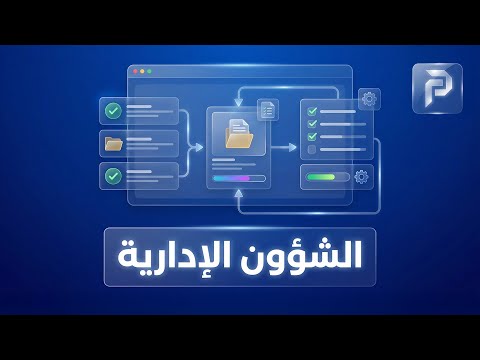
وحدة الشؤون الإدارية
وحدة الشؤون الإدارية في بريما سكولز "تعد وحدة الشؤون الإدارية هي العمود الفقري لنظام بريما سكولز؛ فمن هنا تبدأ عملية بناء الهيكل التنظيمي لمدرستك بكل دقة وسهولة، لضمان سير العملية التعليمية دون أي تداخل." هيكلة المدرسة والأقسام: يتيح لك النظام تعريف أقسام المدرسة المختلفة، وتحديد الأعوام الدراسية، مما يسهل عملية الأرشفة والمتابعة التاريخية لكل سنة دراسية على حدة. التنظيم الأكاديمي الذكي: من خلال خيارات المراحل التعليمية، الصفوف، والفصول، يمكنك بناء شجرة أكاديمية متكاملة تضمن توزيع الطلاب والمواد الدراسية بشكل آلي ودقيق. إدارة المواد الدراسية: قسم مخصص لتعريف المواد الدراسية وربطها بالصفوف والفصول، مما يسهل بناء الجداول المدرسية وإصدار تقارير الدرجات لاحقاً. شؤون الموظفين (HR): يوفر النظام وحدة متكاملة لإدارة شؤون الموظفين؛ بدءاً من البيانات الأساسية، ووصولاً إلى متابعة الأداء والرواتب، لضمان إدارة احترافية للكادر التعليمي والإداري. شؤون الطلاب: القلب النابض للمدرسة؛ هنا يتم إدارة كافة ملفات الطلاب، تتبع سجلاتهم، وتوزيعهم، مما يجعل الوصول لأي معلومة تخص الطالب أمراً في غاية السرعة. (الخاتمة) "مع شؤون بريما سكولز الإدارية، أنت لا تدير مدرسة فحسب، بل تبني منظومة تعليمية متطورة ومستقرة. بريما سكولز.. التميز يبدأ من الإدارة."
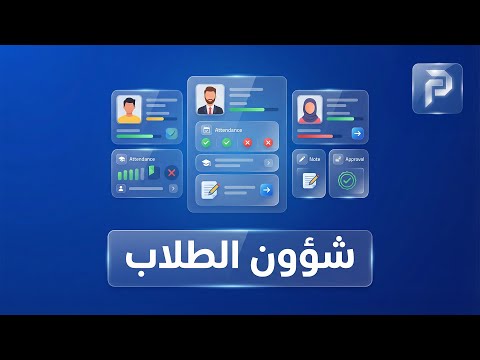
شؤون الطلاب
"وِحدة شؤون الطلاب" لأن الطالب هو محور العملية التعليمية، يقدم لكم نظام بريما Schools وِحدة شؤون الطلاب المتكاملة. صممنا هذا القسم ليكون مرجعكم الشامل لمتابعة كل تفاصيل الطلاب وأولياء أمورهم بكل سهولة ودقة". 1. إدارة ملفات الطلاب: "يمكنك الوصول لقاعدة بيانات ضخمة ومنظمة تشمل كافة سجلات الطلاب، بياناتهم الشخصية، ومستواهم الدراسي، مما يجعل استخراج أي معلومة يتم في ثوانٍ معدودة". 2. بوابة أولياء الأمور: "لأن التواصل مع الأسرة لا غنى عنه، يوفر النظام قسماً خاصاً لبيانات أولياء الأمور. يضمن هذا القسم ربط كل طالب بولي أَمره لتسهيل المتابعة، المراسلات، وتحديثات الحالة الدراسية بشكل مباشر". 3. متابعة غياب الطلبة: "وفرنا نظاماً دقيقاً لرصد غياب الطلبة. يمكنكم من خلاله تسجيل الغياب يومياً واستخراج تقارير فورية تساعدكم في التواصل مع الأهل ومتابعة المسيرة التعليمية". 4. إدارة الواجبات المدرسية: "يستطيع المعلمون رفع التكليفات اليومية ومتابعة أدائها، مما يبقي الطالب وولي أمره على دراية دائمة بالمهام المطلوبة أولاً بأول". 5. لوحة الشرف : "من خلال قسم لوحة الشرف، يمكنك إبراز صور وأسماء المتميزين دراسياً وسلوكياً. هذه الميزة ترفع من الروح المعنوية وتخلق بيئة تنافسية إيجابية داخل المدرسة". "مع وِحدة شؤون الطلاب في بريما Schools. نهتم بطالب اليوم، لنصنع قائد المستقبل."
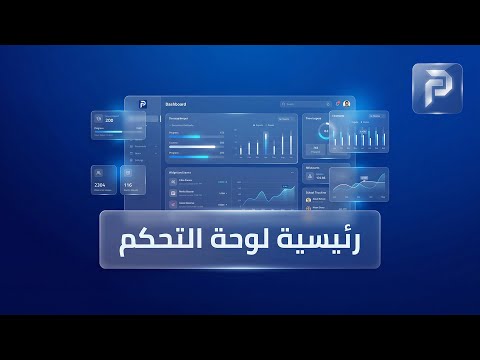
لوحة تحكم نظام "بريما سكولز"
المقدمة: "خلف هذه الواجهة الأنيقة للموقع، يقع المحرك الحقيقي لإدارة مدرستكم. أهلاً بكم في لوحة تحكم بريما سكولز؛ حيث تجتمع القوة، البساطة، والتحكم المطلق في مكان واحد." 1. نظرة شاملة (البيانات اللحظية): "بمجرد دخولك للوحة التحكم، ستجد أمامك لوحة بيانات ذكية (Dashboard) تعطيك تقارير حية ومباشرة. من هنا يمكنك مراقبة كل شيء: أعداد الطلاب، المعلمين، الحضور والانصراف، وحتى الحالة المالية للمدرسة، كل ذلك في رسوم بيانية سهلة القراءة." 2. إدارة المستخدمين والصلاحيات: "نحن نعلم أن الإدارة هي توزيع مهام؛ لذا يوفر النظام نظام صلاحيات متطور. يمكنك إضافة مديرين، محاسبين، معلمين، أو مشرفين، وتحديد صلاحية كل فرد بدقة متناهية، لضمان سرية البيانات وأمان النظام." 3. التحكم في محتوى الموقع (الفرنت إند): "من هنا يتم السحر! من داخل لوحة التحكم، يمكنك إدارة الموقع الذي يراه الجمهور. بضغطة زر تستطيع تغيير ترتيب الأقسام، تحديث صور لوحة الشرف، إضافة أخبار جديدة، أو تغيير ألوان الموقع بالكامل لتناسب هويتكم المتغيرة." 4. النظام الأكاديمي والجدول الدراسي: "إدارة الفصول والجدول الدراسي لم تعد عبئاً. لوحة التحكم تتيح لك بناء الجداول الدراسية، توزيع الحصص، وإرسال التنبيهات للطلاب والمعلمين فور حدوث أي تعديل، مع نظام ذكي لمنع تضارب المواعيد." 5. التقارير الذكية وصناعة القرار: "القوة الحقيقية تكمن في التقارير. يوفر النظام قسماً خاصاً للتقارير الشاملة؛ سواء كانت تقارير أكاديمية لمتابعة مستوى الطلاب، أو تقارير مالية دقيقة لمراقبة الإيرادات والمصروفات، مما يساعدك كصاحب مدرسة على اتخاذ القرارات الصحيحة في الوقت المناسب." 6. التواصل المتكامل: "لوحة التحكم هي مركز اتصالاتك. يمكنك إرسال رسائل نصية (SMS) أو تنبيهات داخلية لأولياء الأمور والمعلمين بضغطة واحدة، مما يجعل مدرستك مجتمعاً متصلاً دائماً." الخاتمة: "لوحة تحكم بريما سكولز هي الرفيق الذكي لكل مدير مدرسة طموح. نحن لا نوفر لك مجرد نظام، بل نوفر لك راحة البال والسيطرة الكاملة. بريما سكولز.. الإدارة كما يجب أن تكون."