It is a quarter past seven, and bus number 4 still has not reached the neighborhood stop. A parent calls the school, the school calls the driver, and the driver does not answer because he is driving. This scene repeats in many schools every morning, and it is exactly what GPS bus tracking solves: one clear piece of information instead of a chain of phone calls.
What tracking actually gives you
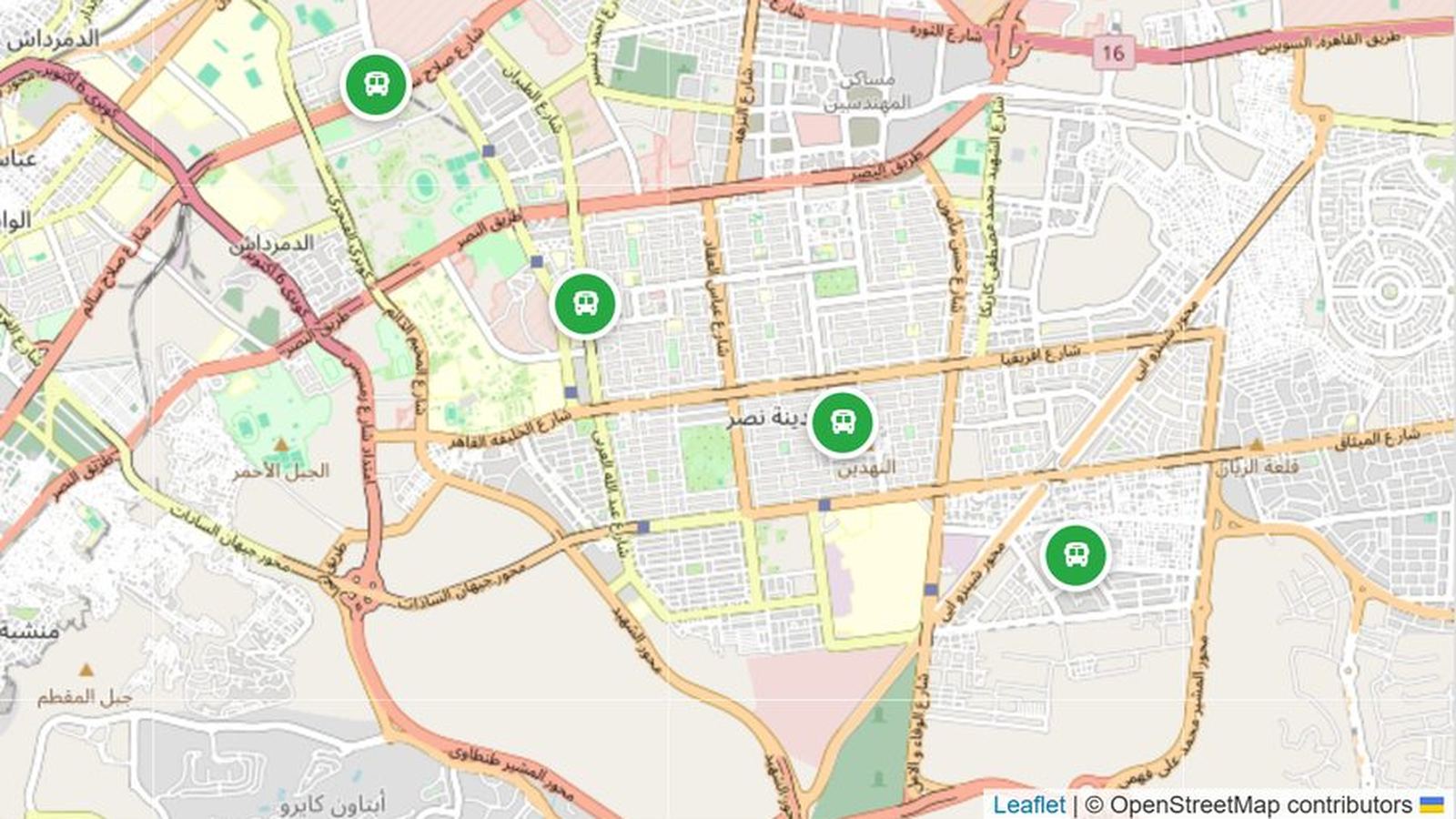
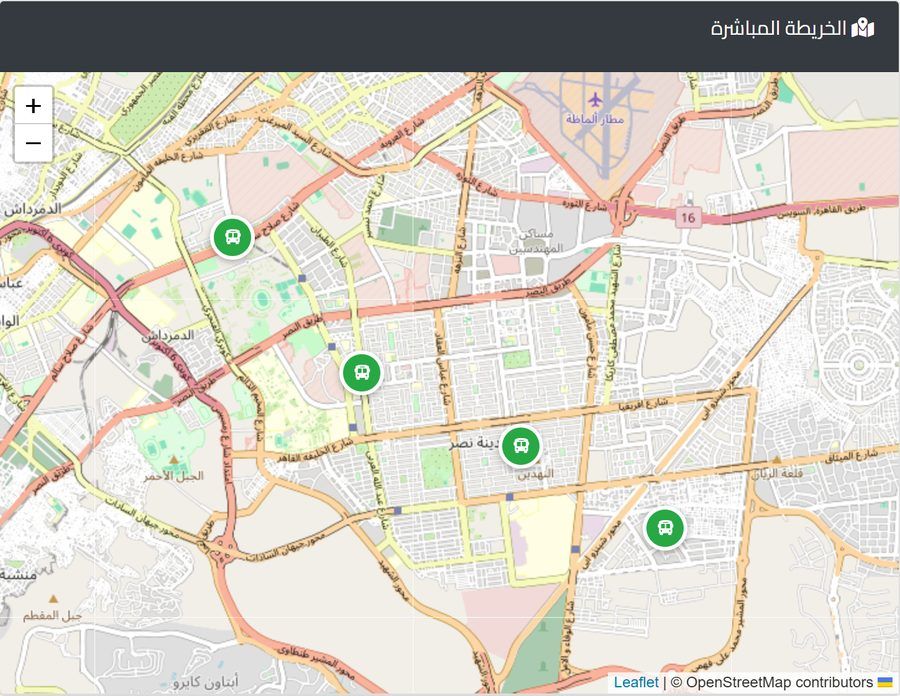
Tracking means you can see the location of every bus on a map in real time. It sounds simple, but it changes three things in the school day.
First, the transport manager knows where the bus is without calling the driver, so he answers the parent with facts instead of guesses. Second, when something goes wrong, such as a breakdown on the road or unusual traffic, the school finds out quickly and can decide: should it send a replacement bus? Should it notify the parents on that route? Third, over time it becomes clear which routes are consistently late, and you need that information when you re-plan routes for the following year.
Tracking alone is not enough: organize routes first
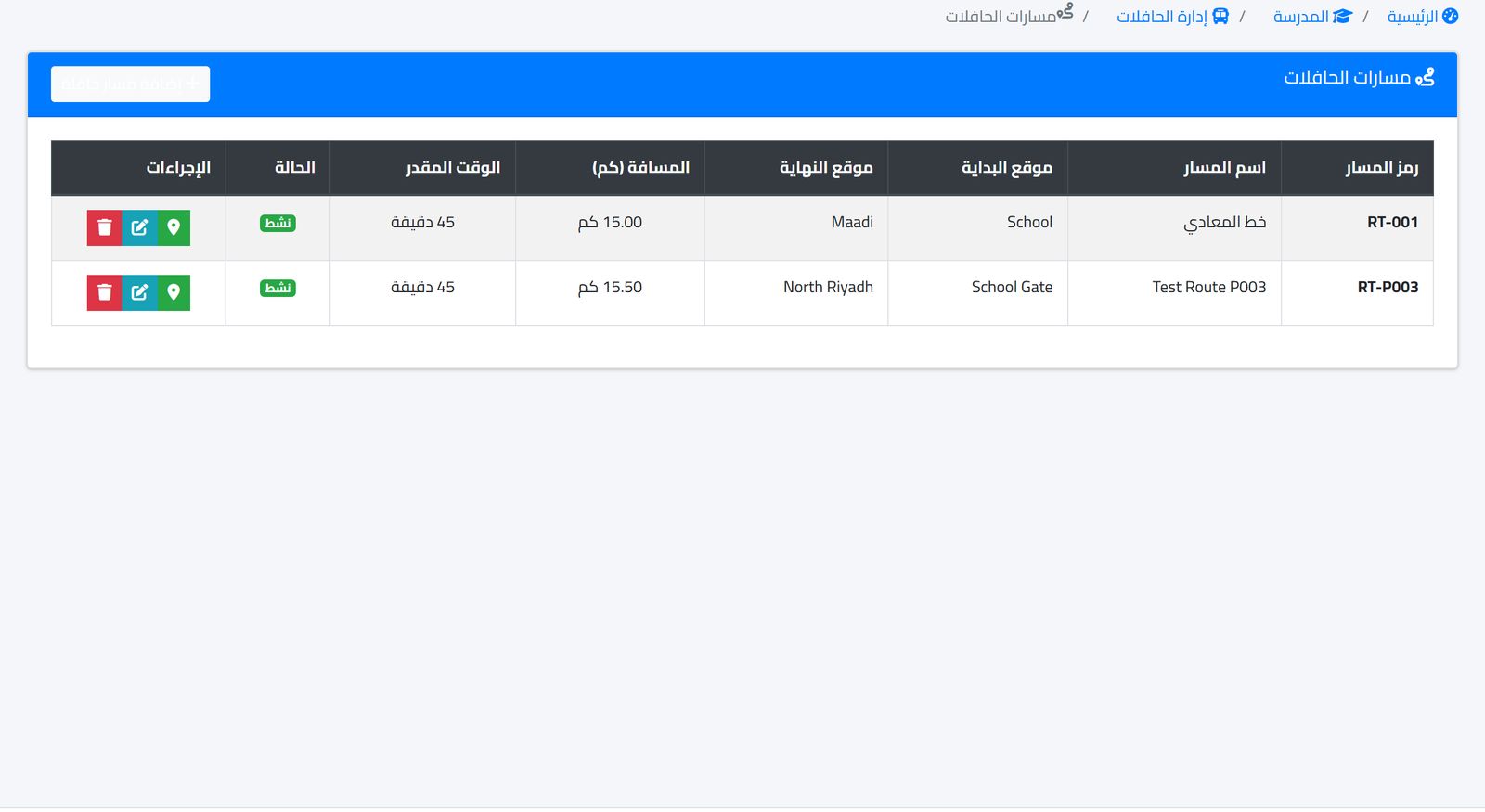
A GPS device on a bus with no defined route will not help much. Before thinking about tracking, make sure every bus has a written route with a start and end point, an approximate distance and an expected time. Then tracking has meaning: you compare the bus's actual position with where it should be.
Also make sure every student who uses school transport is assigned to a specific bus and route. This seems obvious, but at the start of every school year addresses change and names are added, and you end up with paper lists held by the driver that do not match the office lists.
Steps to implement tracking
- Review the list of buses: each bus's number, plate, capacity and responsible driver.
- Write down the routes with start and end points and the expected time.
- Link each student to his or her bus and route, and review the list with the drivers.
- Try tracking on a single route for a week and compare actual times with expected times.
- Decide who watches the map in the morning and at midday, and who calls parents when a bus is late.
- Explain the purpose of tracking to drivers before you switch it on, so it is not seen as personal surveillance.
The last item matters. A driver who understands that tracking also protects him, by proving he was stuck in traffic rather than late for no reason, will cooperate with it instead of avoiding it.
Also review the routes again two weeks after school starts, not only before. In the first weeks, transport subscriptions change, some parents ask to change their stop, and the driver discovers that a certain road is closed in the morning. Adjusting a route in the third week is much easier than leaving it as it is for the whole term.
Student attendance on the bus
Tracking answers the question "Where is the bus?", but parents also ask "Is my child on it?" Recording student attendance at boarding and drop-off closes that loop. A student who boarded the bus in the morning but was not marked present in class needs to be checked immediately, and the same goes for the reverse.
Make the bus supervisor, not the driver, responsible for this recording, because the driver is busy with the road.
What to read from tracking data after a month
After a month of operation you have something you did not have before: actual times for each route. Compare them with the estimated time for each route. A route that runs ten minutes behind its estimate every day needs a review: perhaps it starts late, passes through a congested street at peak time, or carries more students than its time allows.
Also look at how students are distributed across buses. A bus that seats fifty but carries twenty, next to a full bus that is late every day, means a simple redistribution could save time and fuel. These decisions are usually made by guesswork, and tracking combined with student lists lets you base them on numbers.
Share what you find with the drivers. A driver knows the road better than any map, and may suggest a start ten minutes earlier or an alternative street that solves the problem at no extra cost.
Calculating the cost: what the school pays
The cost of tracking is not limited to the software. There is a device or some other way to send the location from each bus, a data plan if the device needs one, and installation and maintenance. Ask the supplier to itemize each part, and calculate the cost per bus per year.
Then put the cost in context. An illustrative example: a school has 8 buses, and each bus carries 30 students, so 240 students pay transport fees. Divide any annual tracking cost by those students and you will often find it is a small fraction of the transport fee each one pays, in return for a service parents notice every day.
There are other fleet costs that deserve the same careful follow-up: maintenance, fuel and accidents. These figures are what really determine how much each bus costs you, and we covered them in the article School bus maintenance and fuel.
What to tell parents
Before you switch tracking on, send the parents of students who use transport a message explaining what will change. Say who follows the buses at school, how they will be notified if a bus is late, and which number to call. Being clear from the start reduces random calls in the first weeks.
Agree inside the school on a clear delay threshold that is worth reporting, such as fifteen minutes past the usual time. If the bus exceeds it, a notification goes to the parents on that route only, not to the whole school. A parent who receives the message "The bus is late because of traffic and will arrive within twenty minutes" before he calls will trust the school more than he would after any announcement about transport service quality.
Safety procedures that no device can replace
Tracking is a tool, but student safety on the bus depends on daily procedures that must be written down and known to every driver and supervisor:
- A walk through the bus after the last student gets off, to make sure no child is asleep on the back seats.
- A young student is handed over at the drop-off stop only to a parent or to someone the parent has authorized in writing.
- A list of the parents' phone numbers for each route held by the supervisor, updated every term.
- A quick daily check before departure: tires, doors and emergency exits.
Review these procedures with drivers and supervisors at the start of every year, and record every incident, however small, with its date, type and severity. The log helps you see which route or bus keeps having problems before they turn into a bigger accident.
Common mistakes
- Installing tracking devices before organizing routes and student lists.
- Not assigning a person to watch the map at peak times.
- Neglecting the maintenance schedule until a bus breaks down in the middle of its route.
- Relying on paper lists held by the driver that are not updated when a student's address changes.
How it works in Prima Schools
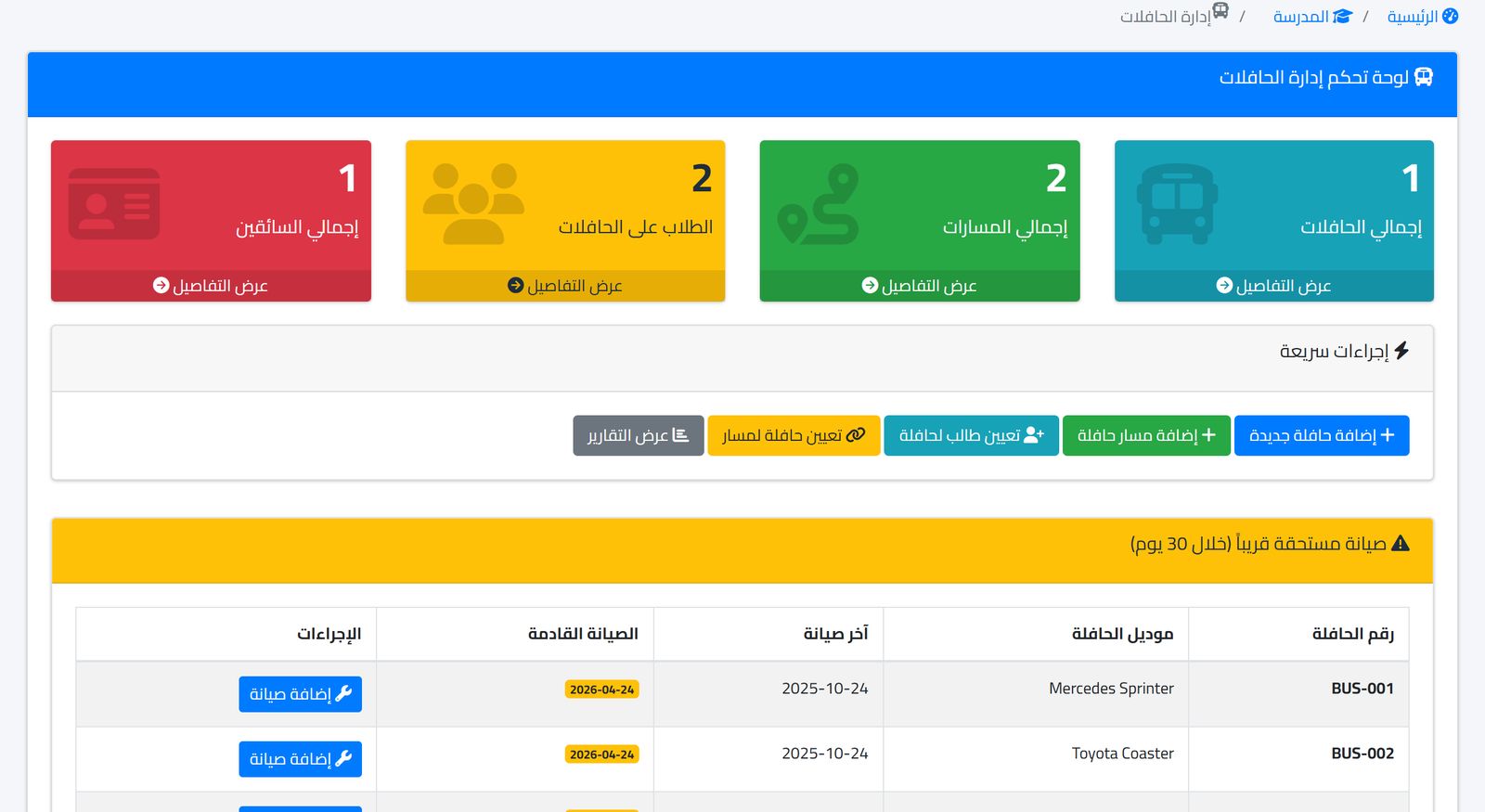
The buses module in Prima Schools brings buses, drivers, routes and student assignments together in one place. The buses dashboard shows the number of buses, routes, students on buses and drivers, with quick actions and a table of maintenance due soon.
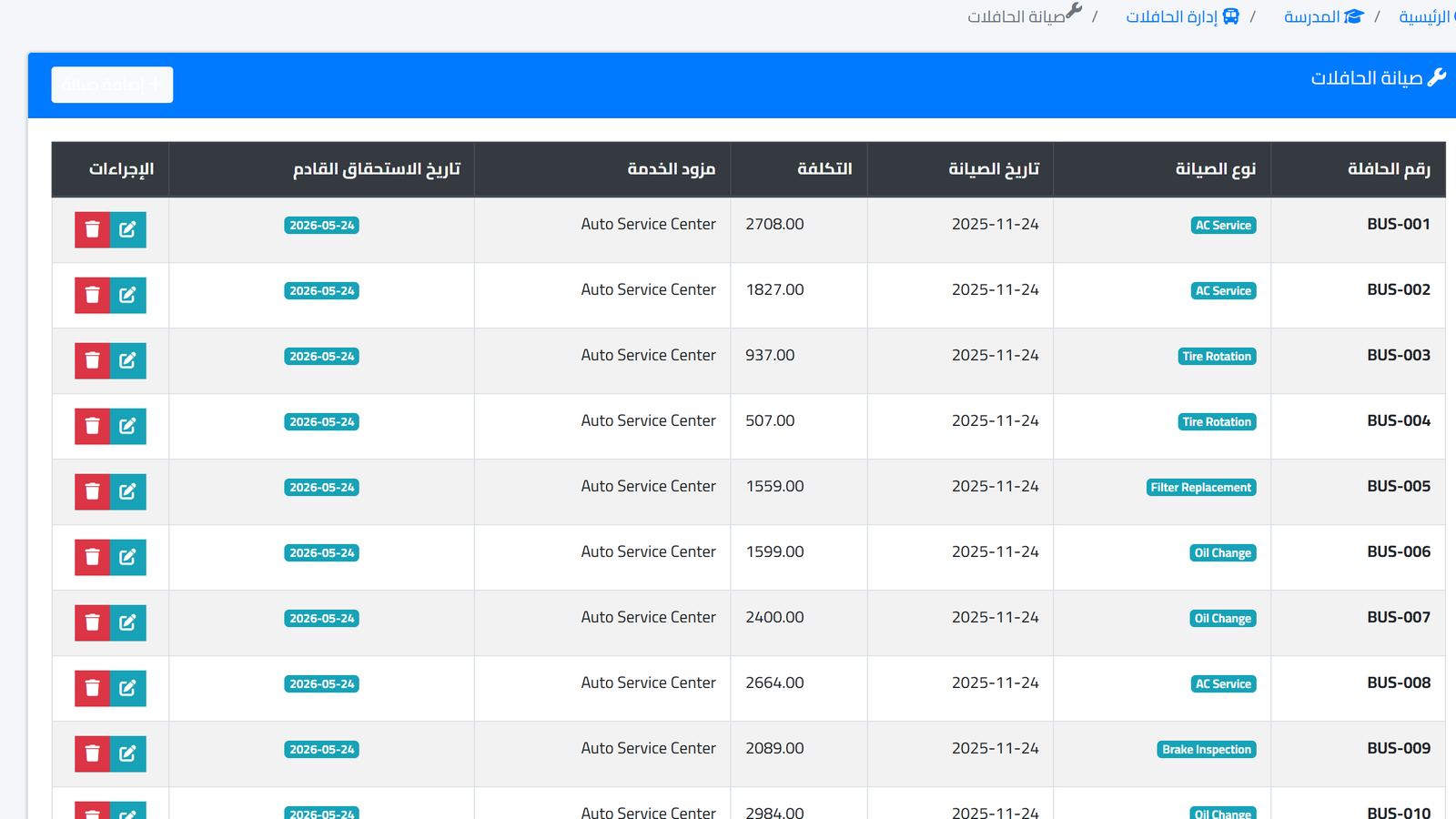
Routes are recorded with a start and end point, distance and estimated time, and the bus's position appears on a live GPS tracking map. You can record student attendance on the bus, and follow the maintenance log with cost and next due date, the fuel log, accidents and bus reports.
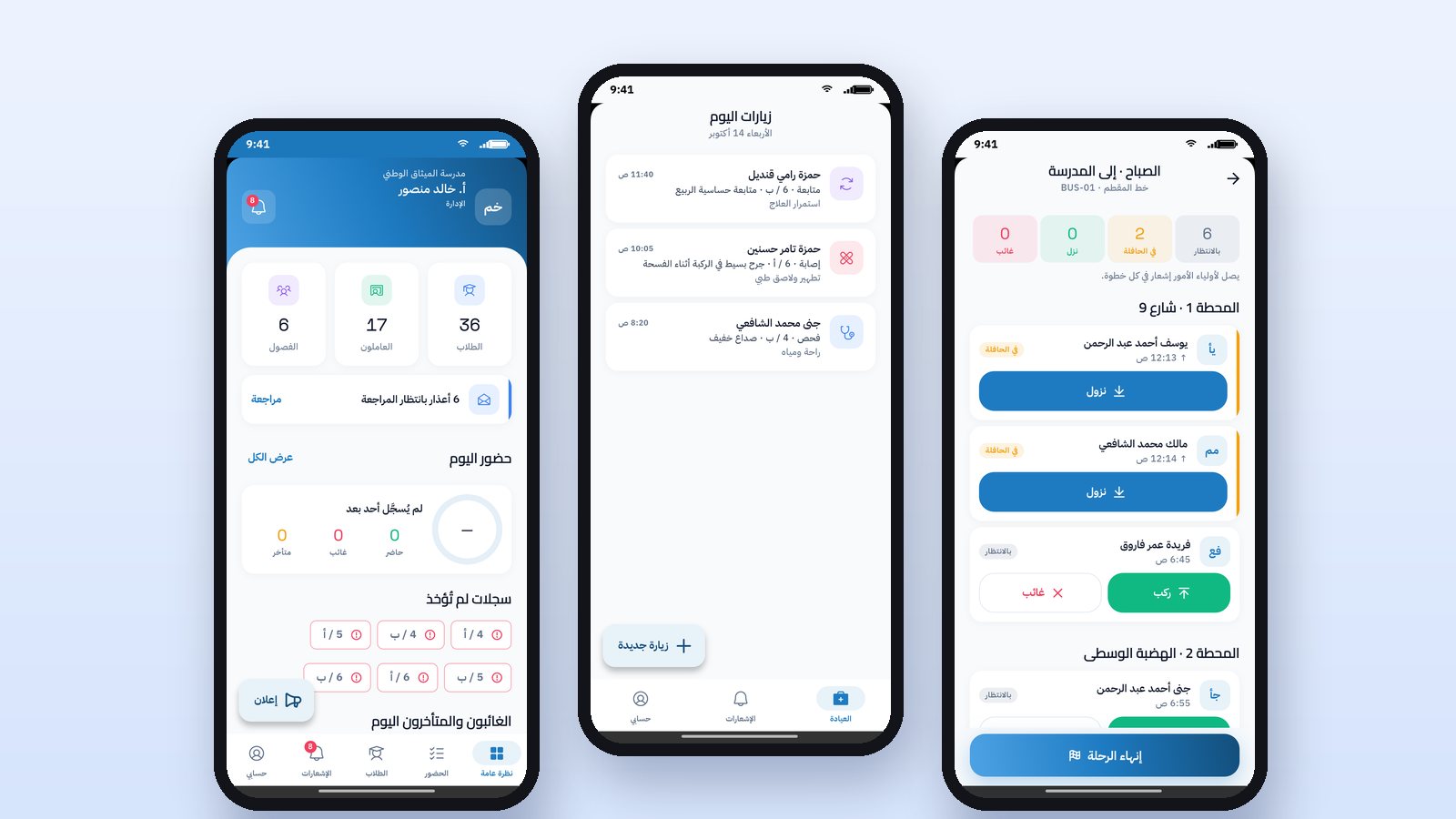
When a bus is late, you can send a manual notification to a group of parents from the notification center by SMS, WhatsApp or email. The driver starts the trip and records students boarding and getting off from the Prima Staff app, so the parent follows the bus live on the map in the Prima Schools app and receives notifications when the trip starts and when the student boards and gets off. The remaining details are on the features page.
Watch a full trip in both apps
On the right is the parent app, and on the left is the driver app: starting the trip, recording boarding, the bus moving on the map, then ending the trip.
Frequently asked questions
Is tracking useful for schools with only a few buses?
Yes, even with two or three buses. The value is in answering the parent with accurate information and in knowing what is happening in any emergency, and that does not depend on fleet size.
Who should see the map?
The transport manager first, and management when needed. What matters is that a specific person follows it during the outbound and return times.
Does tracking replace the bus supervisor?
No. Tracking tells you where the bus is, while the supervisor is responsible for the students inside it and for recording when they board and get off.
If your school manages transport with phone calls and paper lists, the first step is to see the routes, buses and map on your own data. Book a demo of the buses module.