Four main question types
Multiple choice, true/false, essay and fill in the blank.
A shared question bank for every subject and grade, reviewed before use, that teachers build their tests from in minutes.
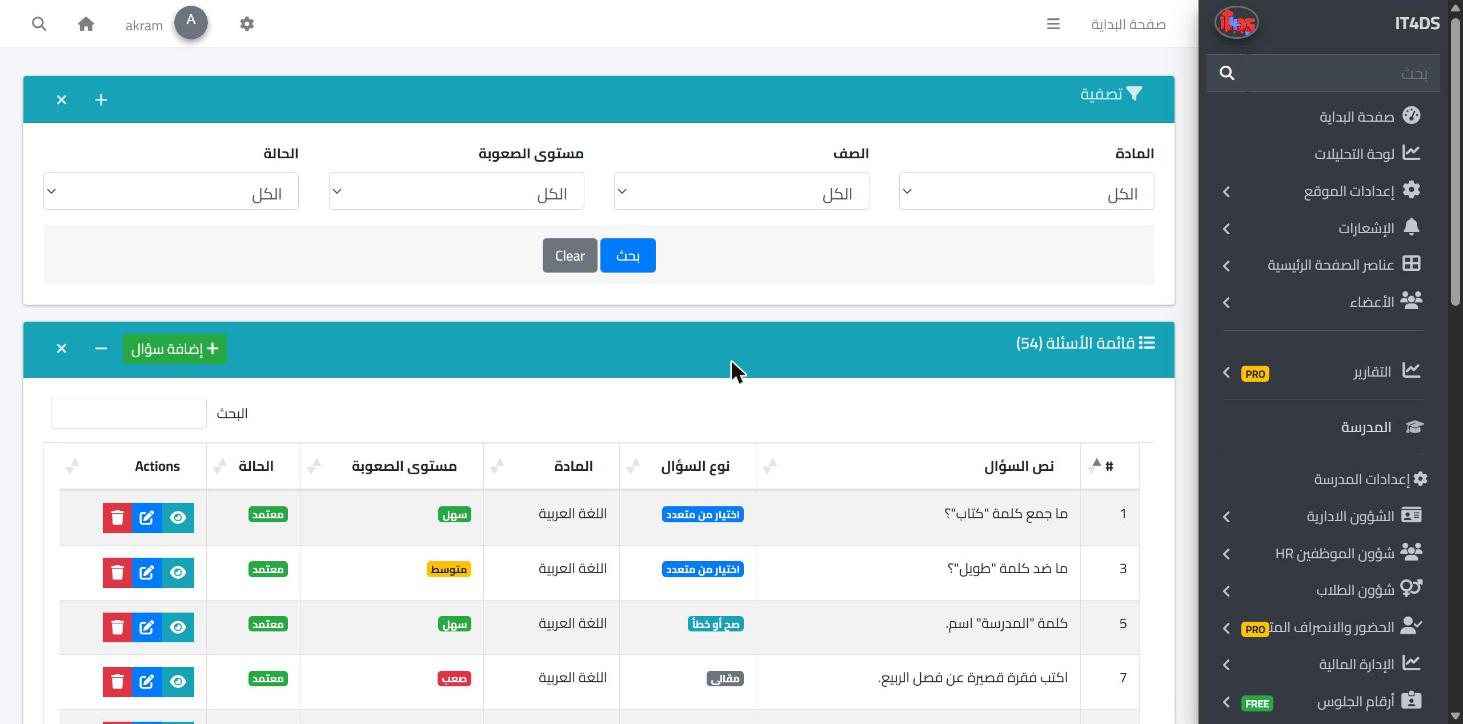
Every teacher rewrites their questions each year, and good questions get lost in scattered files on different devices. The question bank in Prima Schools keeps the school's questions in one place, sorted by subject, stage, grade, term and year, for teachers to come back to whenever they need a new test.
Each question has a type, a difficulty level and marks, and can carry a topic, a learning objective and a picture. Questions are written in Arabic and English together, and every new question starts as "pending review" until the administration approves or rejects it, so only reviewed questions reach tests.
When building an online exam, the teacher browses approved questions, filters them by subject, grade, difficulty and type, and imports them into the exam with a click, from the admin panel or the Prima Staff app. A statistics page shows the number of questions by status, type and difficulty, so the administration sees where the bank needs more.
Choose the type, subject, grade, difficulty and marks, and write the question and its answers.
The administration reviews new questions and approves or rejects them.
Teachers filter approved questions and import the ones they want into their online exam.
Multiple choice, true/false, essay and fill in the blank.
Yes, every question starts pending review and can only be imported into exams once approved.
Yes, they browse approved questions in the Prima Staff app and import them into their online exam.
Yes, a picture can be attached to each question.
Once imported into an online exam, the teacher marks them by hand, while choice questions are marked automatically.
Yes, the number of questions by status, type and difficulty.
Create your account and start a trial, or book a live demo with our team.