A form on the school website
An admission page on the school website that parents open from a phone or computer at any time.
An admission form on the school website that collects parents' applications with attachments, reviewed and answered from the admin panel.
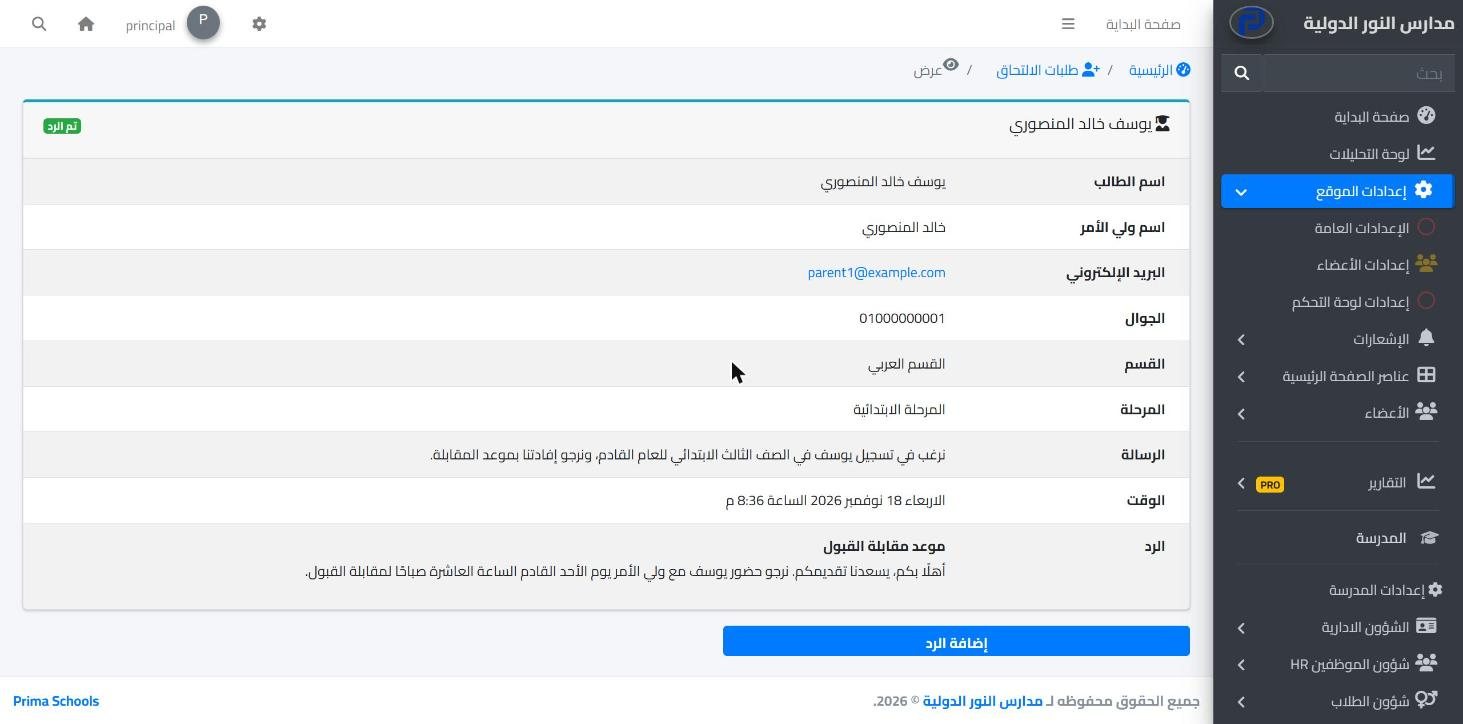
Admission season means many phone calls, paper moving between reception and the office, and applications that sometimes get lost before anyone answers. In Prima Schools the admission form sits on the school website you run from the same system, so parents can apply at any time without coming to the school.
Parents enter the student's name, their own name, phone and email, choose the section and stage from the lists the school set up in its academic structure, and attach up to three images such as the student's photo or scanned documents. The school gets an email for every new application.
All applications land in one inbox in the admin panel, with new ones marked apart from those already opened. The administration opens each application with its attachments and replies to the parent by email from the same page. Once a student is accepted, the administration adds them to student affairs.
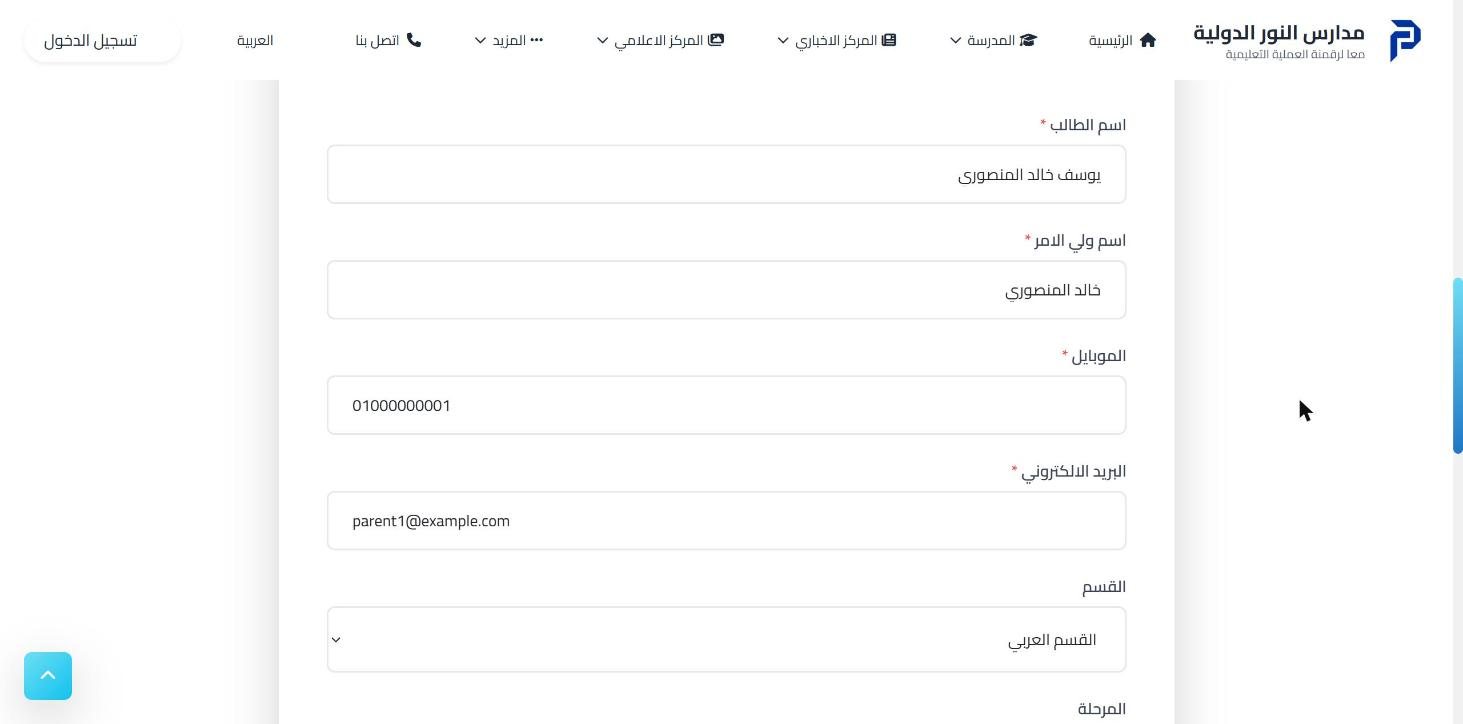
And write the intro text with admission terms and dates on the school website.
With section, stage, contact details and image attachments.
From the inbox in the admin panel, then adds accepted students to student affairs.
Your school's official website in Arabic and English, built by drag and drop and run from the same system, with no developer.
Learn More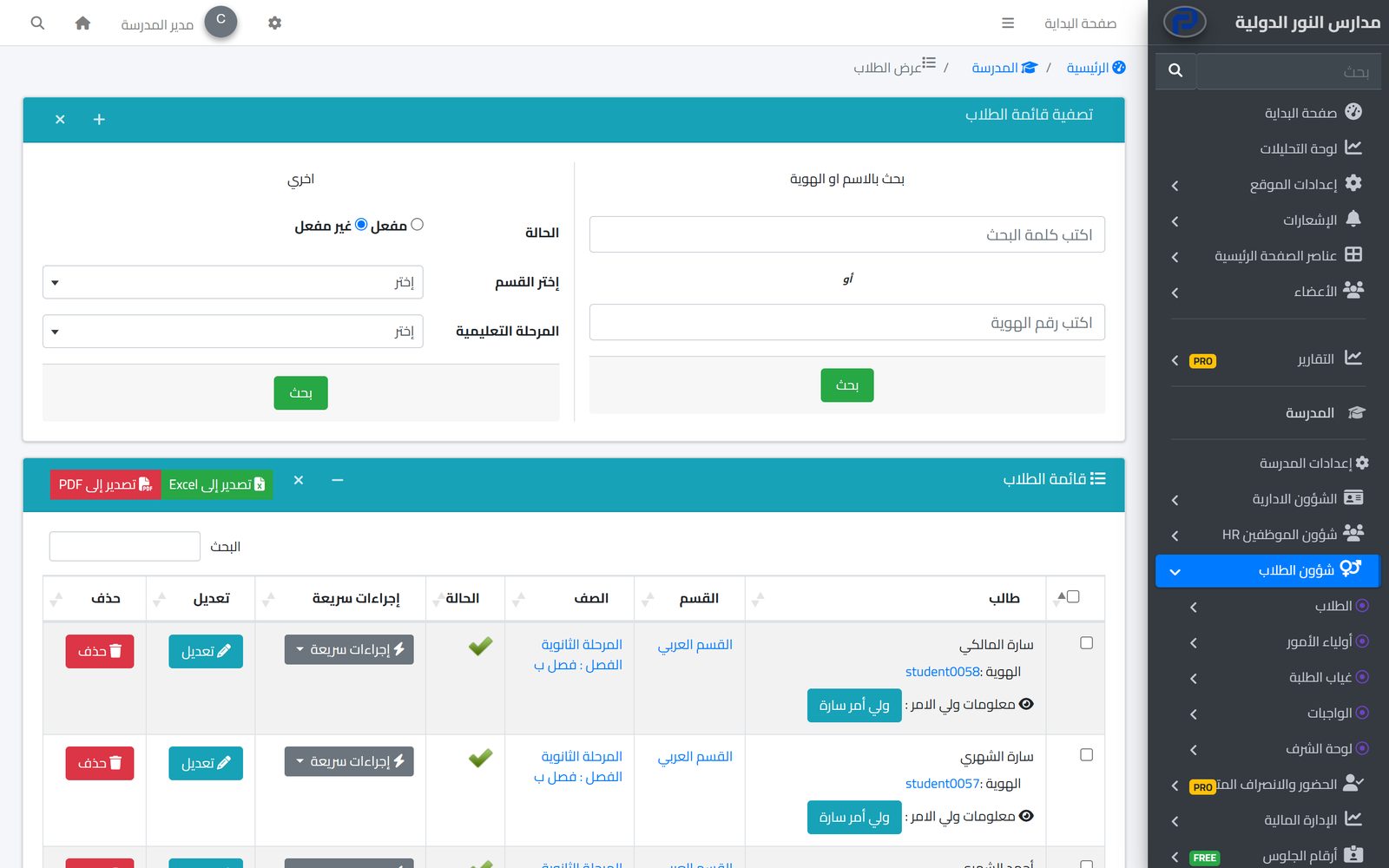
One file per student with their details, class, parents and app account, the base for everything the school does each day.
Learn MoreBuild your school's structure as it really is: sections, academic years, terms, stages, grades, classes and subjects, for the whole system to work on.
Learn MoreOn the school website, which the school runs from Prima Schools.
Yes, up to three images per application, such as the student's photo or scanned documents.
It gets an email, and the application shows as new in the inbox in the admin panel.
No. The administration reviews it first and adds the student to student affairs once accepted.
No. The form only takes applications; fees are handled after enrolment in fees and invoicing.
Yes. The administration writes the reply on the application page and it goes to the parent's email.
Create your account and start a trial, or book a live demo with our team.

