From the teacher's phone
Teachers open their class in Prima Staff and mark each student with one tap, or choose "all present" and change only the absent ones.
Take attendance in a minute from a phone or the admin panel, and parents hear about an absence the same day.
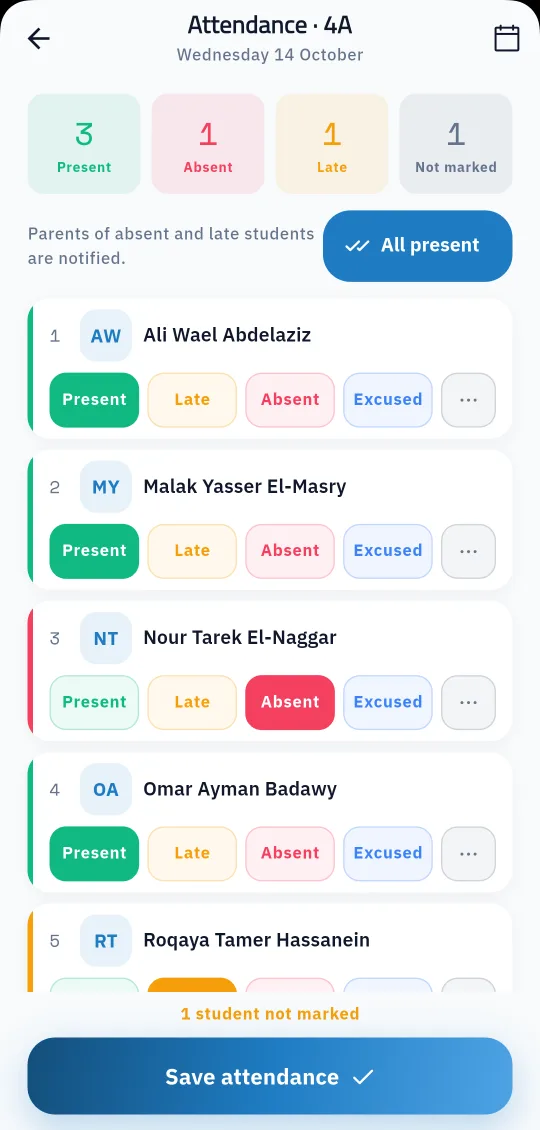
Attendance is the task a school repeats every day, and the one parents ask about most. In Prima Schools teachers take their class attendance on their phone in the Prima Staff app, or the administration takes it in the admin panel, and it goes straight into the student's record with no paper lists and no typing it again.
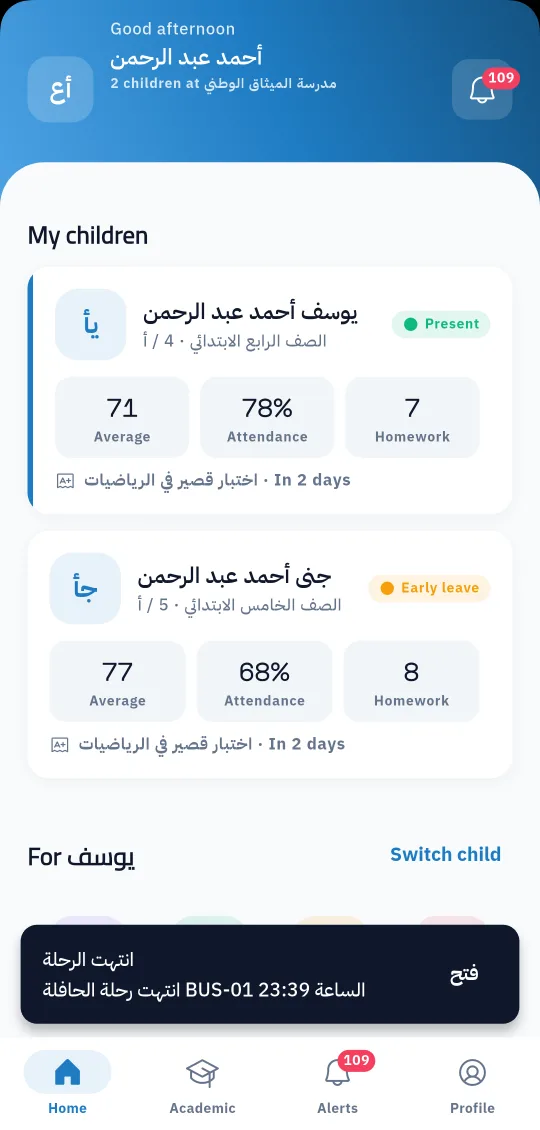
Every student has a clear status each day: present, absent, late or excused. Parents of absent and late students are told in the Prima Schools app and on the channels the school turns on, so they know the same day, and they can send an absence excuse from the app with an attachment such as a medical note for the administration to accept or reject.
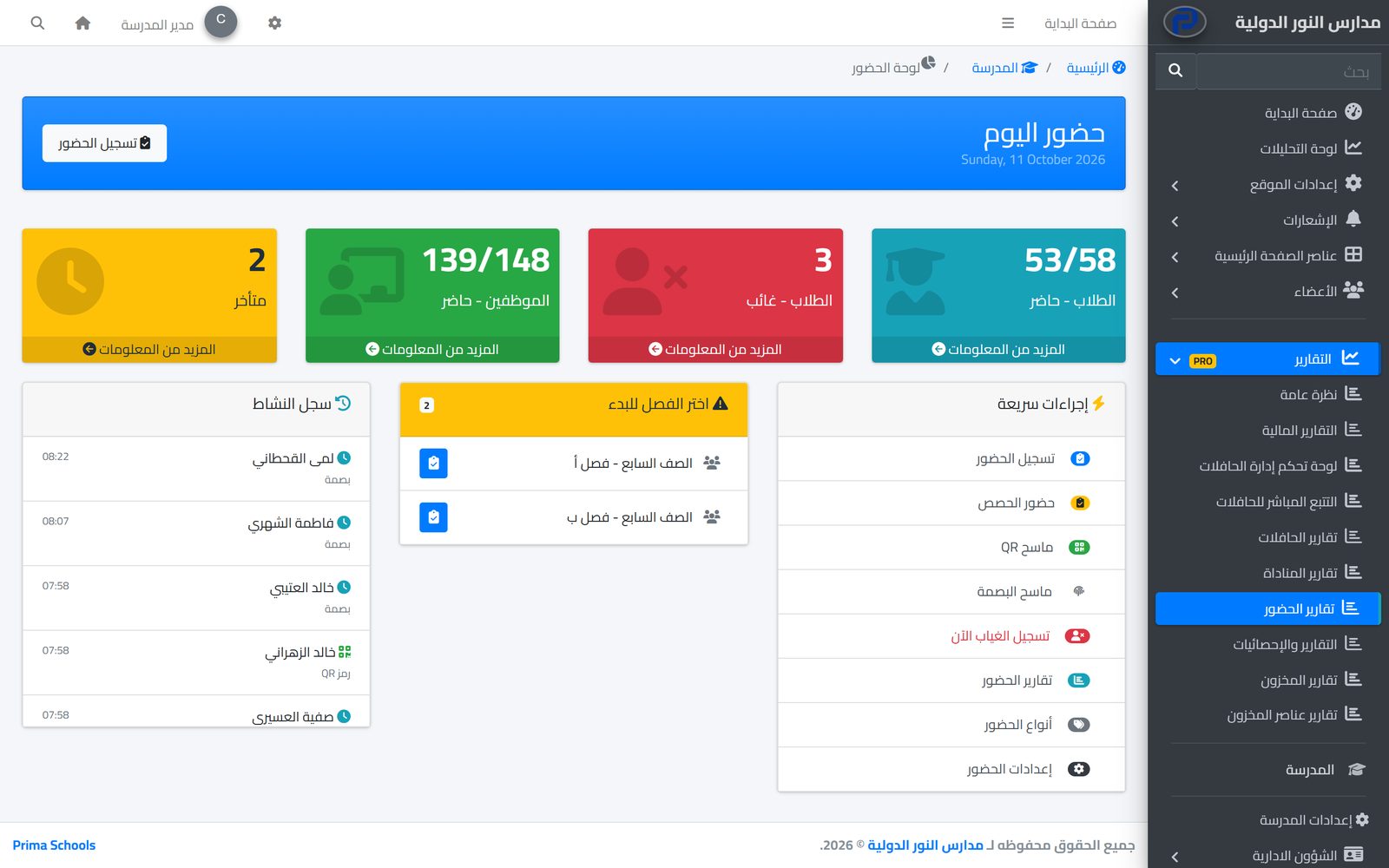
Schools that want closer follow-up add the advanced attendance add-on: attendance for each lesson, attendance by scanning the student's QR code, and late-arrival tracking. Everything shows in ready reports per student, class and period, exported to Excel and PDF.
In the academic structure, or import your current student data.
In the Prima Staff app or the admin panel, with four statuses per student.
Parents of absent and late students get the notice, and the reports show it at once.
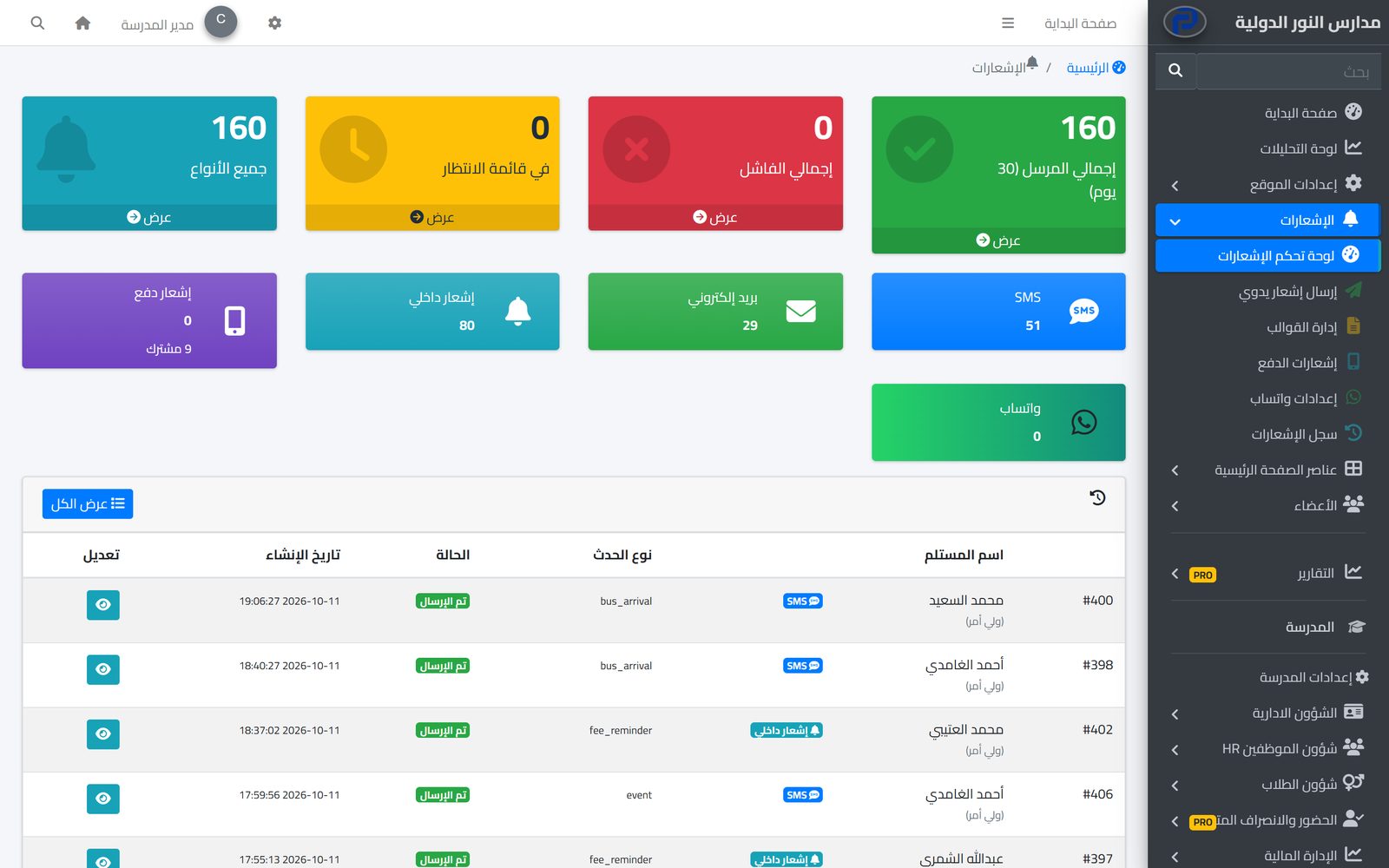
The system tells students, parents and staff about everything that concerns them in the apps and by SMS, email and WhatsApp, from one centre with editable templates and a full log.
Learn MoreParents follow their children's attendance, homework, marks and school bus on their phone in the Prima Schools app, message their teachers and send absence excuses without a trip to school.
Learn MoreOne app for school staff that opens the screens each person's job needs: teacher, administration, supervisor, bus driver, nurse, librarian and gate staff.
Learn MoreYes, in the Prima Staff app for Android and iPhone; attendance is saved in the system at once.
With a notice in the Prima Schools app and on the channels the school turns on, such as SMS.
Yes, from the app with an attachment; the administration reviews it and accepts or rejects it.
Yes, with the advanced attendance add-on, together with QR attendance and late tracking.
Yes, the system covers teacher attendance as well as student attendance.
Yes, to Excel and PDF, per student, class or period.
Create your account and start a trial, or book a live demo with our team.



