The school's behaviour reasons
Positive and negative reasons the school defines in Arabic and English, each with a colour and icon.
Positive and negative behaviour notes with clear points, written by teachers on their phone and seen by parents in the app.
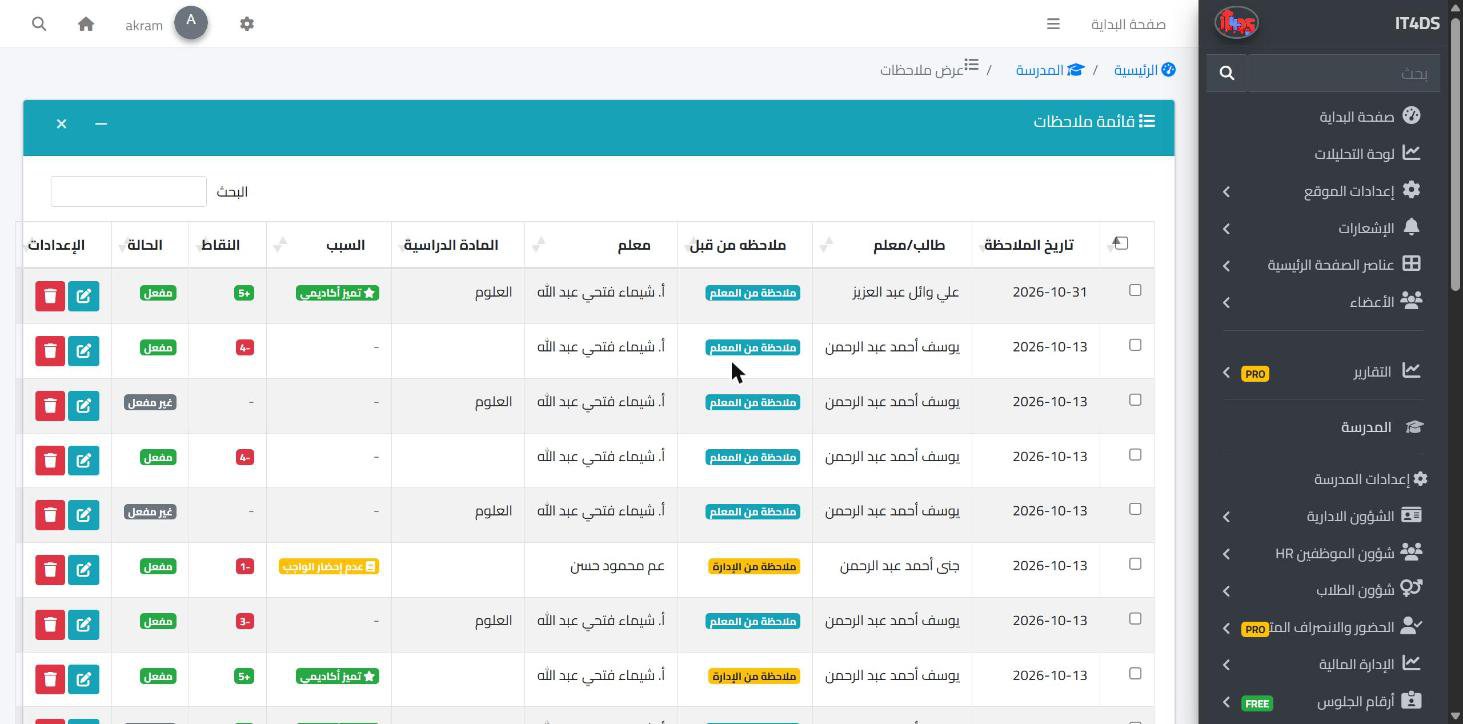
Following behaviour needs a steady record, not scattered remarks in teachers' notebooks that are mostly forgotten by the end of term. In Prima Schools the school sets the list of behaviour reasons it uses, positive and negative, each with a severity, default points, a colour and an icon, so notes are recorded on the same standard in every class.
Teachers write the note in the Prima Staff app: pick the student, tap the reason, and the points appear on their own; they can change them, add a comment, and choose whether the family sees the note or it stays internal. Floor supervisors and gate staff write quick notes from their own screens in the same app and the family is told, and the administration records its own notes in the admin panel.
Students and parents see the notes meant for them in the Prima Schools app, with the positive and negative totals and the overall balance, and can comment on a note to talk to the school about it. Achievement has its place too: the administration adds outstanding students to the honour board with their photo and the reason, shown on the school website's home page.
Positive and negative, with a severity and default points for each.
From the teacher app, the supervisor and gate screens, and the admin panel.
Parents see the notes and points in the app and comment on them.
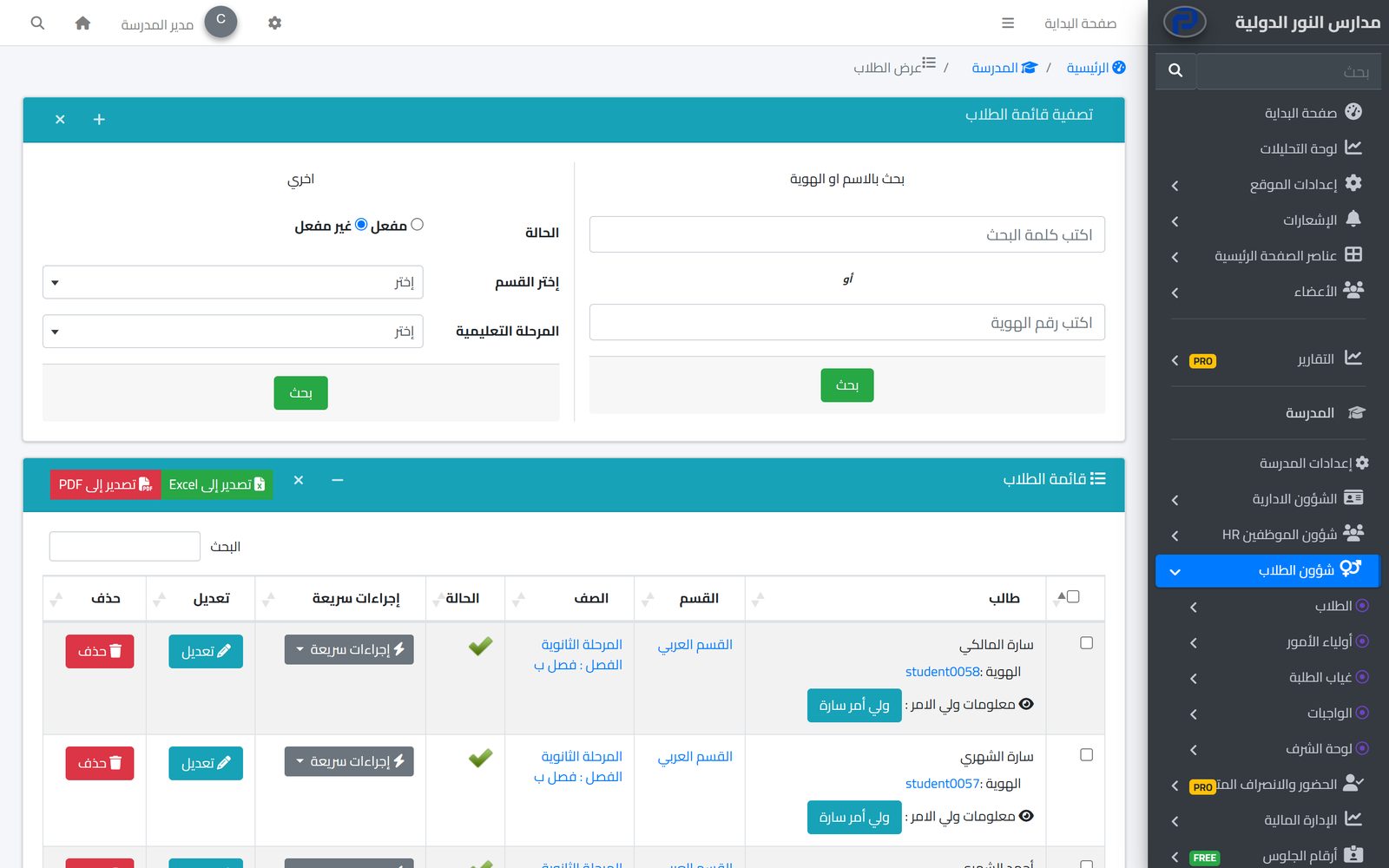
One file per student with their details, class, parents and app account, the base for everything the school does each day.
Learn MoreParents follow their children's attendance, homework, marks and school bus on their phone in the Prima Schools app, message their teachers and send absence excuses without a trip to school.
Learn MoreGate staff record a late arrival or early leave on their phone in seconds; parents are told and it goes into the student's attendance.
Learn MoreYes, in the Prima Staff app by picking the student and the reason, with points and a comment.
Yes, in the Prima Schools app they see the notes shown to the family and the points totals.
Yes, whoever writes the note decides whether the student and parents see it or it stays internal.
Yes, the school sets the positive and negative reasons, their severity and their points.
Yes, by commenting on it in the app; the teacher and the administration see the comment.
On the school website's home page, with the outstanding students' photos and the reason they are honoured.
Create your account and start a trial, or book a live demo with our team.


