School figures on the home page
Total students, staff and revenue and today's attendance rate in clear cards at the top of the page.
A clear picture of your school on one page: students, staff, revenue and attendance, with an analytics dashboard you can export to Excel and PDF.
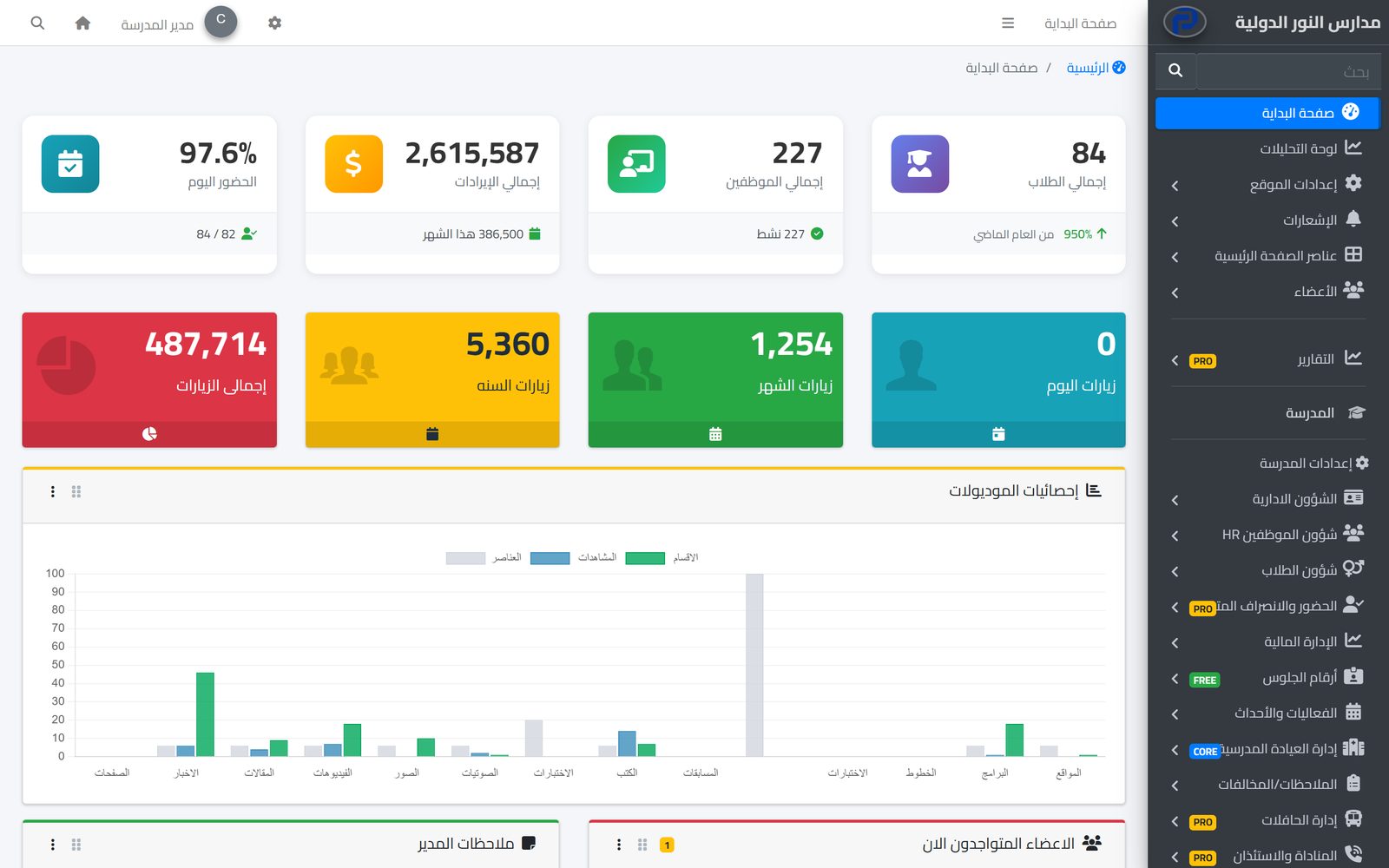
The dashboard is the first thing the school administration sees when it signs in to Prima Schools. The home page shows total students, staff and revenue and today's attendance rate, next to the school website's visits and section statistics, so the principal knows where the school stands at a glance without waiting for anyone's report.
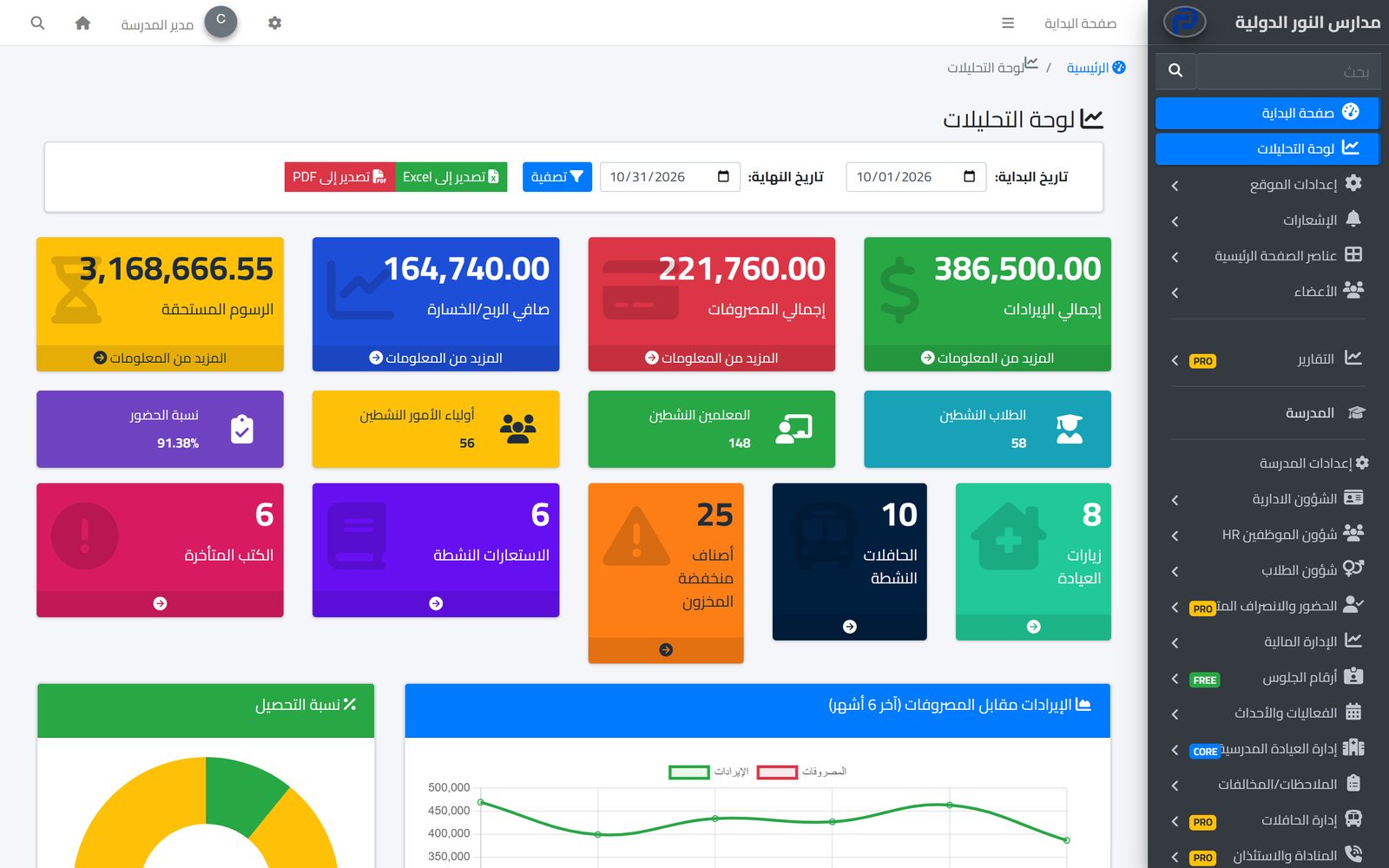
For a closer look there is the analytics dashboard: pick a date range and it shows revenue, expenses, the net difference, outstanding fees and the collection rate, then the attendance rate, active students, teachers and parents, clinic visits, active buses, low-stock items and overdue books. A chart compares revenue with expenses over the last six months.
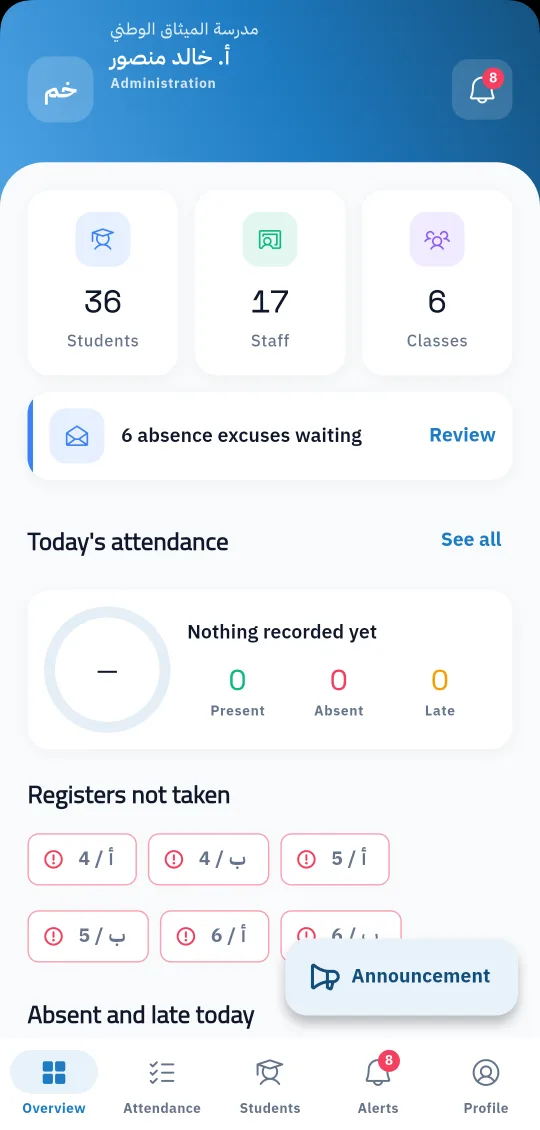
The analytics dashboard exports to Excel and PDF in one click, ready for management and board meetings. The same picture reaches the principal's phone in the Prima Staff app: students, staff and classes, today's attendance, the classes whose register has not been taken yet, and the absence excuses waiting for review.
The school's main figures appear on the home page straight away.
And pick the period you want to review.
To Excel or PDF for management meetings.
An analytics dashboard with the school's key figures, and ready reports for every department, filtered by date and exported to Excel and PDF.
Learn MoreOne app for school staff that opens the screens each person's job needs: teacher, administration, supervisor, bus driver, nurse, librarian and gate staff.
Learn MoreEveryone sees what their job needs and does only what they are allowed to: unlimited user groups, a permission for each action, and approvals for financial operations.
Learn MoreTotal students, staff and revenue, today's attendance rate, and the school website's visits and section statistics.
Yes. Pick a start and end date in the analytics dashboard and the figures are worked out for that period.
Yes. Expenses come from paid salaries and supplier payments, and the net difference is shown next to revenue.
Yes, to Excel and PDF in one click.
Yes, on the administration screen of the Prima Staff app: today's attendance, registers not taken and absence excuses waiting.
Yes. The admin panel works in both languages, right-to-left for Arabic.
Create your account and start a trial, or book a live demo with our team.

