Events with full details
Title and details in Arabic and English, start and end dates, time and place.
One calendar for the school's events and activities, each reaching the people it concerns in the apps.
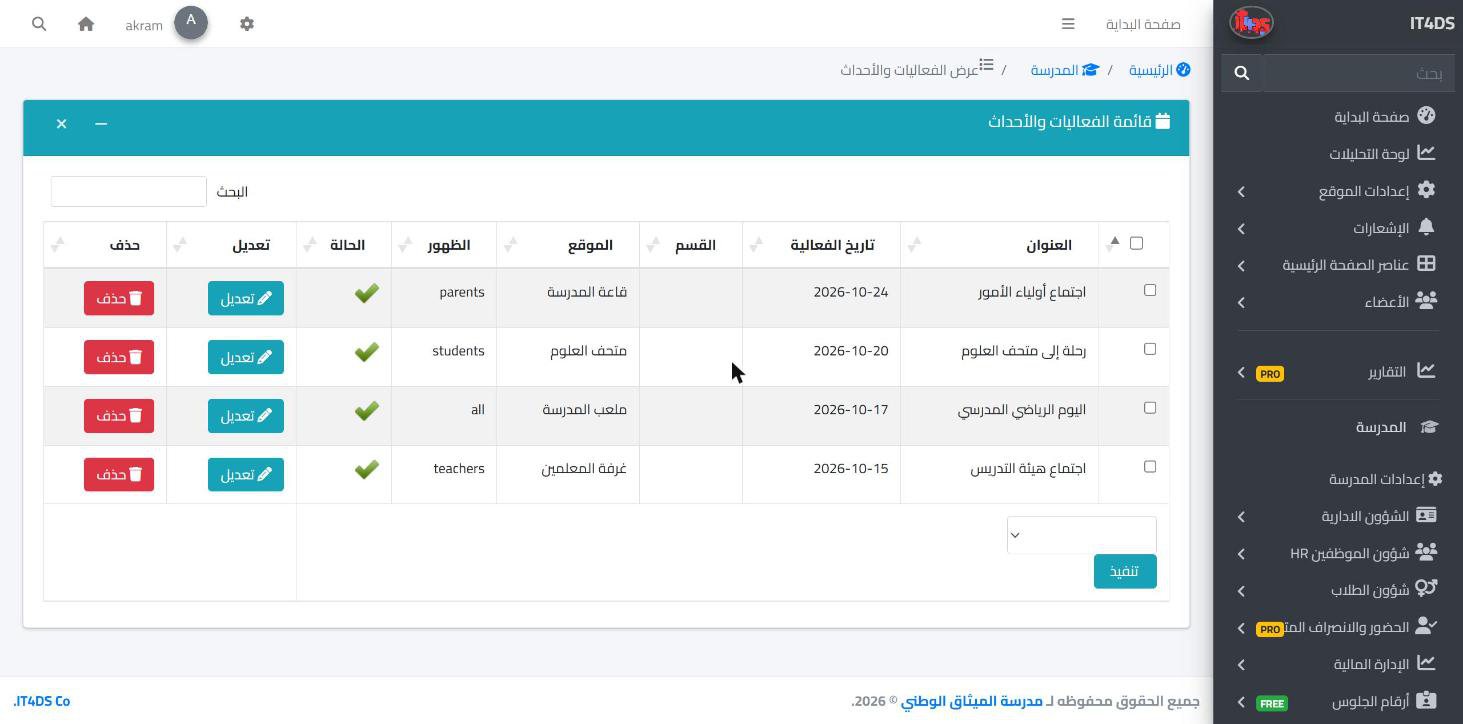
Trips, celebrations, competitions and parent meetings are usually announced on paper and in chat groups, and some of the people concerned miss them. In Prima Schools each event is entered once in the admin panel: the title and details in Arabic and English, the start and end dates, the time, the place and a picture.
Events are grouped into sections the school defines, such as sports, culture or meetings, and each event has its audience: everyone, students, parents, teachers or staff. Each user sees only what concerns them, and important events are pinned to the top of the list.
Students and parents see upcoming and past events in the Prima Schools app, and teachers and staff see them in the Prima Staff app, filtered by section and by day. The administration's official circulars, with their number, type and attachment, reach teachers and staff in their app, away from chat-group messages.
Such as sports, culture and meetings.
Details, date, time, place and picture, and choose who sees it.
Students, parents, teachers and staff each see the events meant for them.
Your school's official website in Arabic and English, built by drag and drop and run from the same system, with no developer.
Learn MoreParents follow their children's attendance, homework, marks and school bus on their phone in the Prima Schools app, message their teachers and send absence excuses without a trip to school.
Learn More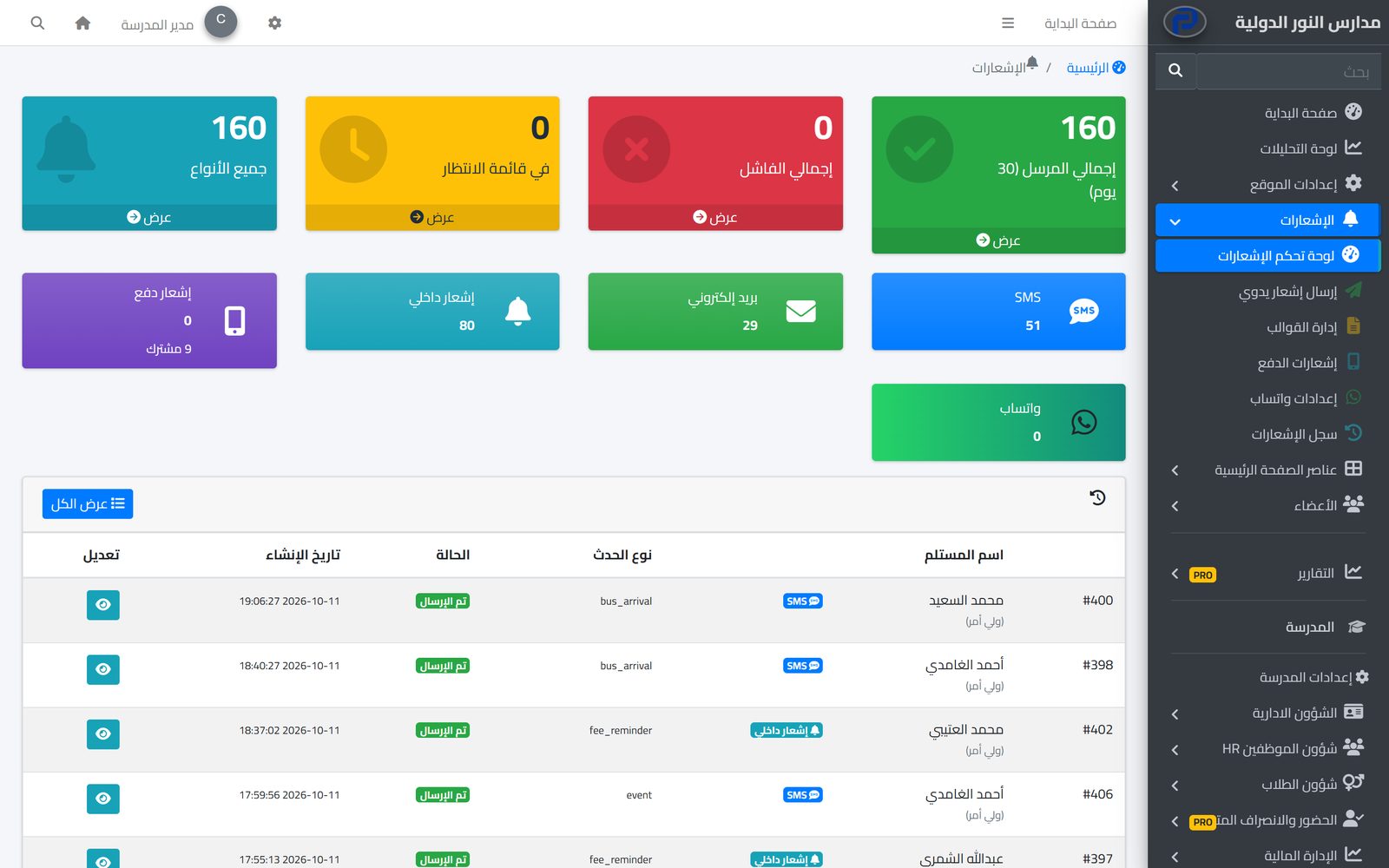
The system tells students, parents and staff about everything that concerns them in the apps and by SMS, email and WhatsApp, from one centre with editable templates and a full log.
Learn MoreYes, the Prima Schools app shows the upcoming and past events meant for them.
Yes, each event has its audience: everyone, students, parents, teachers or staff.
Yes, into sections the school defines, with filters by section and by day.
Events have a date and place for an audience the school picks; circulars are official decisions for teachers and staff, with a number and attachment.
Yes, in Arabic and English, and each user sees it in their language.
Create your account and start a trial, or book a live demo with our team.

