A contact form on the school website
Visitors give their name, email, subject and message, and choose the message type from the list the school sets.
The school receives messages from visitors and parents on its website and apps and answers them from the admin panel, and gets support from the Prima Schools team through organised tickets in its account.
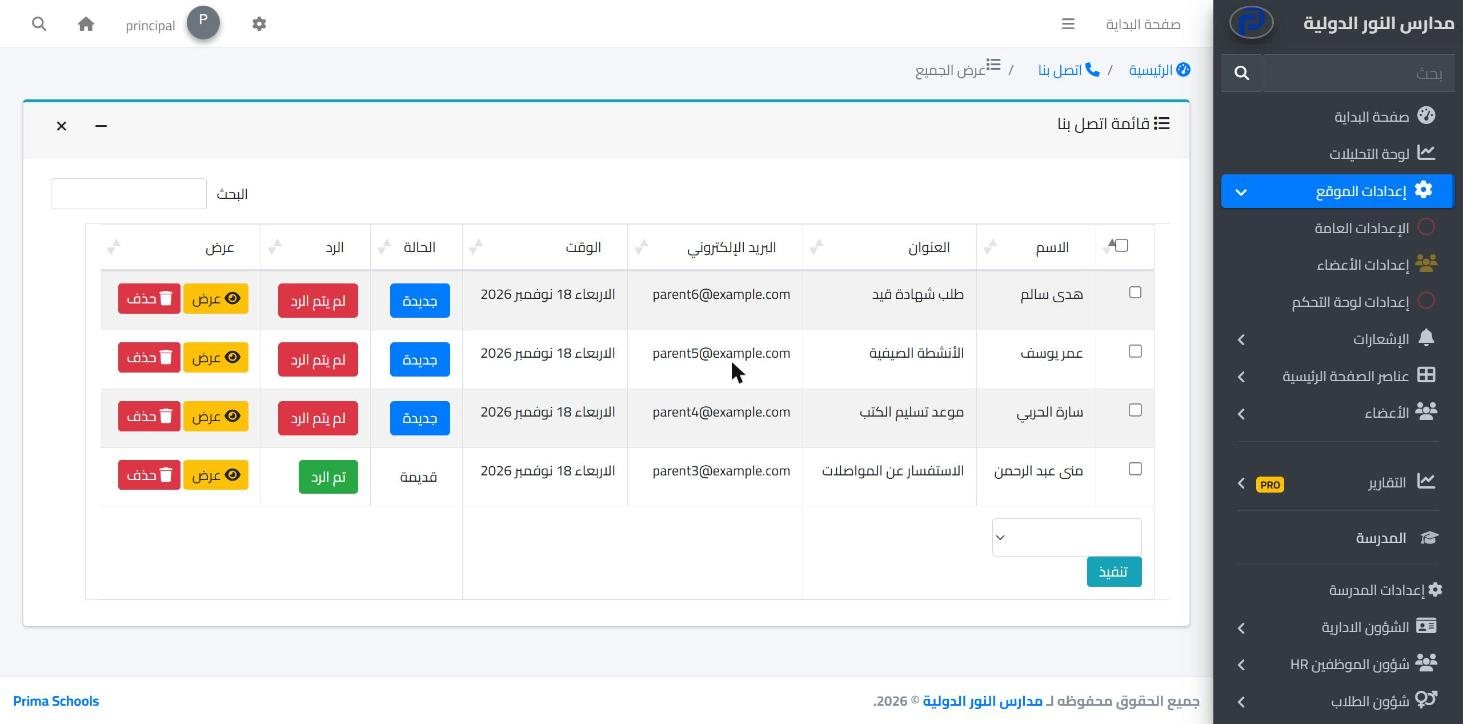
Every school has people asking questions all the time: parents with enquiries, visitors who want to know about admission, students with a question for the office. In Prima Schools these questions reach a known place instead of being spread across phones and personal email, so no enquiry gets lost and no reply is late.
The school website has a contact form where senders choose the type of message from types the school sets, such as admission, finance or general enquiries. Messages arrive in an inbox in the admin panel that marks new ones, and the office replies to the sender by email from the same page. Registered students and parents write to the school administration directly from the apps.
The school itself is not left alone either. From its account on the Prima Schools website it opens a support ticket for our team, chooses the category and priority, attaches what explains the problem, and follows the replies in one conversation until the ticket is closed, with an email when a reply arrives.
In the contact form settings of the admin panel.
From the website in the admin panel inbox, and from the apps in the administration's messages.
Answer the sender from the same page, and open a ticket for the Prima Schools team whenever you need help.
Your school's official website in Arabic and English, built by drag and drop and run from the same system, with no developer.
Learn More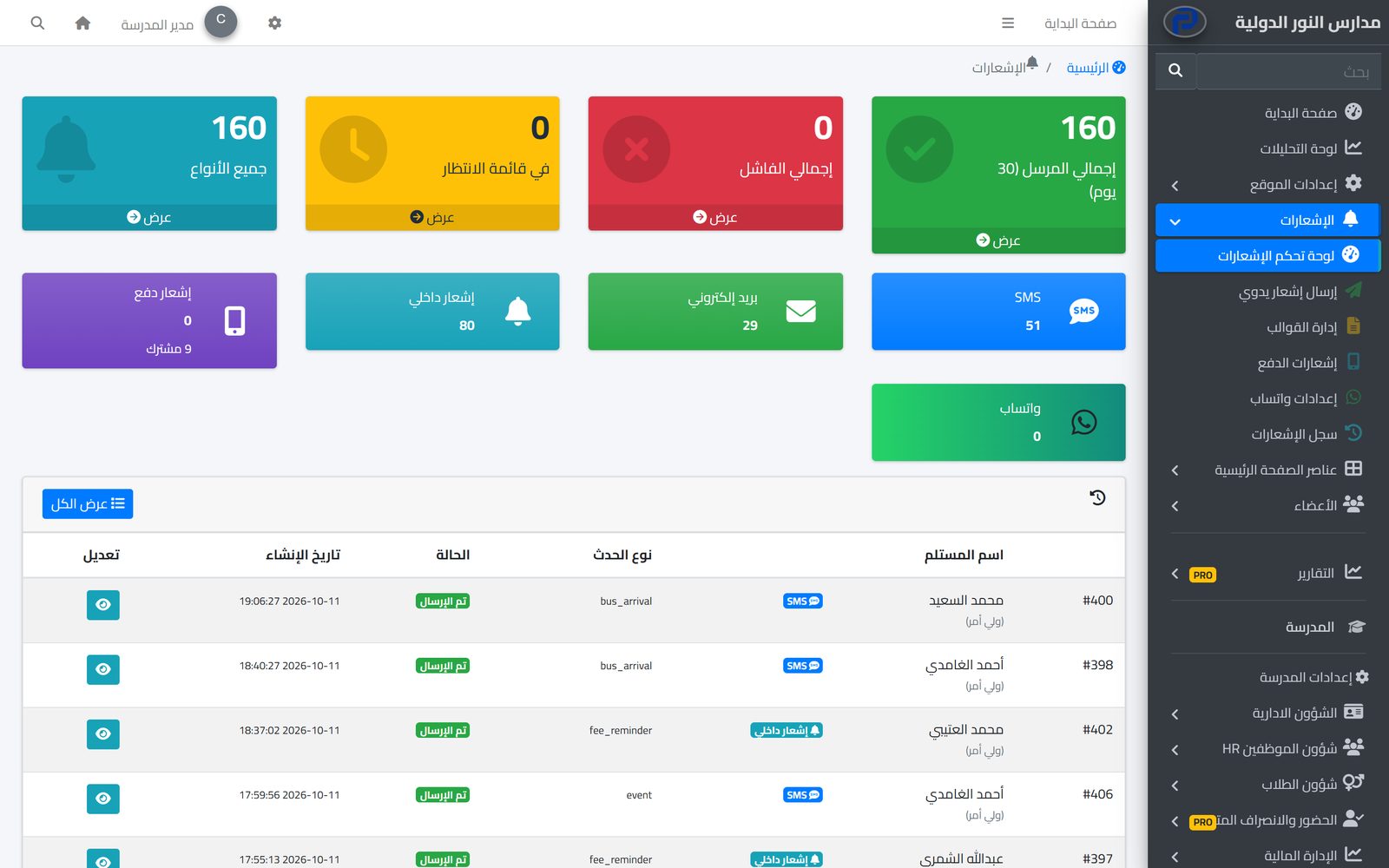
Students, parents, teachers and the administration message each other inside the system and the apps, with clear rules on who can write to whom, and a way to report abusive messages and block their senders.
Learn More
The system tells students, parents and staff about everything that concerns them in the apps and by SMS, email and WhatsApp, from one centre with editable templates and a full log.
Learn MoreTo an inbox in the school's admin panel, sorted by the type the sender chose.
It writes the reply in the admin panel and it reaches the sender's email.
Yes, from messages in the Prima Schools app, with the reply in the same conversation.
By opening a support ticket from its account on the Prima Schools website, with category, priority and attachments.
Yes, it gets an email, and finds the reply in the ticket itself.
Create your account and start a trial, or book a live demo with our team.
