From the teacher's phone
Teachers write homework in the Prima Staff app, or in the admin panel on a computer.
Teachers set homework from their phone, students hand it in from the app, and parents follow the mark without paper.
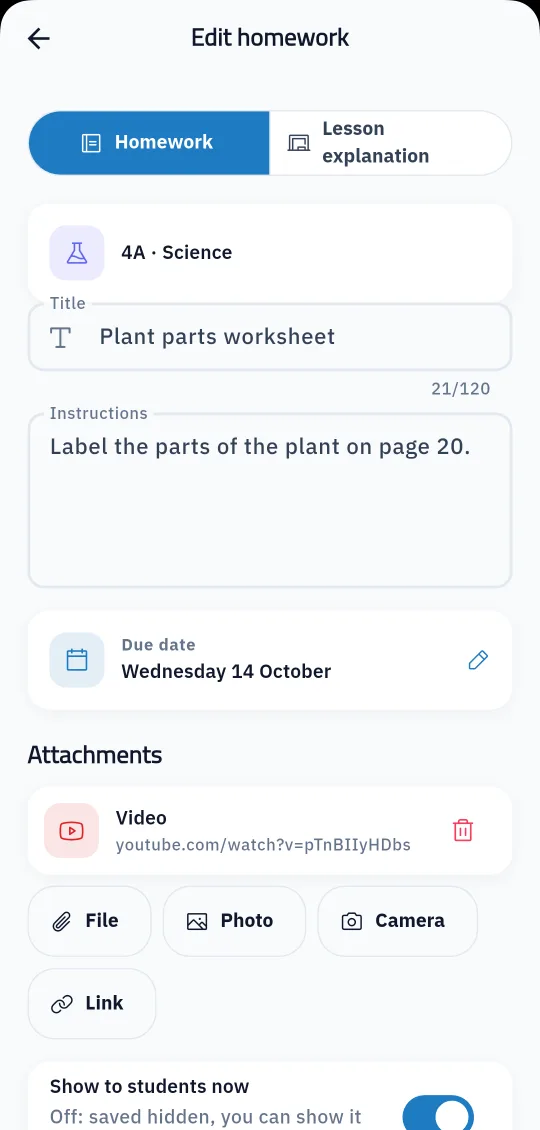
Paper homework gets lost between the bag and home, and parents often do not know what was set or when it is due. In Prima Schools teachers write homework in the Prima Staff app or the admin panel, pick one class or every class they teach that subject, set the due date and attach what students need: files, photos, links or videos.
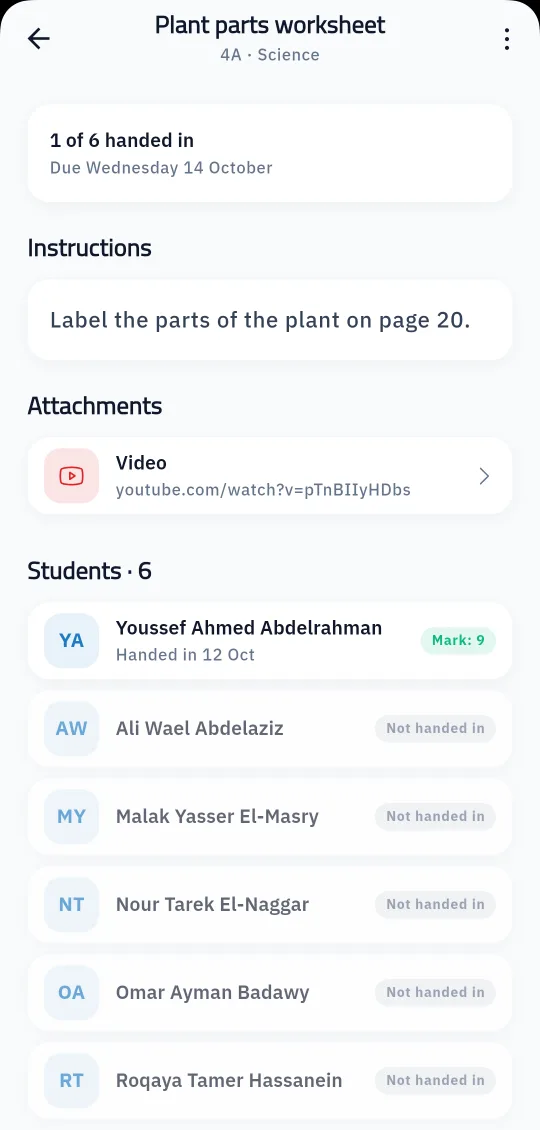
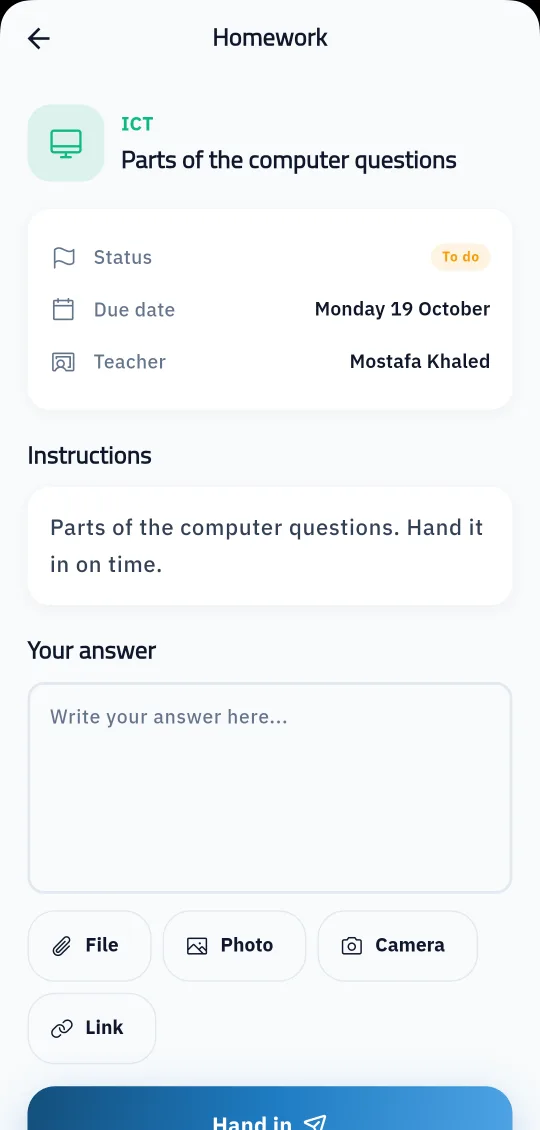
Students and their parents get a notice, and the student opens the homework in the Prima Schools app, writes an answer, attaches a file, a photo from the gallery or camera, or a link, and hands it in. The teacher sees on one page who has handed in and who has not, opens each hand-in to give a mark and approve it, or returns it to the student to finish.
Teachers can also post a lesson explanation with the same tool, with its attachments and links, without asking students to hand anything in. Homework can be saved hidden and shown to students later, edited or deleted at any time, so each subject's work stays organised in one place all year.
Choose the subject, classes and due date, and add instructions and attachments.
They write an answer, attach a file, photo or link, and hand it in.
Give the mark and approve or return the work; students and parents get the notice.
Yes, in the Prima Staff app for Android and iPhone, or in the admin panel.
Yes, they write an answer and attach files, photos from the gallery or camera, or links in the Prima Schools app.
Yes, they get a notice about new homework and another when the mark is approved.
Yes, to every class the teacher teaches that subject, in one step.
The teacher returns it to the student to finish, then marks it once it is handed in again.
Yes, choose "lesson explanation" instead of "homework" and students see it with its attachments, with nothing to hand in.
Create your account and start a trial, or book a live demo with our team.



