Book catalogue
Books sorted into sections, with the author, ISBN and each book's details.
The library catalogue, loans, reservations and fines in one system, with a librarian screen in the Prima Staff app.
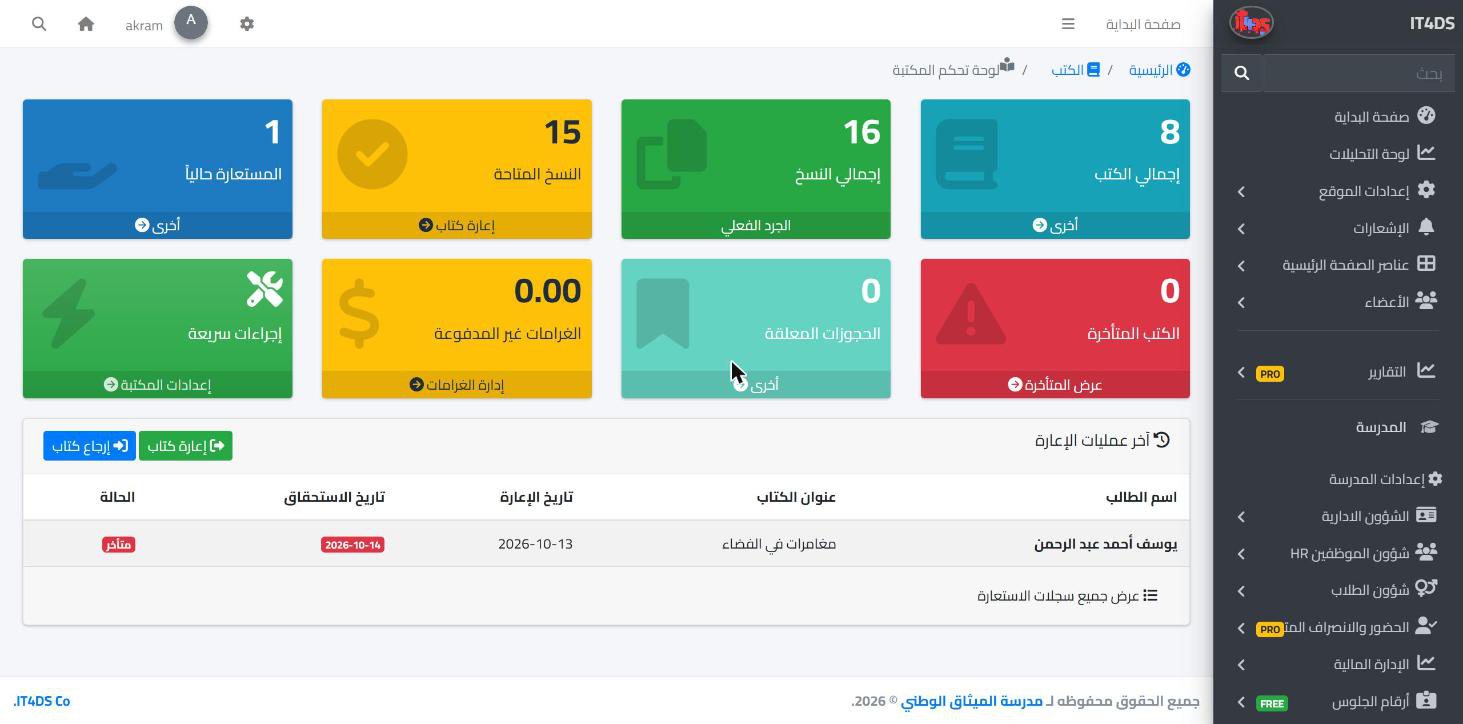
A school library run from a paper ledger never knows where its books are or who is late returning them. In Prima Schools books go into a catalogue organised by section, with details such as the author and ISBN, and each book has its physical copies with a copy number and barcode, so the library knows how many copies of every book are available at any moment.
The librarian lends a copy to a student, teacher or parent for a loan period the school sets, and records the book's condition on return. Loans can be renewed up to the school's limit unless someone else has reserved the book, overdue fines are recorded on late loans using the daily rate in the library settings, then paid in full or in part, or waived.
Students and parents browse the catalogue on the school website, reserve a book that is out, and see their loans and fines, and students see the books they have in the Prima Schools app. They get a reminder two days before the due date and a notice when a book is late. The librarian works from their own screen in the Prima Staff app: lending, returns, renewals and overdue books from their phone.
Put the books into sections, then add each book's copies with numbers and barcodes.
Loan period, renewal limit and the daily overdue fine.
In the admin panel or the librarian screen in Prima Staff; reminders go out automatically.
One app for school staff that opens the screens each person's job needs: teacher, administration, supervisor, bus driver, nurse, librarian and gate staff.
Learn MoreStudents see today's lessons, homework and marks in the Prima Schools app, hand in homework and take online exams from their phone, and message their teachers.
Learn More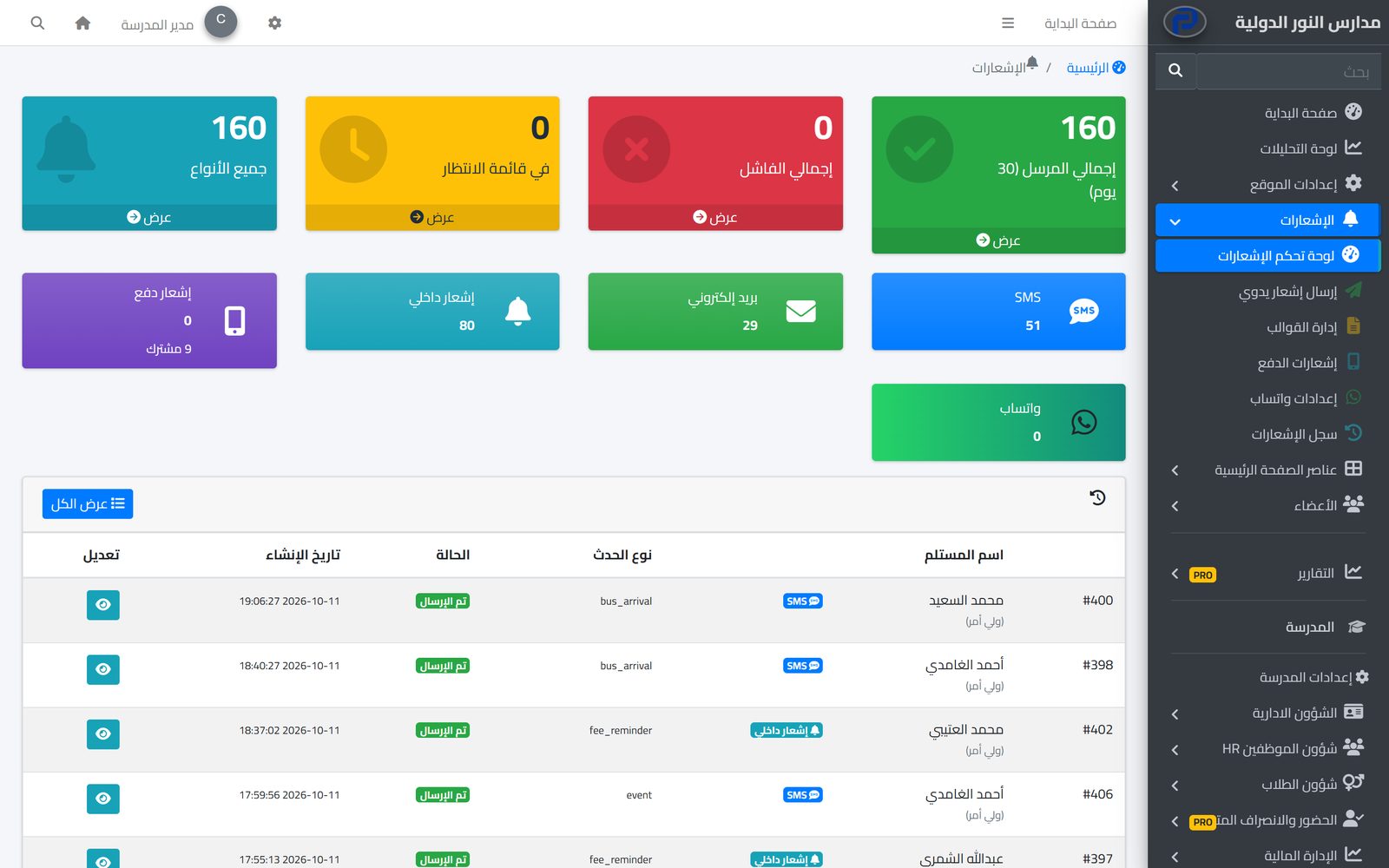
The system tells students, parents and staff about everything that concerns them in the apps and by SMS, email and WhatsApp, from one centre with editable templates and a full log.
Learn MoreYes, the Prima Staff app has a librarian screen for lending, returns, renewals and overdue books.
Yes, students and parents reserve it on the school website, and the library tells them when it is available.
The school sets the daily rate in the library settings; the fine is recorded on the late loan, then paid or waived.
Yes, two days before, then a notice to the student and parent when the book is late.
Yes, loans are open to students, teachers and parents.
Yes, the Prima Schools app shows the books the student has and when they are due.
Create your account and start a trial, or book a live demo with our team.



