1. Home
  2. Solutions
  3. Platform
  4. Several schools in one account
Platform

Several schools in one account

Add your school group's branches to one client account, each with its own system, admin panel, database and app code.
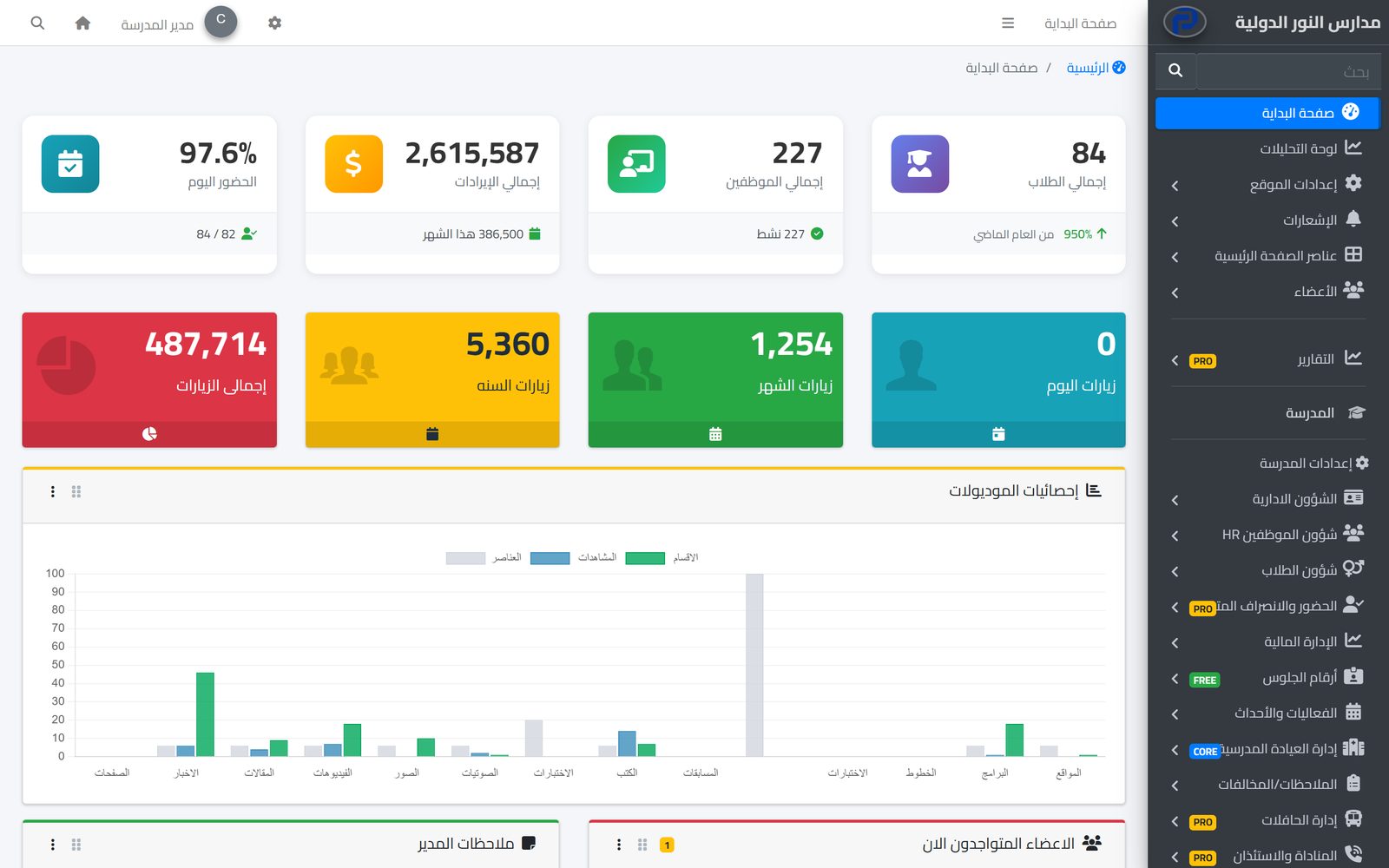
One school's own admin panel; every school in the account has its own

Overview

School groups with more than one school or branch need to manage their subscriptions in one place while each school stays independent in its data and day-to-day running. That is what the Prima Schools client account gives them: one account for the group, with the group's schools under it.

From the client account you add a new school and choose its subdomain, and it gets a complete system of its own: a separate database, its own admin panel, a website, and a school code that parents, students and staff type in the apps to reach it. Each school can also be linked to its own domain.

The number of schools in the account depends on the package: one school, up to three, or up to five. Because each school is its own system, its data, reports and users stay apart from the other schools, and each school's users sign in to their own school only.

What you get

One client account for the group

The group's schools and subscriptions are managed from one Prima Schools client account.

Add a school from the account

Add a new school from the schools page of your account, within the number your package allows.

A database per school

Each school's data sits in its own database and never mixes with the other schools.

An admin panel per school

Each school has its own admin panel, users, permissions and settings.

Subdomain and own domain

Each school has a subdomain you choose and can be linked to its own domain.

The school code in the apps

Users type their school's code once in the Prima Schools and Prima Staff apps, and the app connects to their school.

A website per school

Each school has its own website with its own content, news and admission requests.

Schools per package

One school, up to three, or up to five schools in one account.

Who it helps

For the group's management

The group's school subscriptions in one account, and a new school added from the same account when needed.

For each school's administration

A complete system of the school's own, with its users, permissions and settings, with no overlap with other branches.

For parents

They type their child's school code in the app and reach the school straight away.

How it works

  1. 1
    Subscribe to the right package

    Based on how many schools the group needs.

  2. 2
    Add the schools from your account

    And choose each school's subdomain.

  3. 3
    Each school starts working

    With its admin panel and its code in the apps.

Platform

Frequently asked questions

All questions
How many schools can the account hold?

It depends on the package: one school, up to three, or up to five.

Does one school's data mix with another's?

No. Each school has its own database, admin panel and users.

How do parents reach the right school in the app?

They type the school code once in the app, and it connects to their children's school.

Is there one dashboard with all schools' figures together?

Not at the moment. Each school has its own dashboard and reports.

Can a manager reach all schools with one login?

No. Each school has its own accounts, and the manager signs in to each school's admin panel with their account there.

Can we add schools during the free trial?

The trial runs on one school; the other schools are added after subscribing.

Ready to try Prima Schools at your school?

Create your account and start a trial, or book a live demo with our team.

No credit card required14-day free trial