Pickup call request
Parents ask for their child to be called out for pickup, with the time needed and whether it is normal or urgent.
Parents ask for their child to be called for pickup or to leave early through the parent portal; the school approves and everyone is told at the same time.
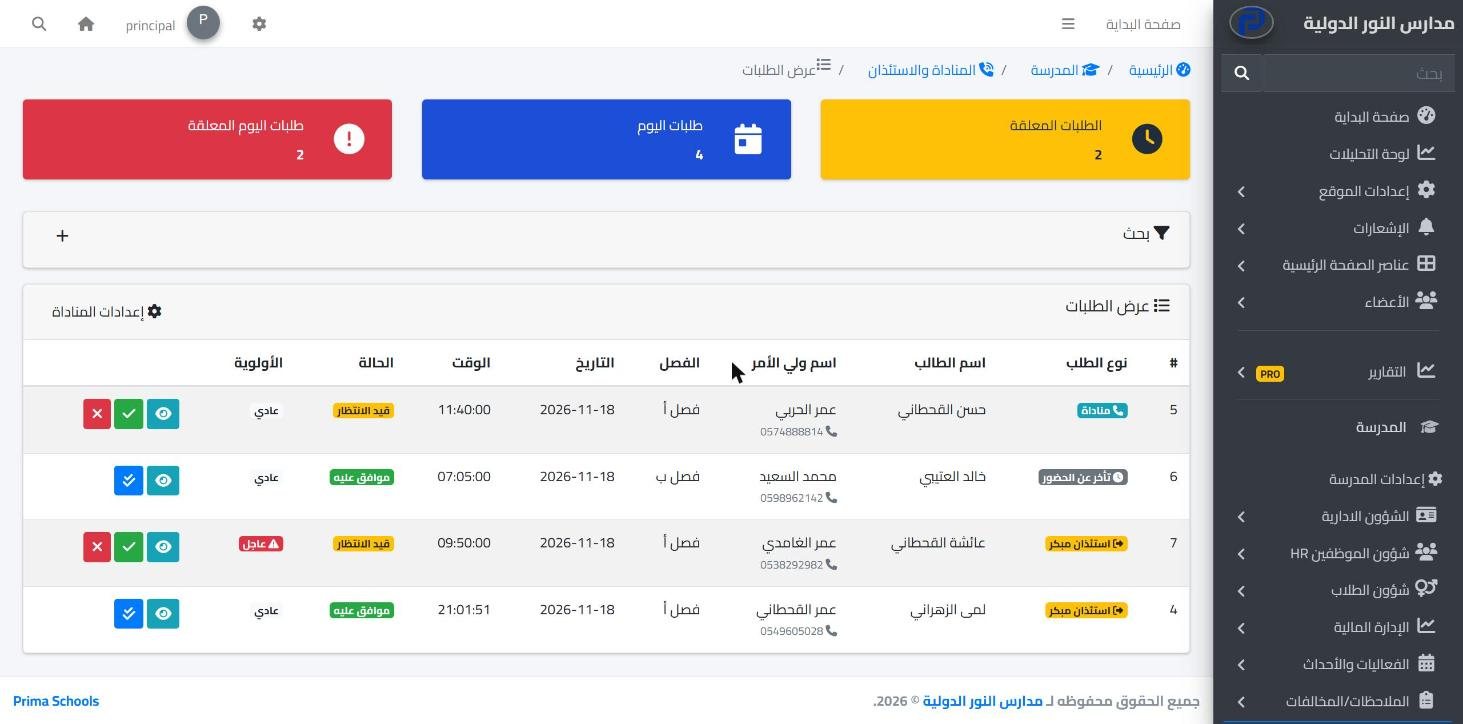
Dismissal is one of the busiest moments of the school day: parents waiting at the gate, calls to ask for early leave, and students called out by voice or on paper. In Prima Schools parents send their request ahead of time from their account in the parent portal on the school website, so it reaches the office in order instead of as repeated phone calls.
Parents choose the request type: call the student out for pickup, early leave, or a notice of a late arrival in the morning, and pick a reason from the school's list, the time needed and whether it is urgent. The school decides which types are offered, how many requests are allowed per day and per week, and whether a reason is required.
The school office and the class teacher are told about a new request, depending on the school's settings; the administration accepts or rejects it with a reason, the parent is told the result, and the request is marked done when the student is handed over. Requests are currently made in the parent portal on the school website and handled in the admin panel; they are not in the mobile apps yet.
The types offered, the reasons, request limits, and whether approval is needed.
From the parent portal on the school website, with type, reason and time.
The parent and class teacher are told, and the request is closed on hand-over.
Gate staff record a late arrival or early leave on their phone in seconds; parents are told and it goes into the student's attendance.
Learn More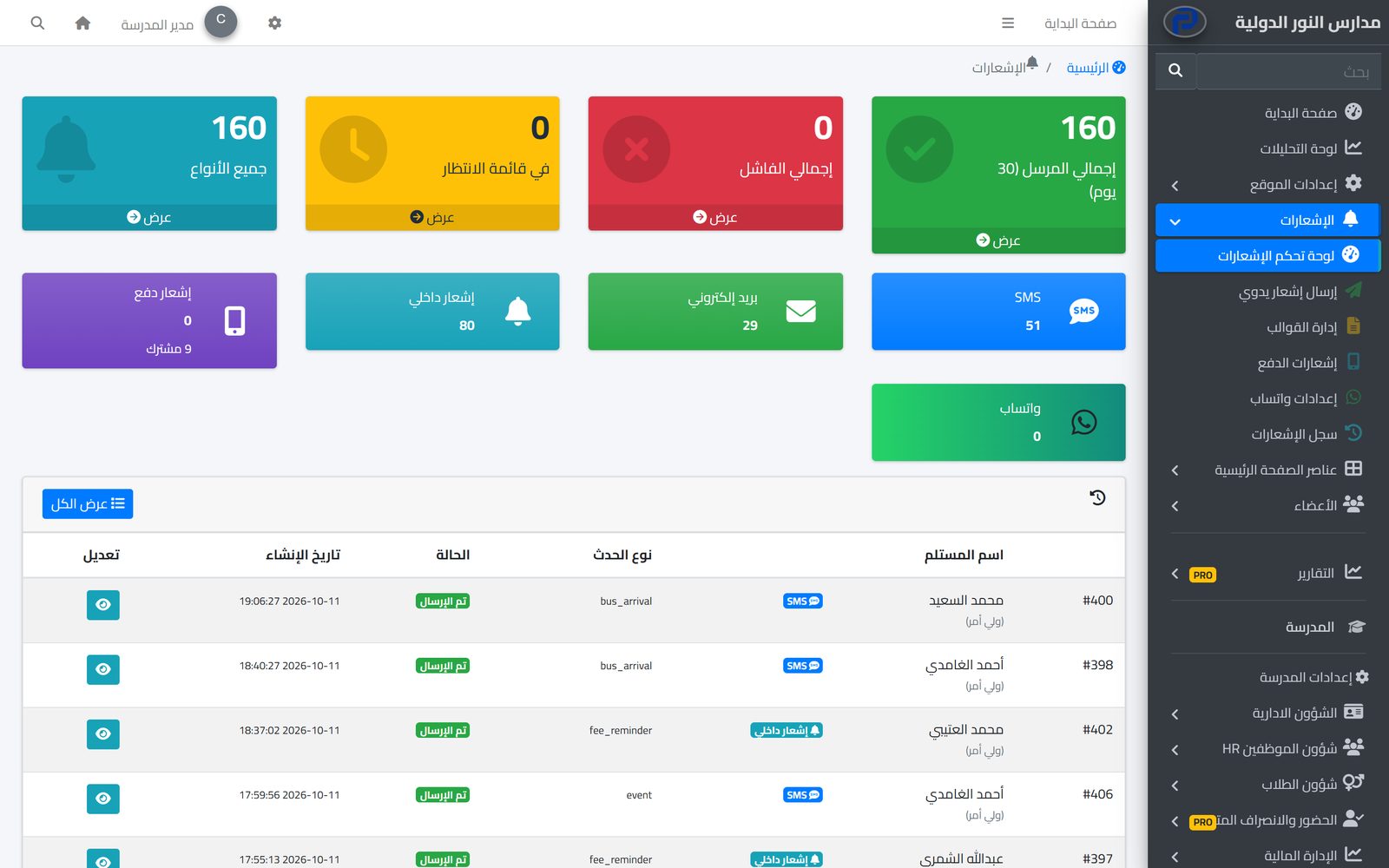
The system tells students, parents and staff about everything that concerns them in the apps and by SMS, email and WhatsApp, from one centre with editable templates and a full log.
Learn More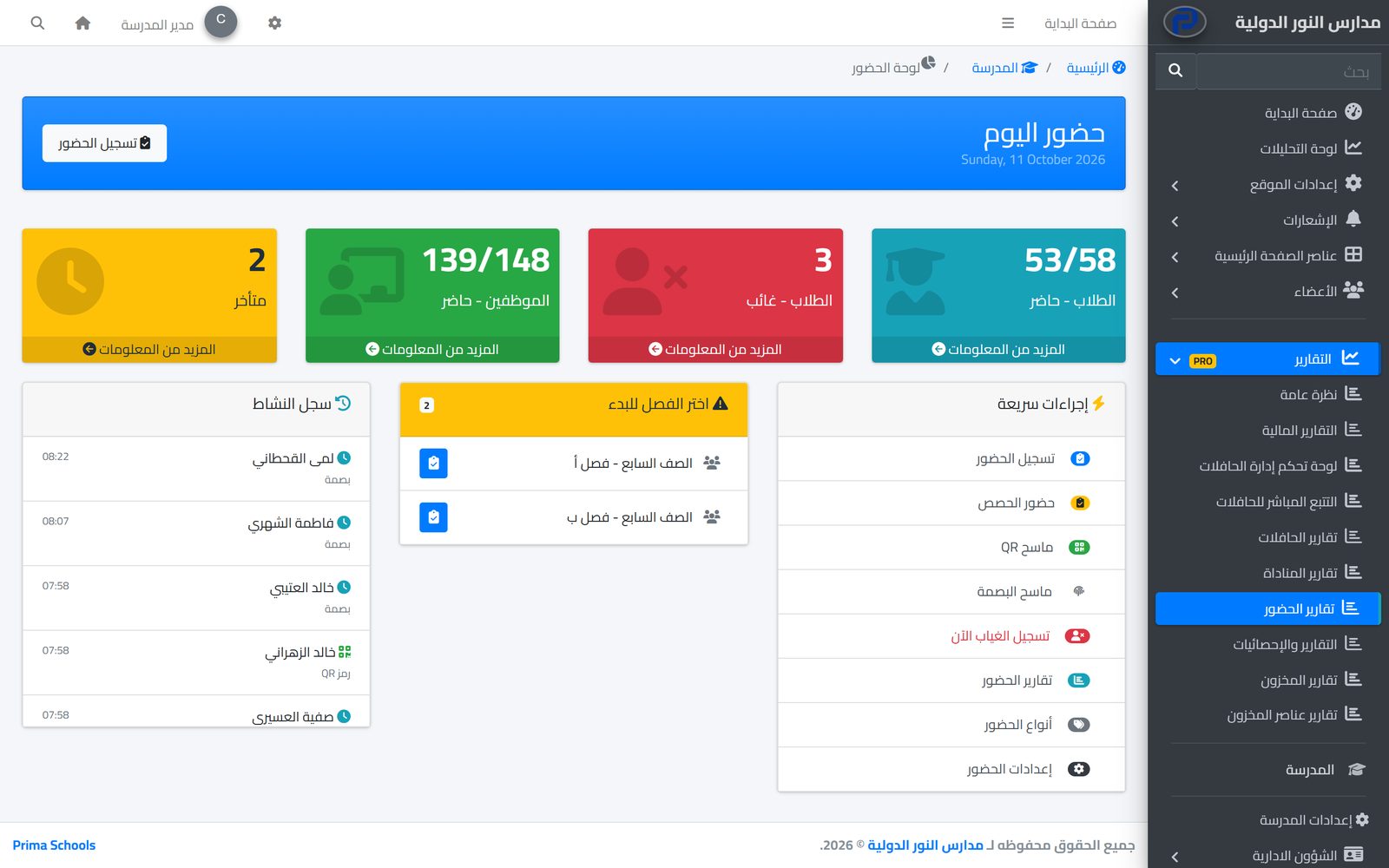
Take attendance in a minute from a phone or the admin panel, and parents hear about an absence the same day.
Learn MoreFrom their account in the parent portal on the school website. Requests are not available in the mobile apps at the moment.
Calling the student out for pickup, early leave, and a notice of a late arrival; the school decides which ones to turn on.
It depends on the school's setting: either the administration approves each request, or requests are accepted automatically.
Yes, if the school turns it on in the settings, the class teacher is told about a new request.
Yes, with a maximum number of requests per student per day and per week.
Pickup and early leave is an add-on activated for the whole school account, free for a limited time.
Create your account and start a trial, or book a live demo with our team.

