An Android phone with the school's SIM
The Prima Schools SMS app runs on an Android phone the school owns and sends all its text messages instead of an SMS provider.
The school sends its text messages from an Android phone with its own SIM through the Prima Schools SMS app, at the cost of the SIM plan it chooses, with each message's status in the admin panel.
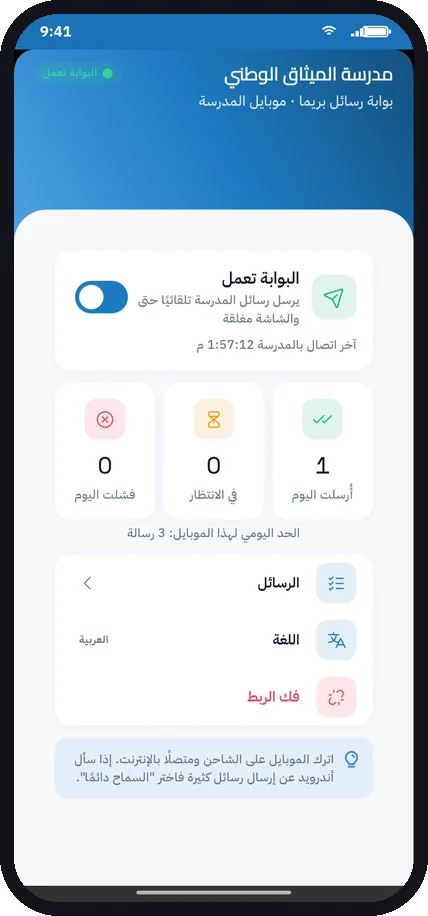
Text messages are the fastest way to reach parents, but sending them through an SMS provider means registering a sender name and buying credit again and again. Prima Schools offers another way: an Android phone at the school with the school's SIM and the Prima Schools SMS app, so the school's messages go out from its own number at the cost of the SIM plan it chooses.
When this is on, every text message the system sends goes to the linked phone instead of the provider: absence and lateness notices, bus trip steps and other notifications, and messages the office sends by hand. The app runs as a background service even with the screen off, and starts again by itself after the phone restarts.
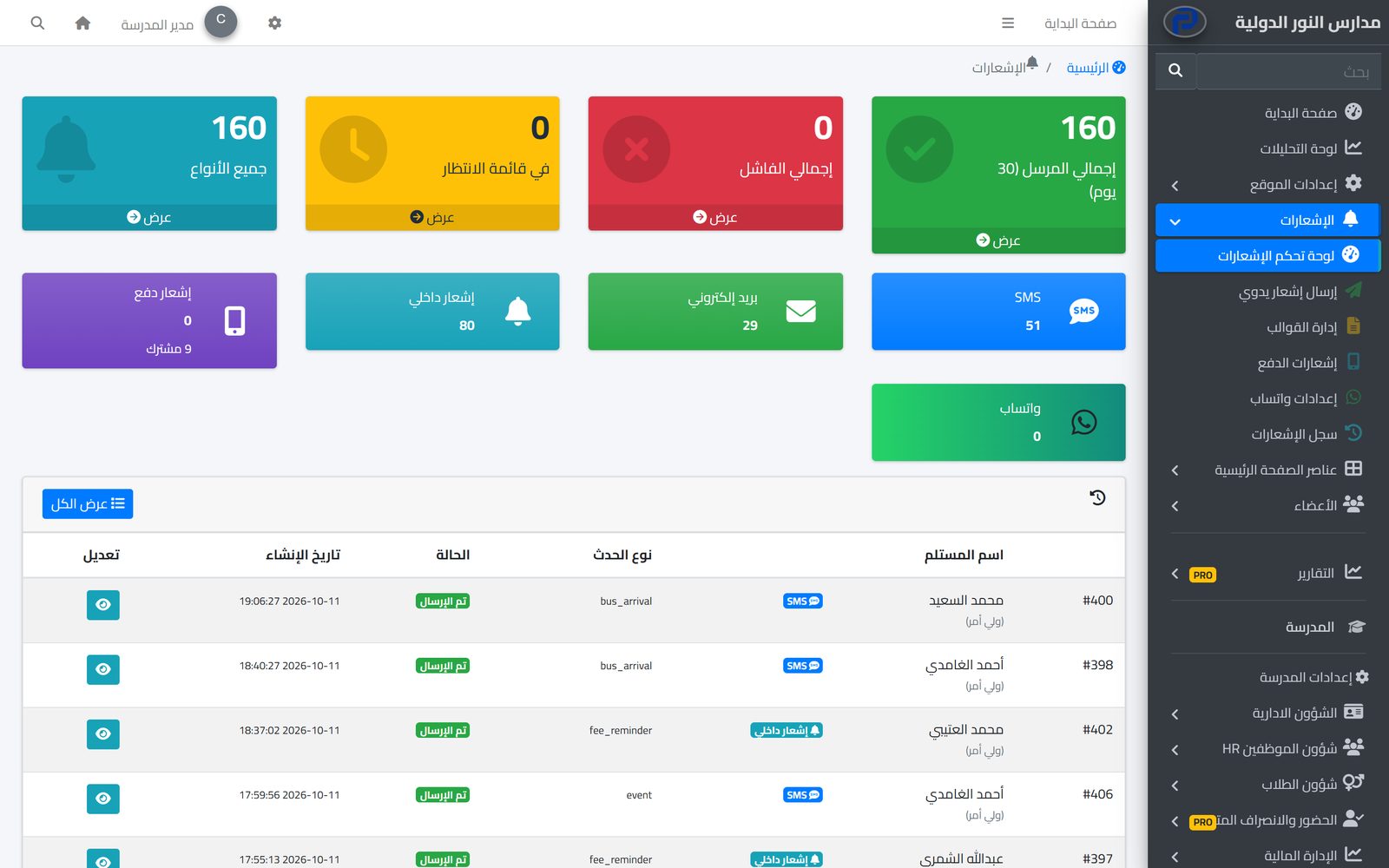
The administration follows everything on the SMS Gateway page of the admin panel: linked phones with when each was last seen and its battery, today's messages sent, delivered and failed, and the reason for a failure with a button to send again. Schools that prefer a provider can use Prima Schools SMS bundles or their own account with one of the supported providers in Egypt and Saudi Arabia.
An Android phone with the school's SIM, ideally kept on the charger and online.
Make the pairing code on the SMS Gateway page and enter it in the app after the school code.
All the school's text messages then go to the phone, and you follow their status in the admin panel.
The system tells students, parents and staff about everything that concerns them in the apps and by SMS, email and WhatsApp, from one centre with editable templates and a full log.
Learn MoreThe school sends its notifications to parents on WhatsApp from its own account with a WhatsApp service provider, as an extra channel next to the apps, SMS and email.
Learn MoreConnect your school system to the SMS, WhatsApp and email provider you already use, and import Noor data, with no middleware.
Learn MoreNo, it runs on Android only and is installed from an APK file, as it is not on Google Play.
Every text message the system sends while this is on: automatic notifications and messages the office sends by hand.
Messages wait in the queue and are sent when it is back; the admin panel shows waiting messages and when the phone was last seen.
The school sets a daily limit per phone to fit the SIM plan; anything above it goes the next day.
Yes, the app records each message as sent, delivered or failed, with the failure reason.
Yes, with Prima Schools SMS bundles or the school's own account with SMS Misr, Taqnyat, 4jawaly, Msegat or Unifonic.
Create your account and start a trial, or book a live demo with our team.


