Teachers: attendance on the phone
Lesson attendance with four statuses or "all present"; with no internet the register is saved on the device and sent when the connection is back.
One app for school staff that opens the screens each person's job needs: teacher, administration, supervisor, bus driver, nurse, librarian and gate staff.
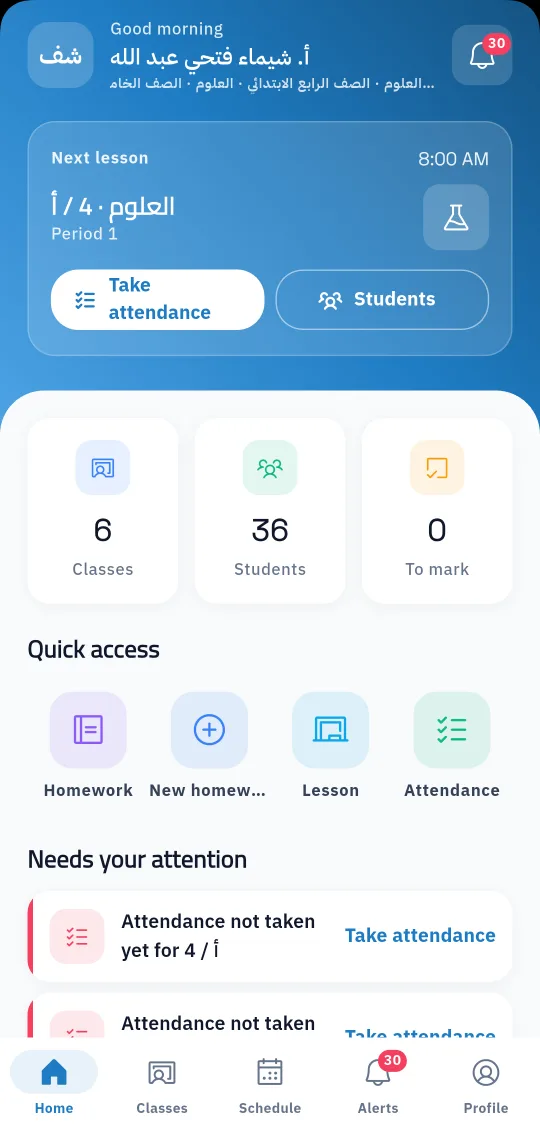
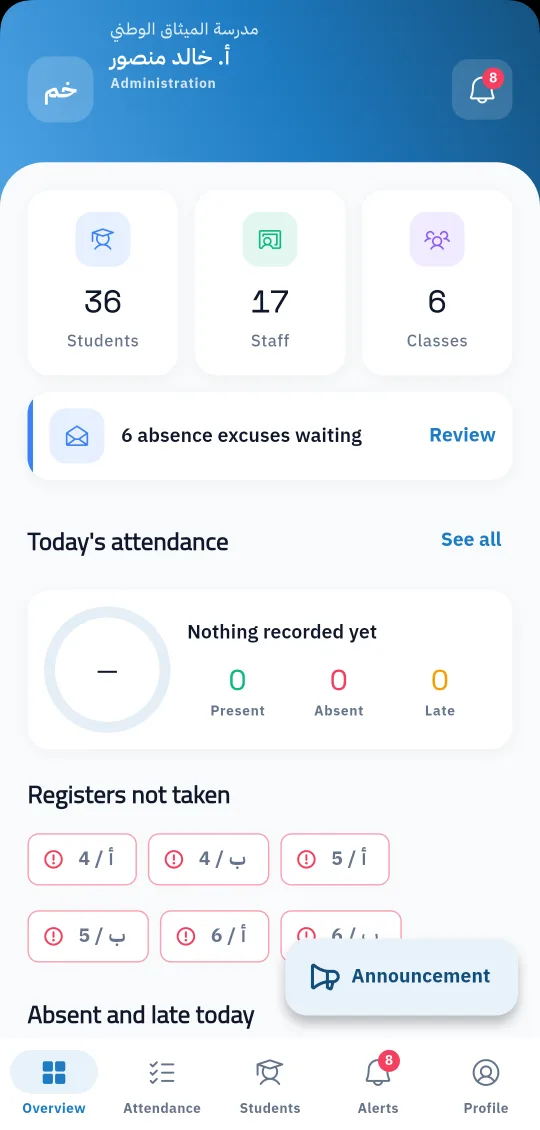
School staff do not all sit at a desk with a computer. Teachers are in class, drivers on the bus, the nurse in the clinic and gate staff at the entrance. So Prima Staff is one phone app that knows each person's job from their record in the system and opens only the screens they need; someone with two jobs sees the screens of both.
Teachers start the day with their next lesson and what needs attention, then take attendance, set homework, mark answers, enter marks and build online exams from the phone. The administration sees the whole day: attendance in every class, classes that have not taken the register yet, absence excuses waiting, and announcements to students, parents or staff.
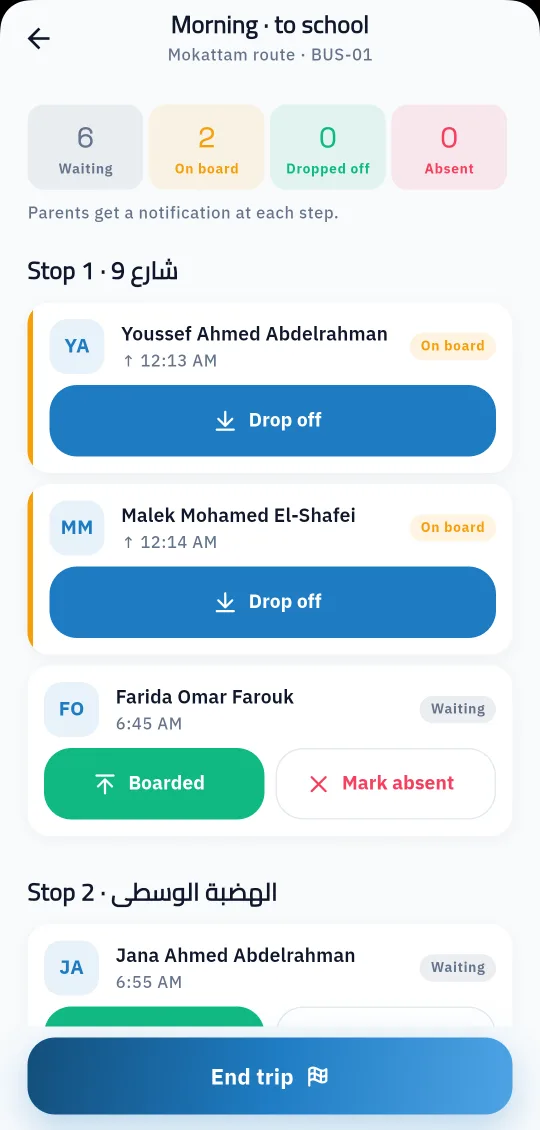
Every other job has its own screen: bus drivers start the trip and record students boarding and getting off, the nurse records clinic visits, the librarian lends and takes back books, and gate staff record late arrivals and early leaves. Everything is saved in the system at once, and parents get a notification about their own child.
In the admin panel: teacher, management, supervisor, bus driver, nurse, librarian or security.
From Google Play or the App Store, then enter the school code and their school account.
The app opens the screens for their job, and what they record shows in the system at once.
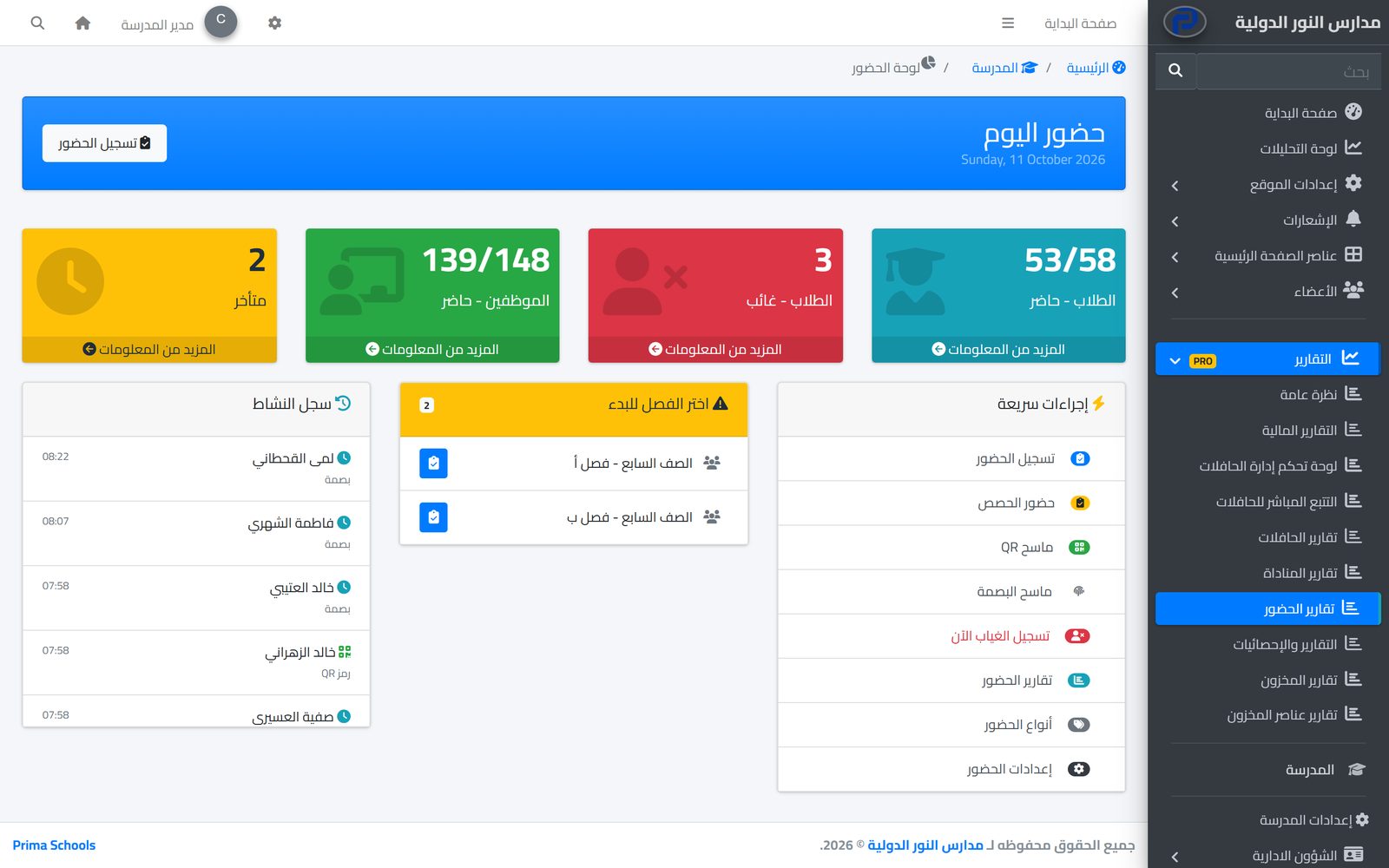
Take attendance in a minute from a phone or the admin panel, and parents hear about an absence the same day.
Learn More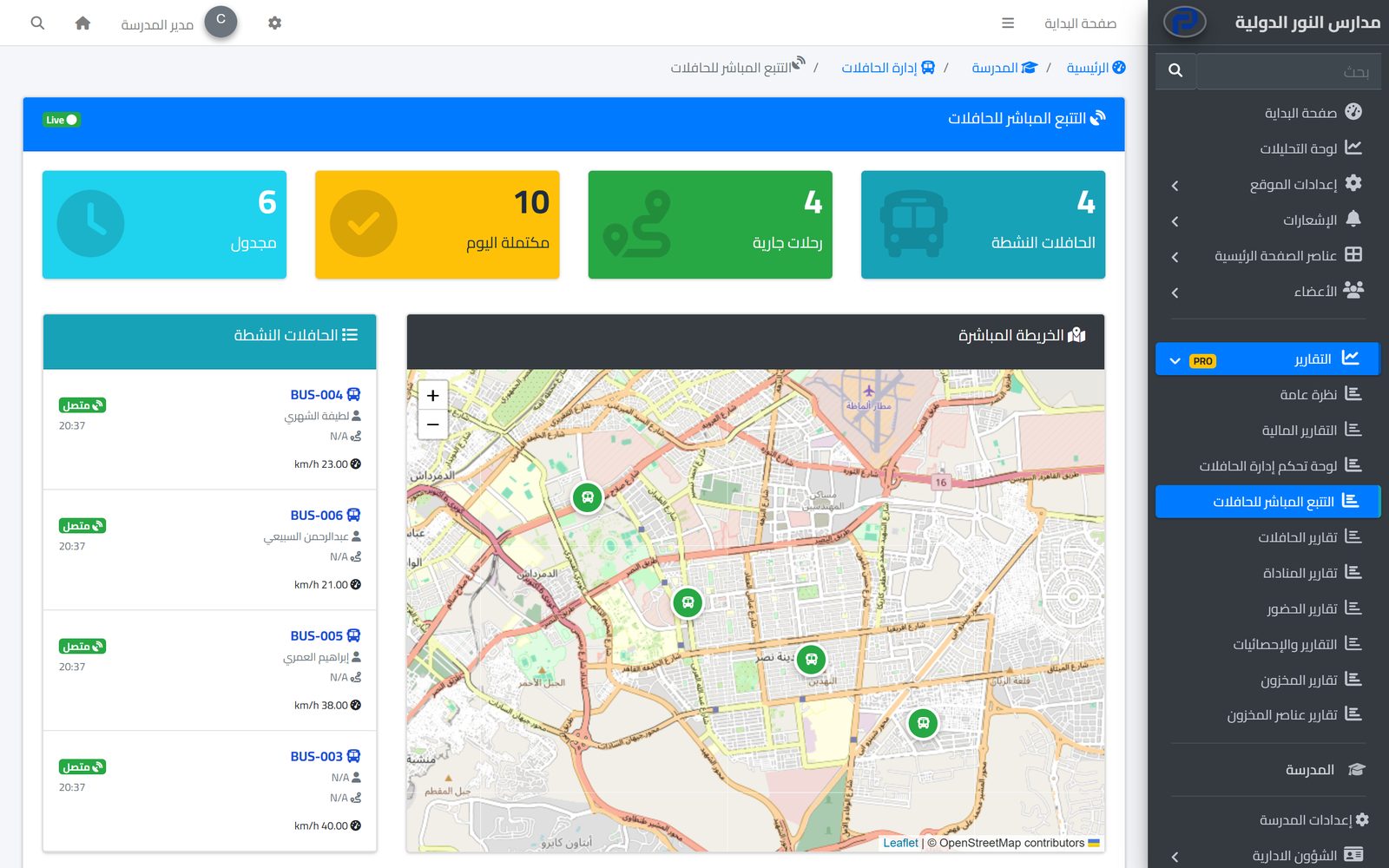
Parents follow their child's bus on the map in real time and hear when they board and get off, while the school runs buses, routes and maintenance in one place.
Learn MoreEveryone sees what their job needs and does only what they are allowed to: unlimited user groups, a permission for each action, and approvals for financial operations.
Learn MoreYes, Prima Staff is on the App Store and Google Play.
No. One app shows each person the screens for their job, and someone with two jobs sees both.
Yes. The register is saved on the phone and sent to the system when the connection is back, with a reminder of registers still waiting.
Yes, to everyone, one group or one class, in the apps and optionally by SMS, email and WhatsApp.
Yes, phone notifications about their own work, such as new messages.
Yes, in Arabic and English.
Create your account and start a trial, or book a live demo with our team.



