A file per employee
Personal details, photo and contacts, with section, job type and notes.
A file for every teacher and employee with their qualifications, job and permissions, and the job itself decides which screen they see in the Prima Staff app.
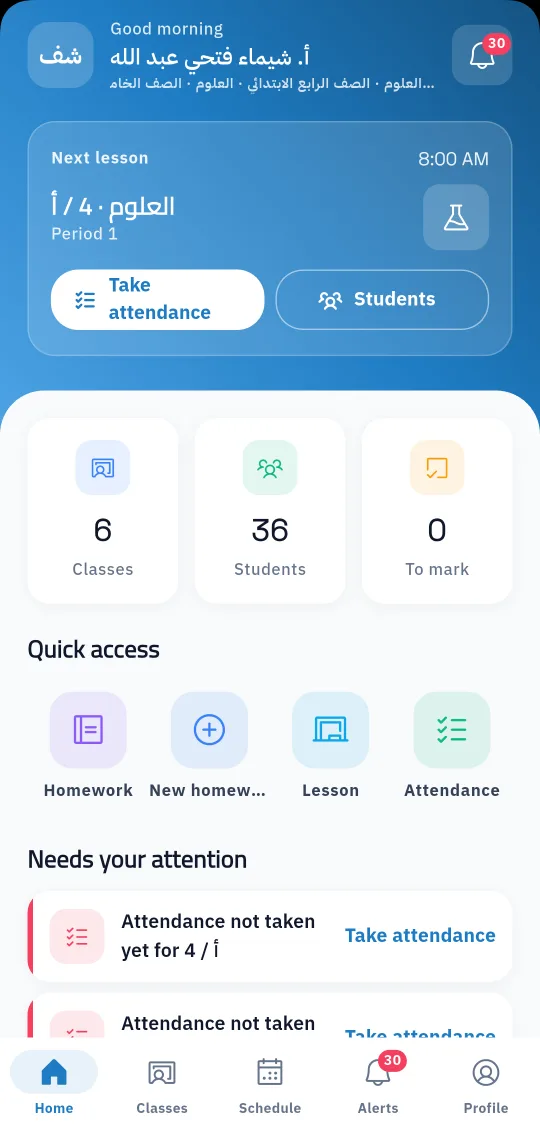
A school does not run on teachers alone: there are administrators, supervisors, drivers, nurses, librarians and security staff too. In Prima Schools each of them has a file with their details, photo, qualification, CV and attachments, plus their section in the school and their job type.
From the same file the employee gets a login, and their permission group decides what they see in the admin panel. Their job type decides the screen they get in the Prima Staff app: teachers see their classes and lessons, drivers their trip, nurses the clinic, and gate staff record late arrivals and early leaves.
The administration records staff absence with its types and reasons and follows daily staff attendance next to student attendance. Teacher and staff lists export to Excel and PDF, and staff files link to payroll, so every employee sees their payslip from their account on the school website.

And the permission groups the school needs.
With their files and accounts, or with the data migration service from Excel.
With the screen for their job in Prima Staff, while the administration follows attendance and absence.
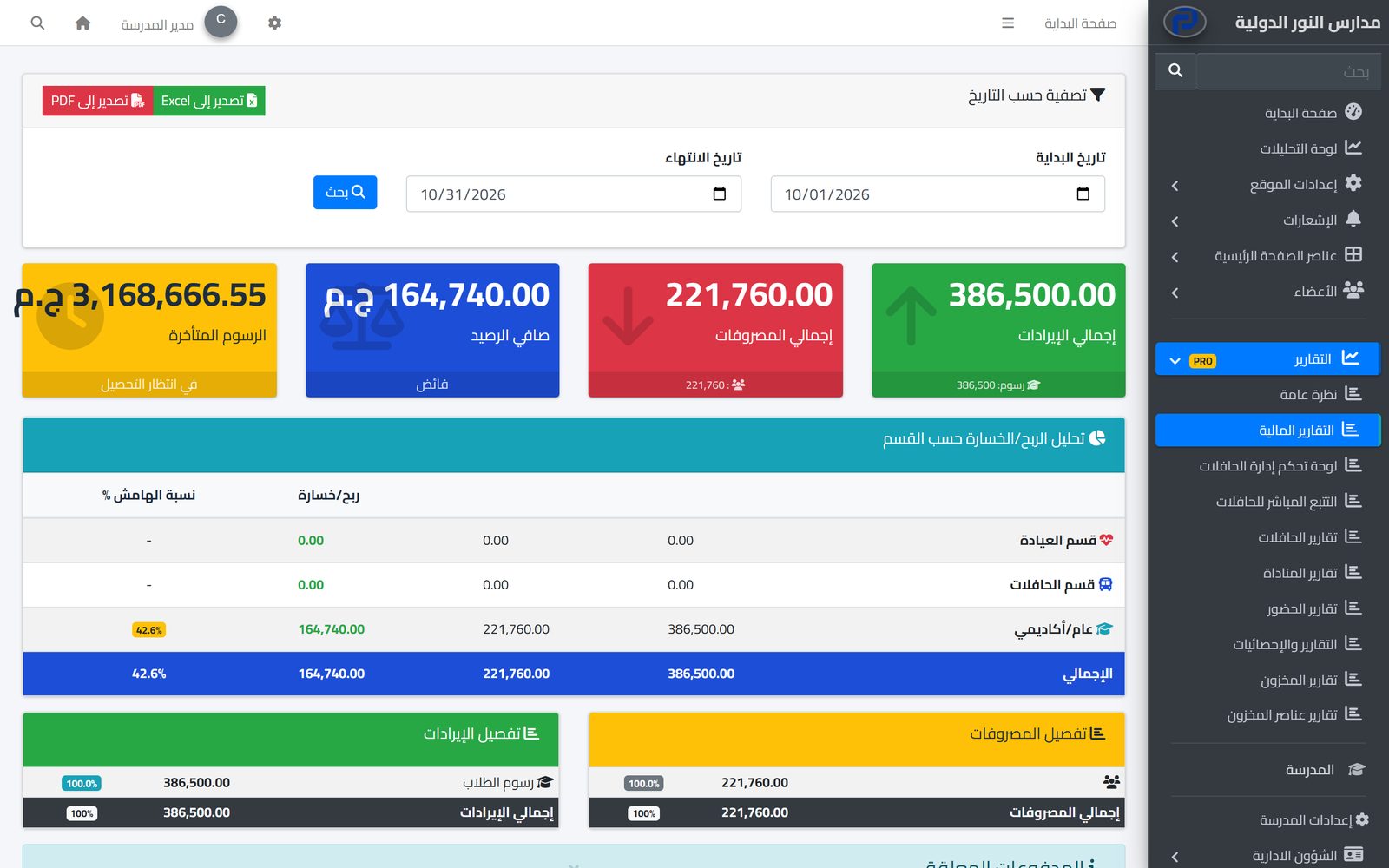
Base pay, allowances and deductions for every employee, a monthly payroll run for everyone at once, and payslips staff see on the school website.
Learn MoreEveryone sees what their job needs and does only what they are allowed to: unlimited user groups, a permission for each action, and approvals for financial operations.
Learn MoreOne app for school staff that opens the screens each person's job needs: teacher, administration, supervisor, bus driver, nurse, librarian and gate staff.
Learn MoreYes. The CV is uploaded and other files and links can be attached to the file.
By their job type: teachers see their classes, drivers their trip, nurses the clinic, and security staff the gate screen.
Yes. Each employee has a permission group that decides what they see and edit in the admin panel.
Yes, with types and reasons set by the school, and an absence record per employee.
Yes, to Excel and PDF.
Create your account and start a trial, or book a live demo with our team.

