Four kinds
Survey, form, short quiz or feedback request, to suit each purpose.
Surveys and forms that reach the right audience on the school website, with every response collected in one place.
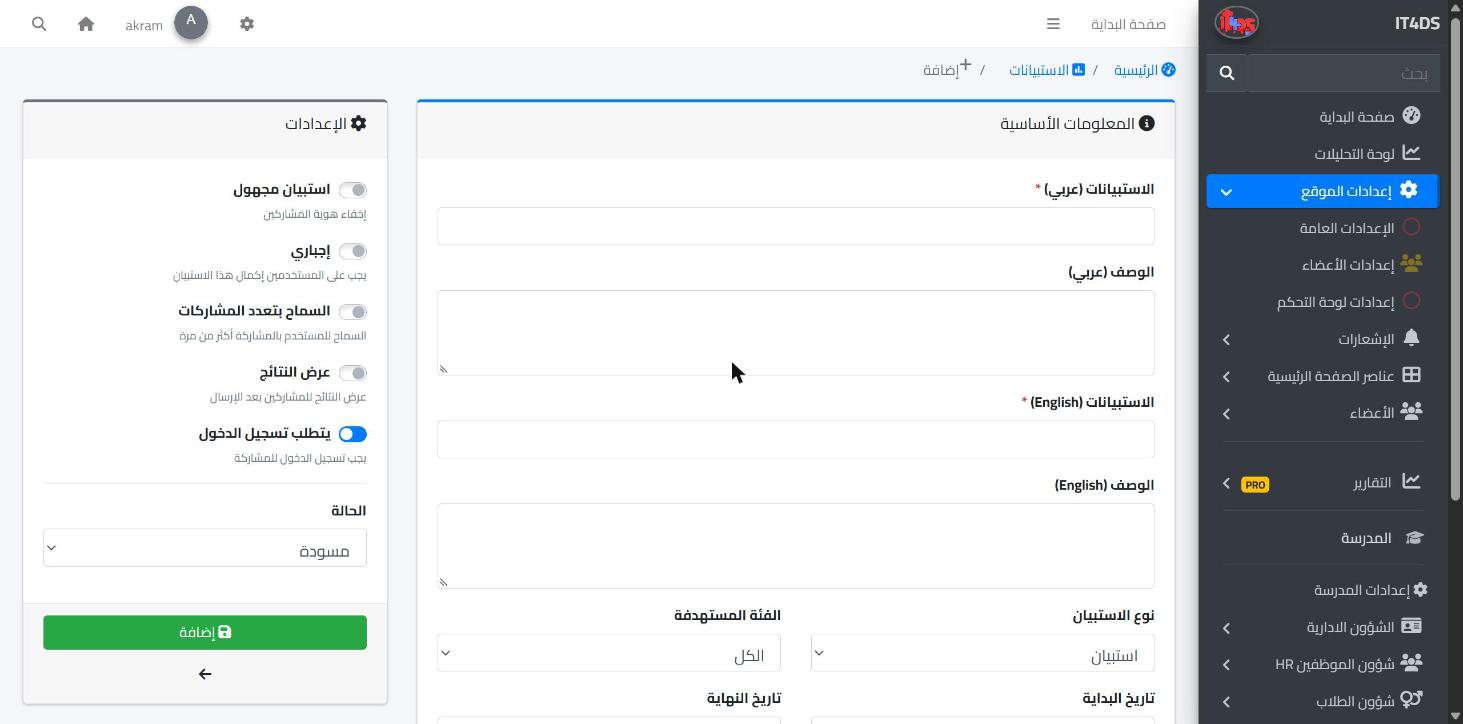
The views of parents, students and teachers help a school improve, but collecting them on paper or in chats leaves responses scattered and hard to count. The surveys add-on in Prima Schools lets the administration create a survey, a form, a short quiz or a feedback request, with a title and description in Arabic and English and questions to suit each purpose.
The school picks each survey's audience: everyone, students, parents, teachers, staff, or public website visitors, and sets a start and end date. Responses can be anonymous, login can be required, a user can be allowed more than one response, and the survey can be kept as a draft until it is ready.
Active surveys appear on the school website according to each user's account type, so parents see what was meant for parents and students see what was meant for students. The administration reviews responses in the admin panel, with the respondent's name unless the survey is anonymous and the number of complete responses, and exports them to CSV to open in Excel.
Title, description and kind, then the questions and their types.
Who sees it, when it starts and ends, and whether responses are anonymous.
Follow responses in the admin panel and export them to CSV.
Your school's official website in Arabic and English, built by drag and drop and run from the same system, with no developer.
Learn More
Students, parents, teachers and the administration message each other inside the system and the apps, with clear rules on who can write to whom, and a way to report abusive messages and block their senders.
Learn MoreOne calendar for the school's events and activities, each reaching the people it concerns in the apps.
Learn MoreOn the school website, where each user sees the surveys meant for their group.
Yes, respondents' identity can be hidden in any survey.
Short and long text, single and multiple choice, drop-down, rating, number and date.
Yes, responses are exported to CSV and open in Excel.
Yes, by choosing the public audience, for example to poll families interested in enrolling.
Yes, an add-on switched on for the whole school account, free for a limited time.
Create your account and start a trial, or book a live demo with our team.
