A timetable per class
A separate timetable for each class in each year and term, linked to the stage and grade in the academic structure.
Set each class's timetable once, and students, parents and teachers see it in their apps every day.
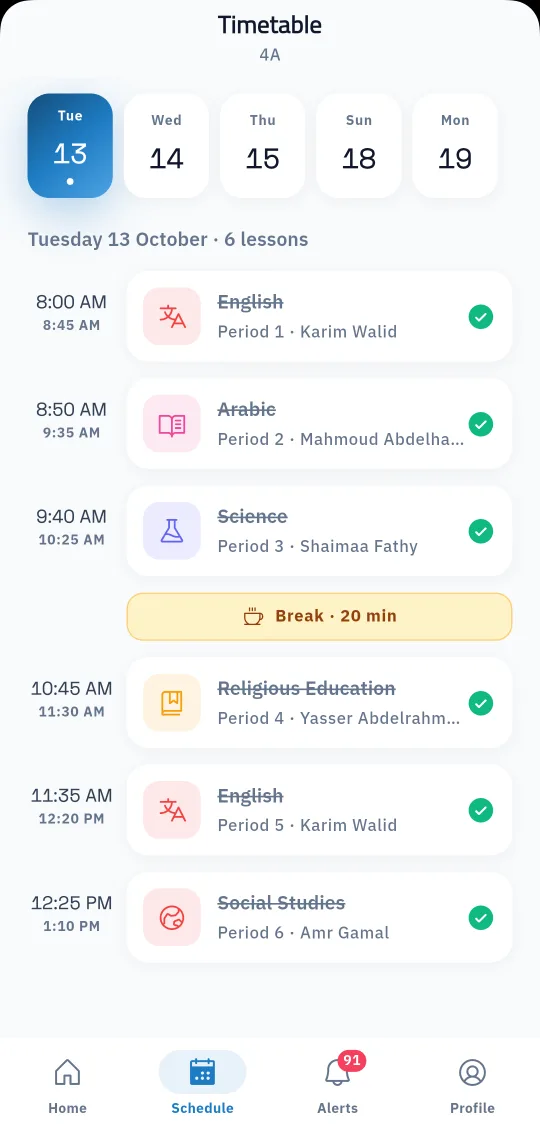
The timetable organises the whole school day, and any mistake in it confuses teachers and students alike. In Prima Schools the administration builds each class's timetable in the admin panel: choose the year, term, stage, grade and class, then set the subject and the teacher for every period of every day.
School days, periods per day and the start and end time of each period are set once in the timetable settings, so every lesson shows its time. All timetables are listed in one place, can be filtered by teacher to see the classes they teach, and can be switched on or off when needed.
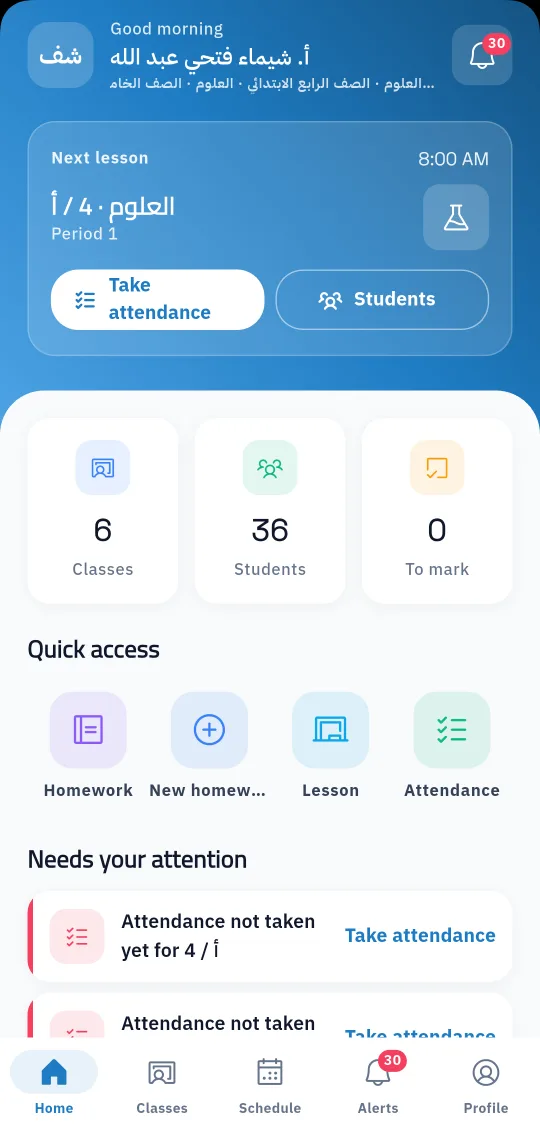
Once a timetable is active, students and parents see it day by day in the Prima Schools app, and teachers see their lessons and their next lesson in the Prima Staff app. Schools that want the timetable generated automatically without clashes use the Smart Timetable, a separate product built for automatic generation.
School days, periods per day and the time of each period.
Choose the subject and teacher for every period of every day, or import timetables from Noor.
It shows at once to students and parents in Prima Schools and to teachers in Prima Staff.
Yes, the Prima Schools app shows each day's lessons with times, subjects and teachers.
Yes, in the Prima Staff app, with their next lesson on the home screen.
Yes, student and teacher timetables can be imported from the Excel files exported from Noor.
Timetable management is set up by hand for each class. Automatic generation without clashes is what the Smart Timetable does.
Yes, the administration edits any period in the admin panel and the change shows in the apps.
Yes, by filtering the timetable list by teacher, and teachers see their own timetable in the app.
Create your account and start a trial, or book a live demo with our team.
