Live bus tracking
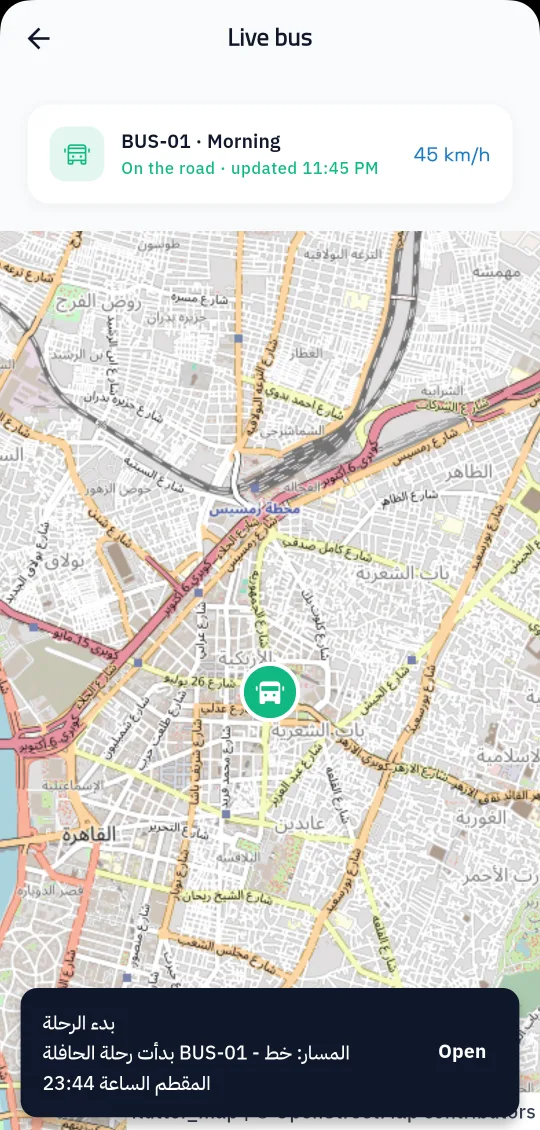
The driver starts the trip in Prima Staff and the bus location is shared; parents see it on the map in Prima Schools.
Parents follow their child's bus on the map in real time and hear when they board and get off, while the school runs buses, routes and maintenance in one place.
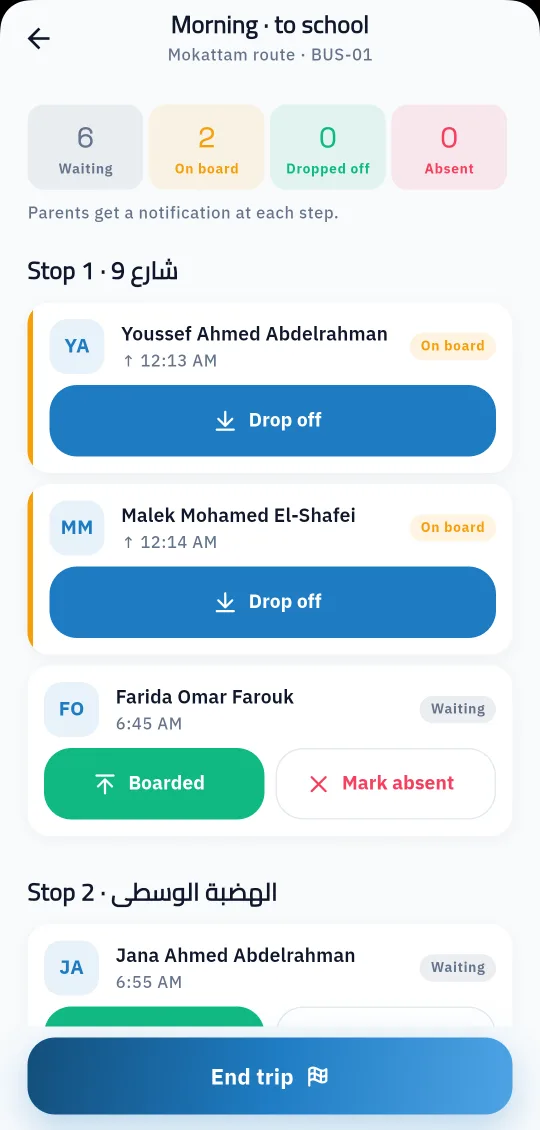
School transport is what worries parents most every morning: when will the bus come, did my child get on, when did they get off? In Prima Schools the driver starts the trip in the Prima Staff app on their phone, the bus location is shared for the whole trip, and parents see it on the map in the Prima Schools app with no extra tracking device.
The driver's screen lists the trip's students by stop, and each one is marked as boarded, dropped off or absent with one tap. Parents get a notice when the trip starts, when their child boards and gets off, and when the trip ends. If the driver tries to end the trip while students are still on board, the app warns them first.
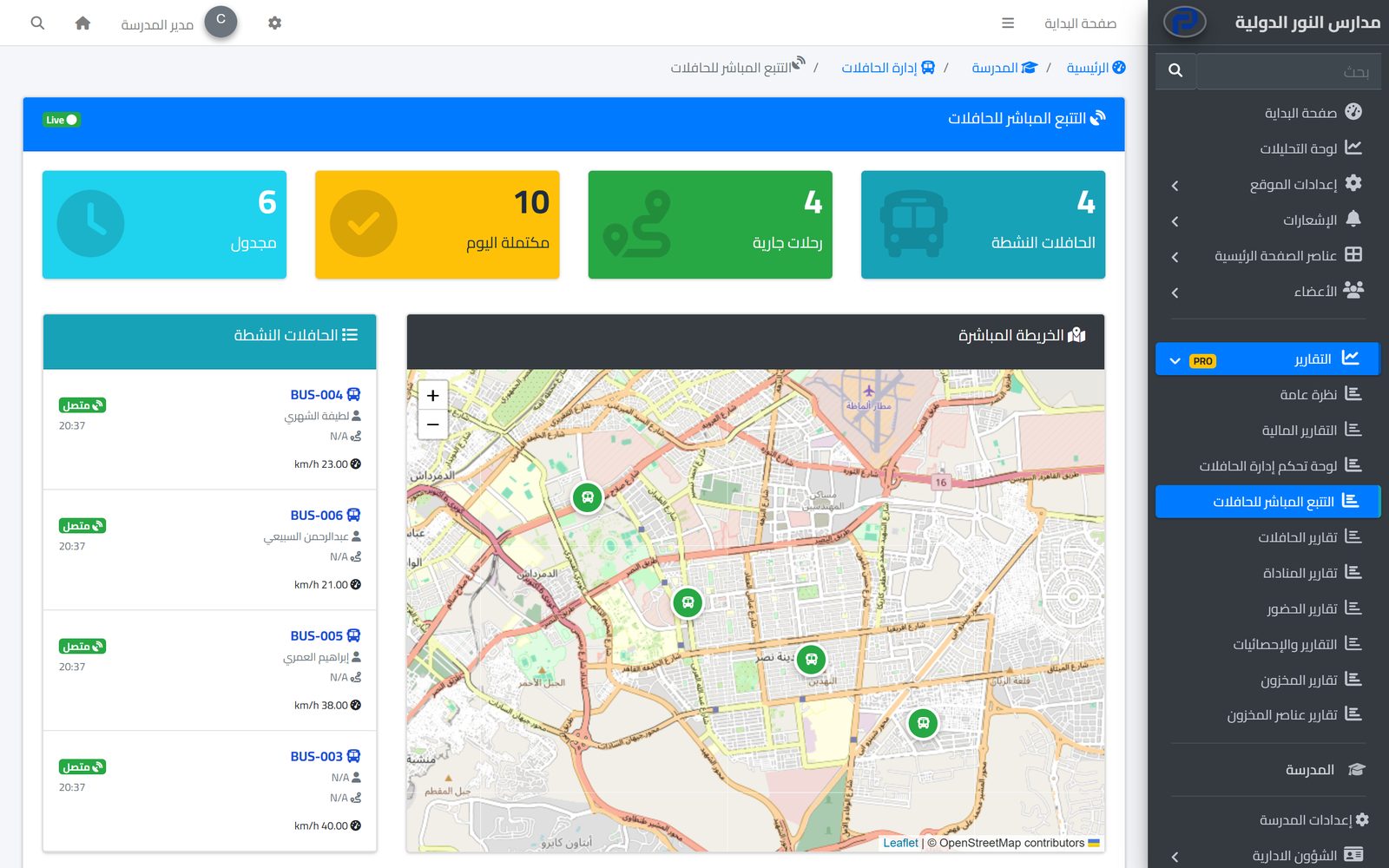
The administration runs buses, routes, stops and times, drivers and student assignments from the admin panel, and follows active buses on a live map. There is a maintenance log with reminders before it is due, fuel and incident logs, reports on bus use and costs, and the bus subscription is added to the student's fees automatically.
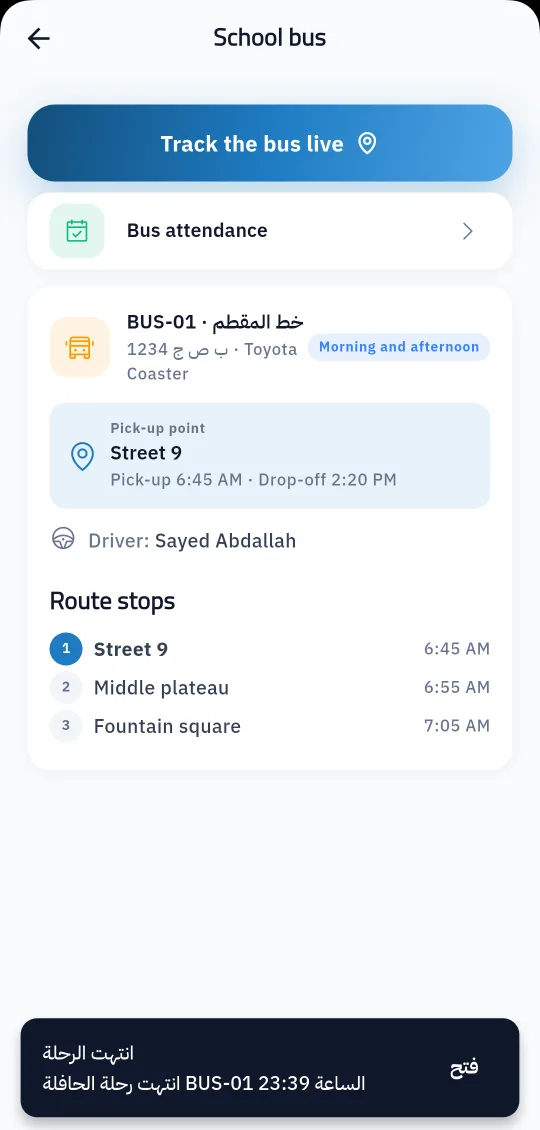
Then assign students to buses and set each student's pick-up point.
In the Prima Staff app, which shares the bus location and records boarding and drop-off.
On the map in the Prima Schools app, with a notice at every step until their child arrives.
One app for school staff that opens the screens each person's job needs: teacher, administration, supervisor, bus driver, nurse, librarian and gate staff.
Learn MoreParents follow their children's attendance, homework, marks and school bus on their phone in the Prima Schools app, message their teachers and send absence excuses without a trip to school.
Learn More
Set fees per stage and grade, apply discounts with approval, issue invoices and record payments, while parents see their children's invoices on the school website.
Learn MoreNo. The driver's phone with the Prima Staff app is enough during the trip.
Yes, in the Prima Schools app during the trip, together with the bus details, pick-up point and times.
When the trip starts, when their child boards and gets off, and when the trip ends.
Yes. When a student is assigned to a bus with a subscription, the transport fee is added to their fees if the school has a transport fee type.
Yes. The administration is reminded a week before the next service is due, or when the set odometer reading is reached.
Transport is an add-on activated for the whole school account, free for a limited time.
Create your account and start a trial, or book a live demo with our team.



