Link and access code
The virtual room link and access code in one fixed place, instead of posting them in messages every time.
The video lesson link and access code for every class and teacher in one fixed place, opened from the app with a tap.
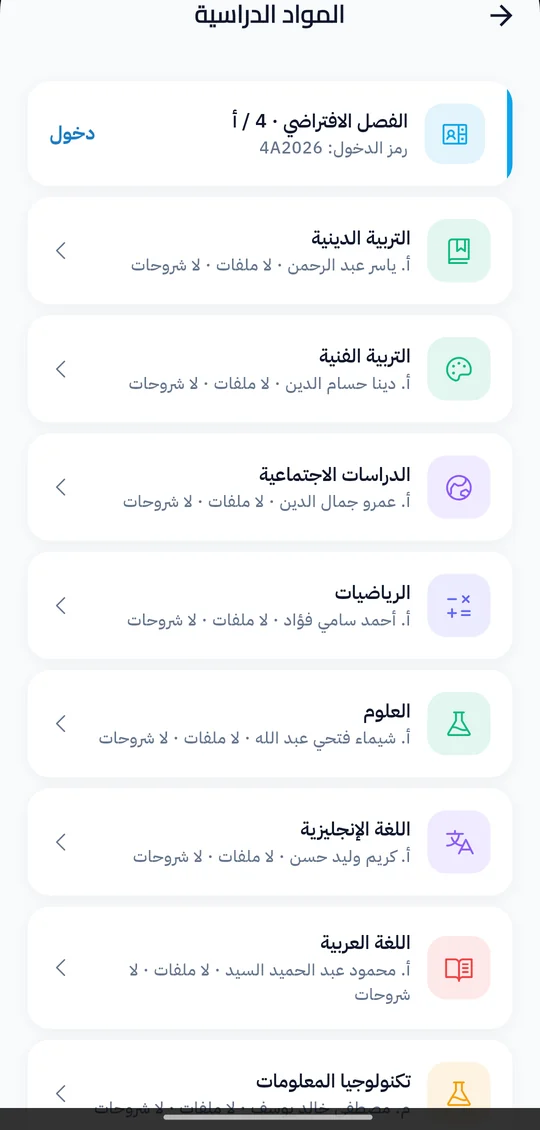
In remote learning or extra video lessons, lesson links get lost in messages and chat groups, and students ask every day for the right link. In Prima Schools the administration sets the virtual room link and access code once, at stage, grade or class level, from whatever video meeting service the school uses.
Each class takes its link and code from its own settings; if it has none it uses the grade's, then the stage's. Each teacher can also have a room of their own, and teachers see their own room plus the rooms of the classes they teach for each subject.
Students and parents see the class room on the Subjects screen of the Prima Schools app, and students open it with a tap with the access code shown; teachers see it in the Prima Staff app, and it also appears on the school website. The system does not create meetings itself and is not tied to any one meeting service: the school creates the room on its service and puts the link in the system.
In the video meeting service the school uses.
On the stage, grade or class, with the access code, and a room per teacher if needed.
Students open them in Prima Schools, and teachers see them in Prima Staff.
No, the school creates the room on the meeting service it uses, then puts its link and access code in the system.
No, it stores the room link and access code and shows them in the apps, whatever the service.
On the Subjects screen of the Prima Schools app, and on the school website.
No, one link at grade or stage level is used for the classes that have no link of their own.
Yes, and teachers see it in the Prima Staff app with their classes' rooms.
Create your account and start a trial, or book a live demo with our team.
