From the school's own account
The school connects its UltraMsg, WATI, Twilio, 360dialog or Meta account, and messages go out from its number and on its account.
The school sends its notifications to parents on WhatsApp from its own account with a WhatsApp service provider, as an extra channel next to the apps, SMS and email.
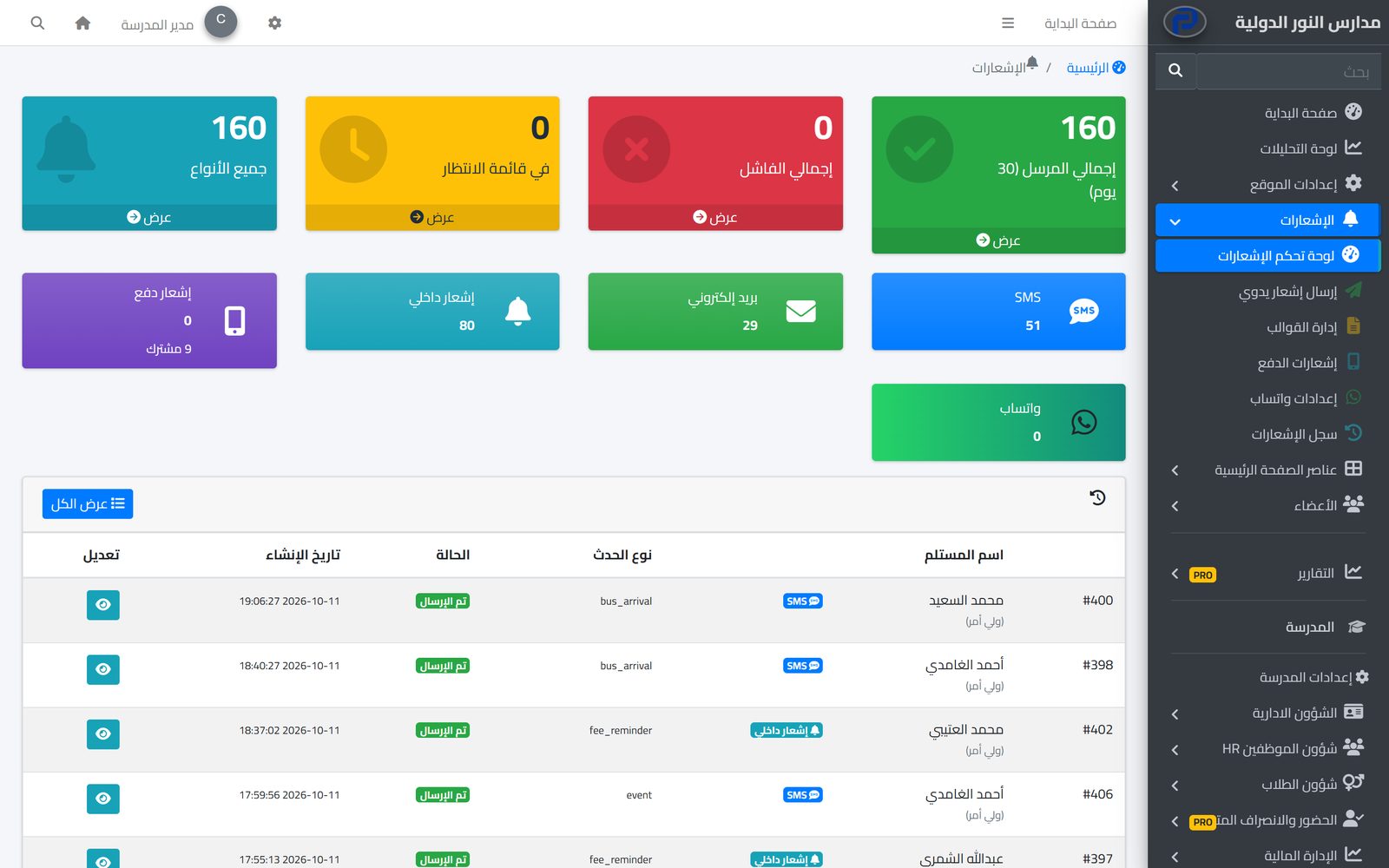
WhatsApp is the app most parents open several times a day, so a message there reaches them fast. With the WhatsApp add-on this channel becomes part of the Prima Schools notification centre, and the system sends the same notices on it that it sends on the other channels, with nobody typing them by hand.
Messages go out from the school's own account with the WhatsApp provider it chooses: UltraMsg, WATI, Twilio, 360dialog or Meta. The school enters its account details once in the settings, messages go out under its name and number, and the relationship and message costs stay directly between the school and the provider.
This add-on sends only: notices reach parents on WhatsApp, but the system does not receive replies to them; parents who want to contact the school message it from the Prima Schools app. Every message is logged with its status, so the person in charge knows what was sent, what failed and why.
Add WhatsApp notifications to the school's subscription from its account.
Choose the provider and enter your account details on the WhatsApp settings page of the admin panel.
Notifications go out on WhatsApp with the other channels, and you follow them in the log.
The system tells students, parents and staff about everything that concerns them in the apps and by SMS, email and WhatsApp, from one centre with editable templates and a full log.
Learn MoreThe school sends its text messages from an Android phone with its own SIM through the Prima Schools SMS app, at the cost of the SIM plan it chooses, with each message's status in the admin panel.
Learn MoreConnect your school system to the SMS, WhatsApp and email provider you already use, and import Noor data, with no middleware.
Learn MoreYes. Messages go out from the school's own UltraMsg, WATI, Twilio, 360dialog or Meta account, and message costs are between the school and the provider.
No, the add-on sends only. Parents message the school from the Prima Schools app.
The notification centre's automatic notices, plus announcements and manual notices sent on every channel.
Yes, with a WhatsApp template per event; otherwise the SMS text is used.
Notices keep going out in the apps and by SMS and email as usual.
Create your account and start a trial, or book a live demo with our team.
