Every private school in Saudi Arabia works on Noor, the Ministry of Education's system where student data and results are recorded. But Noor does not cover what a school needs to run its day: fees and installments, buses, parent messaging and payroll. So the school finds itself entering the same student twice, once in Noor and once in its internal system or an Excel file.
This article explains how to avoid double entry by importing data from Noor, and what must be sorted out before importing so that errors do not travel with the data.
Why a private school needs an internal system alongside Noor
Noor is the official reference for the Ministry, and no internal system replaces it. But running a private school has a commercial and operational side that Noor has nothing to do with. The accountant needs to know who paid the installment and who is in arrears. The transport supervisor needs the list of students on each bus. And the student affairs vice principal wants to send a parent an absence message the same morning.
All this work starts from the same data: the student, their class, their stage and their parent. If the student list in the internal system differs from Noor, problems begin: a student moved from section A to B in Noor but not in the fees system, or a new student registered in Noor who does not appear on the bus list.
What can be imported from Noor
The simple idea is that Noor is the source of the core data and the internal system builds on it. Three types of data are worth importing instead of re-entering:
- Student data: name, national ID number, stage, grade and class.
- Teacher data, so each teacher is linked to their subjects and classes in the timetables and weekly plans.
- Class timetables, instead of building the timetable from scratch in a second system.
What does not exist in Noor, such as student fees, discounts, parents' contact numbers and bus subscriptions, is added in the internal system after the import.
Before importing: clean the data in Noor first
Import carries the data across as it is. If Noor has a duplicate student or a class recorded wrongly, the error moves with it. Set aside an hour before importing for a quick review:
- Make sure the placement of students in classes in Noor is final for this term, or at least stable.
- Review recently transferred students from other schools, since their data is most often incomplete.
- Make sure class and section names match what the school uses internally, so you do not find "1/A" in one place and "First A" in another.
- Set up the departments, stages and school year in the internal system before uploading the file, because the import needs to know where to put the students.
An important point: the national ID number is the best key for linking a student between the two systems, because it does not change when the class changes or a name is misspelled. Make the ID number the field you rely on in any later review or matching.
The import steps in practice
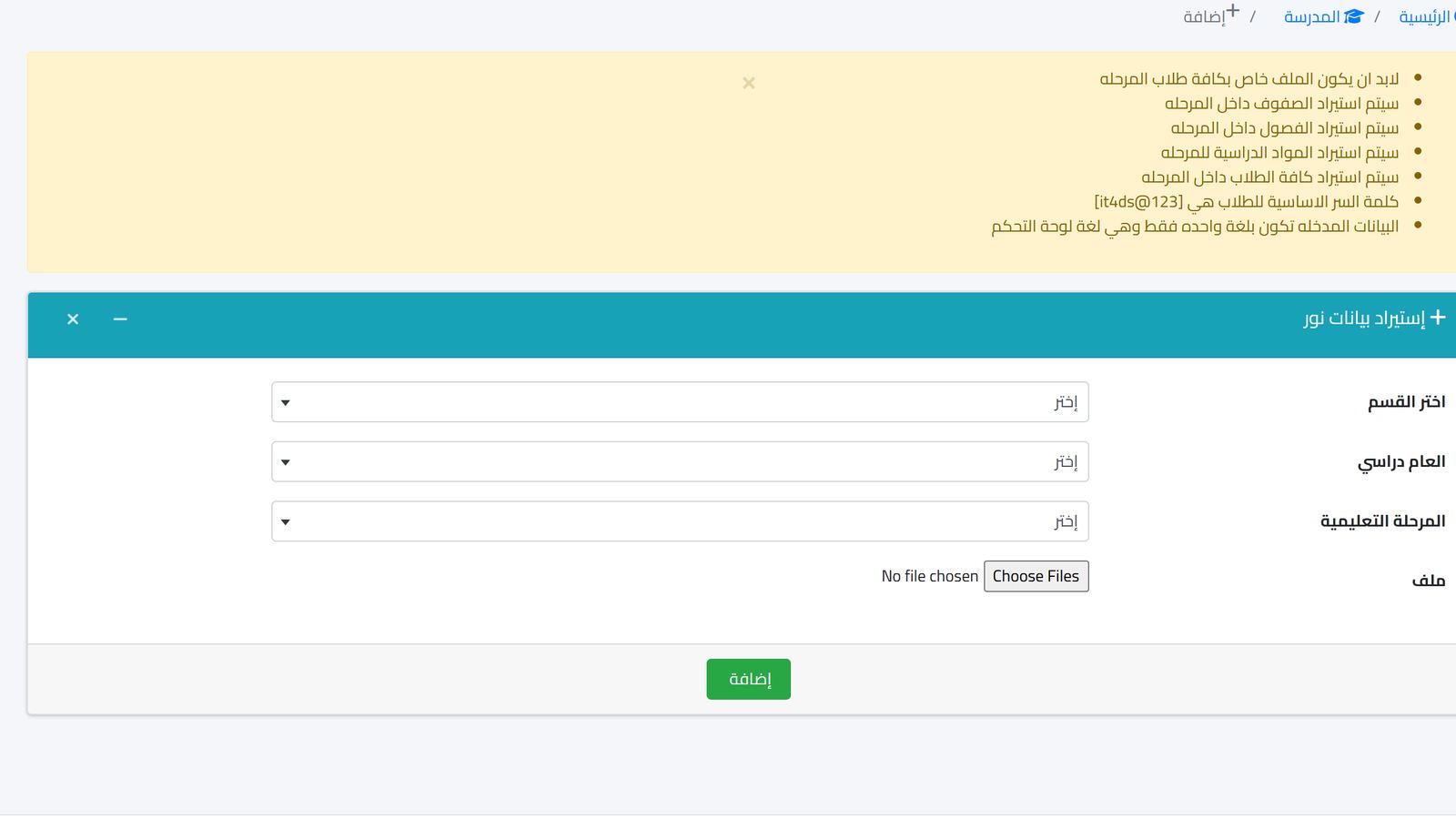
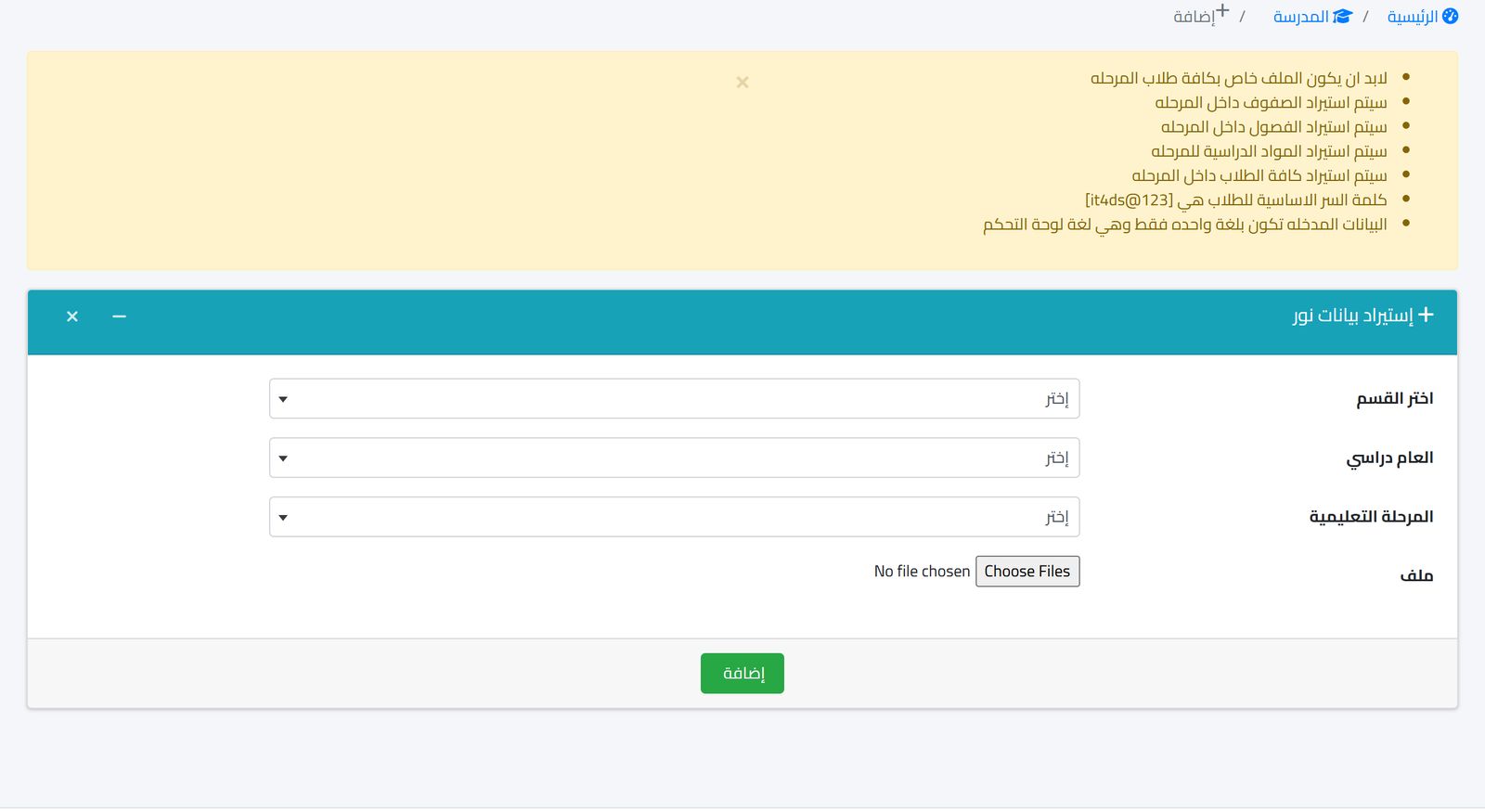
The steps differ slightly between systems, but the logic is the same. You extract the data file from Noor in the required format, then choose in the internal system the department, school year and stage the data will be imported into, then upload the file. Start with one stage, review the result, then move on to the next stage.
After each batch, check three things. The number of imported students compared with their number in Noor. Their distribution across classes. And any student who appears twice. This check takes minutes, but it saves weeks of correction later when fees and buses are built on this data.
When to re-import during the year
Import is not a one-time operation at the start of the year. There are moments when Noor's data changes widely, and the internal system deserves to be updated afterward:
The start of the school year, after registration is complete and sections are assigned. The start of the second term, if students moved between sections. And after receiving a batch of transferred students. For individual cases, such as one student moving from one class to another, it is faster to move them by hand in the internal system with the same change you made in Noor.
Before any re-import, export a copy of the current student list from the internal system and keep it. If the new file comes in incomplete or with a wrong distribution, you have a reference point to compare against and know exactly what changed.
Agree within the school on who owns this task. Usually the school's Noor officer is also the best person to run the import, since they know the state of the data and what changed.
Common mistakes after importing
A technically successful import can leave small problems that only show up weeks later. The most frequent is the school editing a student's data in the internal system but not in Noor, or the reverse. After two months you have two different versions of the same student, and nobody knows which is right. A simple rule: core data such as the name, ID number and class are edited in Noor first, then carried to the internal system.
The second mistake is importing the students and then forgetting to link them to their parents. A student without a linked parent will not generate an absence message, and nobody will know whom to send the installment reminder to. Make linking parents the step that comes directly after the import, not a postponed task.
The third mistake is building fees before student placement has settled. If middle school fees differ from primary, a student registered in the wrong stage will carry the wrong fees, and correcting that after receipts have been issued is much harder than correcting the class before them.
The benefit after importing
When the student list in the internal system matches Noor, daily work starts from a correct base. The accountant links fees to students who actually exist. Absence messages go to the parents of the right students. And bus lists, seat numbers and timetables are built on the same classes.
There is a less obvious but important benefit: the student affairs officer no longer spends the first week of the year entering hundreds of students by hand. That time goes to receiving parents, solving real registration problems, and reviewing the files of transferred students that genuinely need a human eye.
How this works in Prima Schools
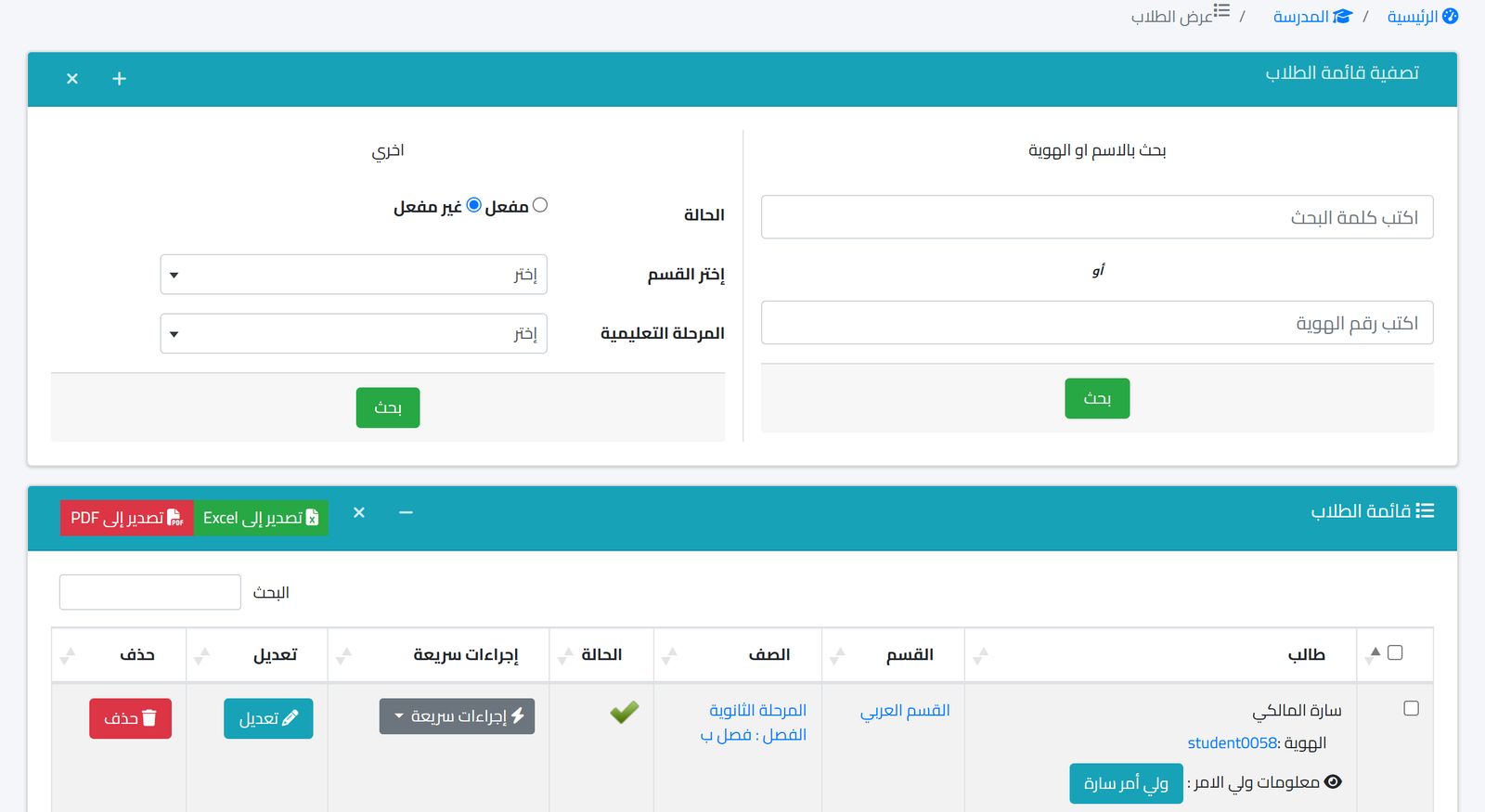
Prima Schools integrates with the Noor system by importing student, teacher and timetable data. The student import screen shows instructions for preparing the file, then you choose the department, school year and stage, and upload the file. After the import, students appear in the students list, where you can search by name or ID number, filter by department and stage, export to Excel and PDF, and use quick actions for each student.
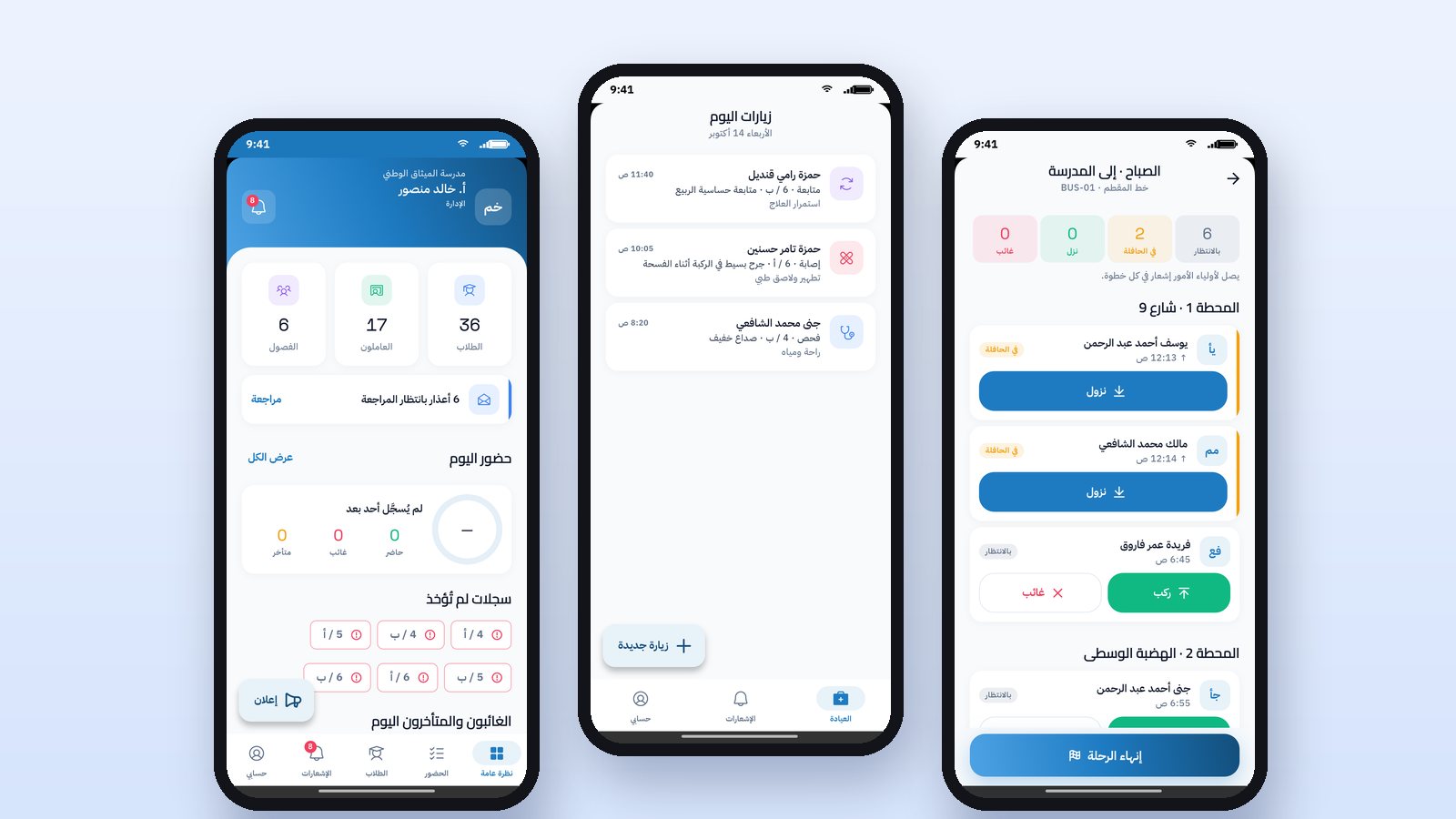
From here the system completes what Noor does not cover: linking students to their parents, student fees in any currency including the riyal with discounts and receipts, attendance with parent notification via WhatsApp or SMS, and buses, the clinic and payroll. The interface is in Arabic and English, and works from the browser on computers and phones.
For a wider picture of where this integration fits in the school's plan, read Digital transformation in private schools and Vision 2030, and for managing moves between classes after the import, see Registering students and transferring them between classes without errors.
Frequently asked questions
Does an internal system replace working in Noor?
No. Noor is the Ministry's official system and remains so. The internal system imports the core data from it and adds what the school needs to manage its fees and daily operations.
Can teachers and timetables be imported too?
Yes, the integration in Prima Schools covers importing students, teachers and timetables from Noor.
What if our student data is currently in an old Excel file?
It is best to rely on Noor as the source of core data because it is the most up to date, and then add the financial data from your old file. Prima Schools also has a free data migration offer with the code FREEMIGRATION.
If you want to see a Noor data import on your own school before you decide, book a demo and prepare a file for one stage so we can try it together.