A parent app is the place where a parent finds out everything about their children at school without calling anyone: attendance and absence, homework and grades, messages with teachers, the school bus, the clinic and the library. A good app puts all the children in one account, sends an instant notification for every important event, and lets the parent do something, such as send an absence excuse, not just read.
Why are WhatsApp groups not enough?
A class WhatsApp group mixes everything together: an announcement from management, a parent asking about homework, a birthday greeting. The one message that matters about your child gets lost among dozens of messages, and the teacher shares a personal phone number with every family. We covered this problem in detail in Communicating with parents without the chaos of WhatsApp groups. A school app solves this because every piece of information in it is tied to a specific student, and only that student's family sees it.
What should a parent see in the app?
All the children in one account
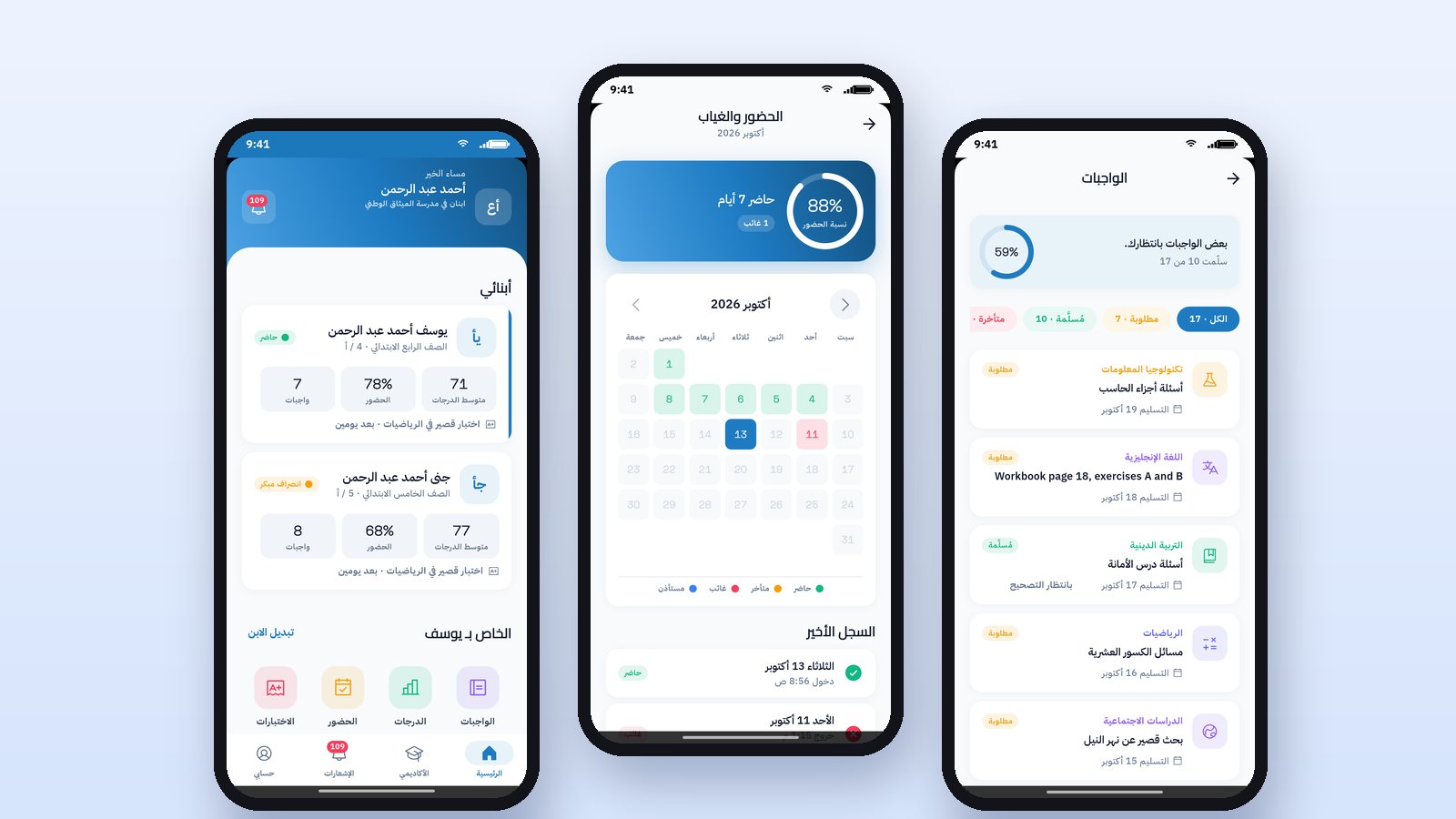
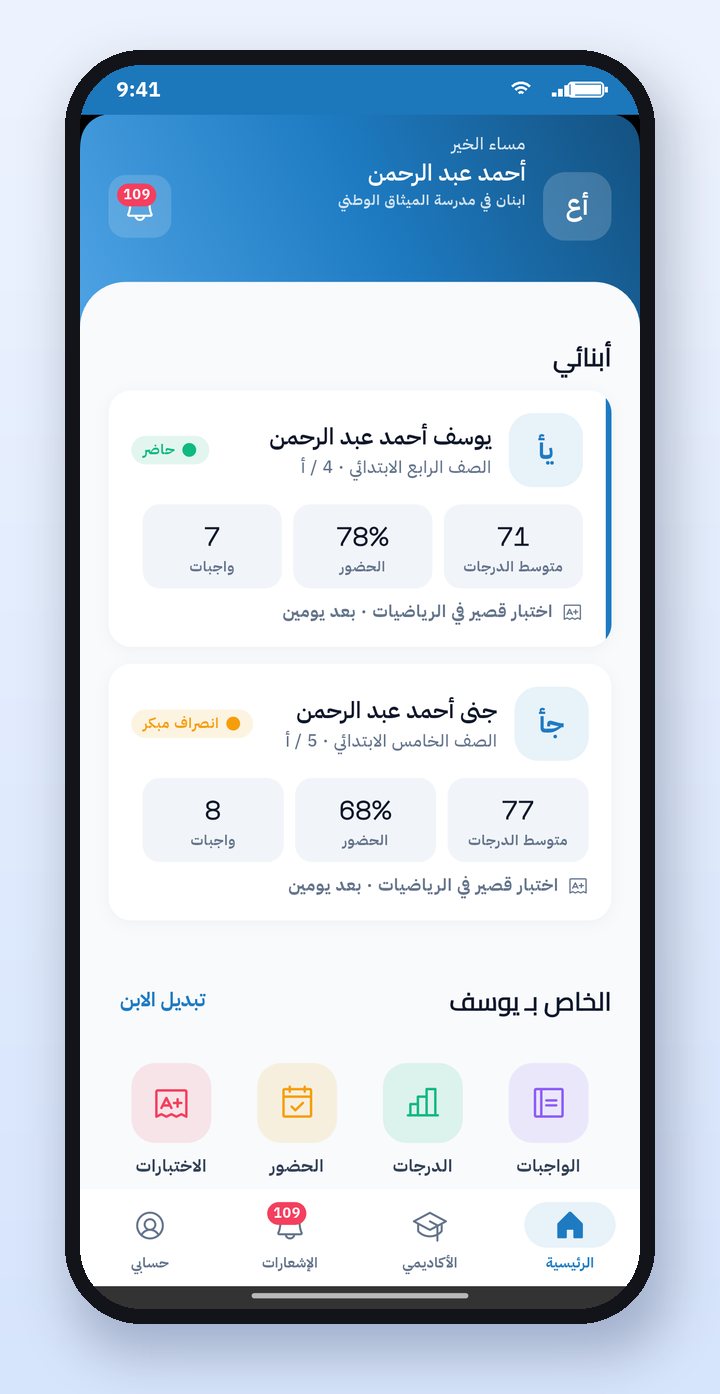
If you have two children at the same school, you should not need two accounts. On the home screen there is a card for each child showing their grade, class, attendance rate, average grade and number of homework items, and you pick the child you are following with a tap.
Attendance and absence at the same moment
When the teacher records an absence in the first lesson, the notification should reach the parent within minutes, not at the end of the day. On the attendance page the parent sees a monthly calendar with the status of each day: present, absent, late or left early, with the reason for absence if there is one.
Homework, grades and behavior notes
New homework arrives as a notification, with its instructions, attachments and due date. A grade arrives the moment it is recorded. Behavior notes, positive ones before those that need follow-up, help the parent encourage their child at the right time.
Services: bus, clinic and library
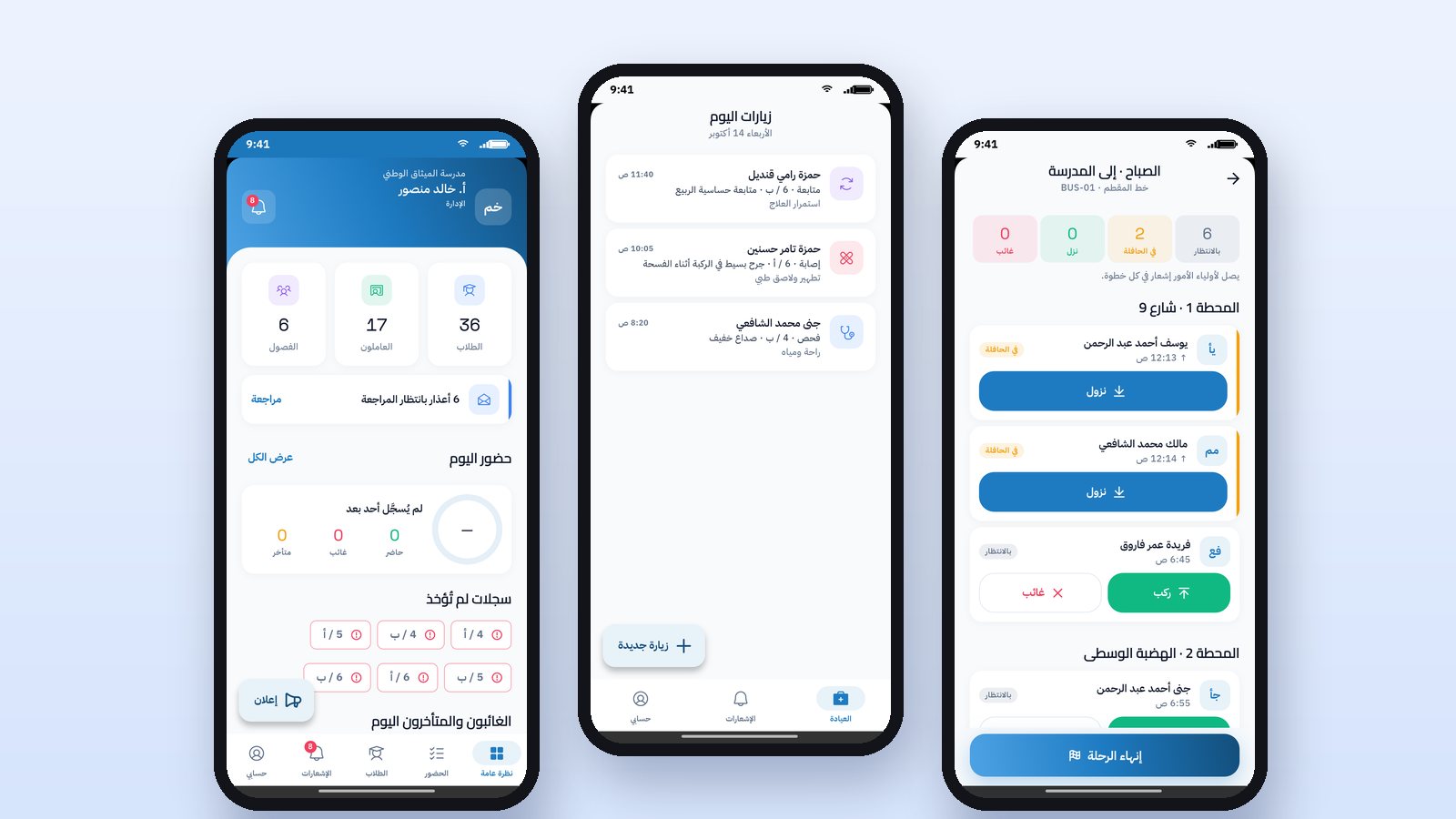
From the My Account page the parent sees the child's bus, pickup point, schedule and driver, the bus attendance for each day, and follows the bus live on the map during the trip. They also see clinic visits with their date, diagnosis and treatment, and books borrowed from the library with their return date. These services appear according to what the school subscribes to.
What can a parent do from the app?
Sending an absence excuse
Instead of a paper note that may never arrive, the parent picks the day of absence, then the reason, and adds a note or an attachment. Some reasons, such as illness, need a document like a medical report. The excuse goes to school management, which reviews it and accepts or rejects it, and a notification of the decision reaches the parent, so everything stays documented.
Messaging the teacher or management
The parent picks one of their child's teachers or school management, and writes a message. The message reaches the teacher in their app with a notification, and the reply appears in the same conversation. No personal numbers, and no messages lost in a group.
How this works in Prima Schools
The Prima Schools app for students and parents runs on iPhone and Android, in Arabic and English, in the school's colors and logo. The parent signs in with the school code and then the username and password that the school gives them, so nobody from outside the school can create an account. Everything in the app comes from the same system that management uses on the website, so what the teacher records in the classroom, the parent sees at the same moment. You can watch all the steps in the app tutorial videos.
Frequently asked questions
Does a parent need a separate account for each child?
No. The parent account includes all their children at the school, the parent picks the child they are following from the home screen, and receives notifications for all the children.
How does a parent get an account in the app?
The school gives the parent a username and password, and the parent enters the school code on the first screen. It is not possible to register from the app without an account from the school, which protects student data.
Can a parent send an absence excuse from the app?
Yes. They pick the day of absence and the reason, add a note or an attachment, school management reviews it, and a notification of its acceptance or rejection reaches them.
Does the app work in Arabic and English?
Yes, in both directions: right to left in Arabic, and left to right in English, and the user chooses the language.