Text messages are still the surest way to reach every parent in Egypt, even those who do not use WhatsApp or have no data plan. But many schools find at the end of the month that the message bill is higher than expected, so they cut back on sending, and then parents complain about too little communication. The solution is not to send less, but to send smartly.
Where the cost of messages comes from
SMS cost is usually counted by the number of messages, not the number of parents. And one message in the school's eyes may be counted as two or three if the text is long, because an Arabic message fits fewer characters than an English one before it is split into parts.
Take this illustrative example: a school has 600 parents and sends each of them two messages a week, about 4,800 messages a month. If each text is long and splits into two parts, the actual count becomes 9,600. The difference did not come from more communication, but from how the message was written.
Five ways to reduce cost without reducing communication
1. Shorten the text
Write the message, then delete everything the parent does not need. "Parent of Ahmed: absent today 12/10. For inquiries: student affairs." does the job just as well as a whole paragraph of greetings. Keep formal phrasing for printed letters and email.
2. Send only to those concerned
A message about the third grade's museum visit does not need to reach the parents of the whole school. A fee reminder should go only to those with a balance due. Every message sent to a specific group instead of the whole list saves money, and makes parents read school messages seriously because they concern them.
3. Spread messages across channels
Not every message needs SMS. Absences and emergencies deserve the most reliable channel. The weekly newsletter, event photos and long reports belong in email, WhatsApp or in-app notifications. This distribution alone reduces the number of text messages without the parent losing any information. To learn more about WhatsApp, read School WhatsApp: sending absences and results automatically.
4. Clean up parents' numbers
A wrong or duplicate number uses up a message every time for nothing. Review the list of numbers at the start of each term, delete duplicates, and ask for updates to numbers that messages keep failing to reach.
5. Use templates
A pre-written template for each type of message, such as absence, lateness, fees and meetings, ensures the text stays short and reviewed, instead of each employee writing the message their own way and making it longer.
The idea of sending from the school's own SIM card
The usual way to send SMS from an electronic system is to contract with a messaging service provider and buy message credit in advance. This suits schools that send large volumes and want the school name to appear as the sender.
There is another way that suits some schools: the system sends messages through a phone with a SIM card the school owns. In this case the school pays according to the SIM's plan with the mobile operator, which may be cheaper for schools that can take advantage of the messaging bundles available on lines. The message reaches the parent from the school's number, which they know and can reply to.
But this method has limits you should know: mobile operators usually have policies on using a line for heavy sending, the phone must stay charged and connected, and the sending speed is lower than a service provider's. So it is best for medium volumes, and it can be combined with a service provider for urgent messages.
Messages you should not skimp on
Saving has limits. Some messages must arrive whatever the cost, and economizing on them costs the school more than it saves. First is the absence message on the same morning, because it concerns the student's safety before anything else. Second are emergency messages: school suspended because of weather, a change in dismissal time, or a bus delayed off its route.
Third are sensitive money messages, such as confirming receipt of a fee payment. A parent who paid and received nothing confirming it will call the school, and the call takes more of the accountant's time than the message costs. The practical rule: save on general and reminder messages, and do not save on messages that lead to a decision or cause worry for the parent.
A messaging plan for the term
Most waste happens because messages are sent when needed, with no plan. Sit down with management before the start of the first term and make a simple schedule: which messages are fixed every week? When are the fee dates, meetings and exams that need a reminder? For each message, set the channel, the group and the text.
With this schedule you can estimate the expected number of text messages for the whole term before it starts, so you buy the right credit, and you learn early whether any item can move to WhatsApp or email. And when an unplanned emergency message comes, there is room for it in the credit without upsetting the accounts.
Ask every department not to send messages to parents outside this schedule without going through one person responsible for communication. This simple step prevents a parent from receiving three messages in one day from three different departments, which makes them ignore all of the school's messages later.
What to monitor every month
- Number of messages sent per channel, compared with the previous month.
- Number of failed messages and their reasons.
- Long messages that could be shortened with templates.
- Messages sent to the whole school that could have gone to one class or stage.
Reviewing these four items once a month is enough to know where the message credit goes, and what can be moved to a cheaper channel.
Example: reorganizing one school's messages
Imagine a language school that sends all its messages by SMS: daily absence, fee reminders, the weekly newsletter and meeting invitations. After a simple review, its management decided to keep absences and emergencies on SMS, move the weekly newsletter to email and WhatsApp, send the fee reminder only to those with a balance due, and shorten the absence template to a single part.
The information reaching parents did not change, but the monthly number of text messages dropped because each message went to the right channel and the concerned group. This kind of review needs no more than one session with the message schedule and the list of channels.
How this works in Prima Schools
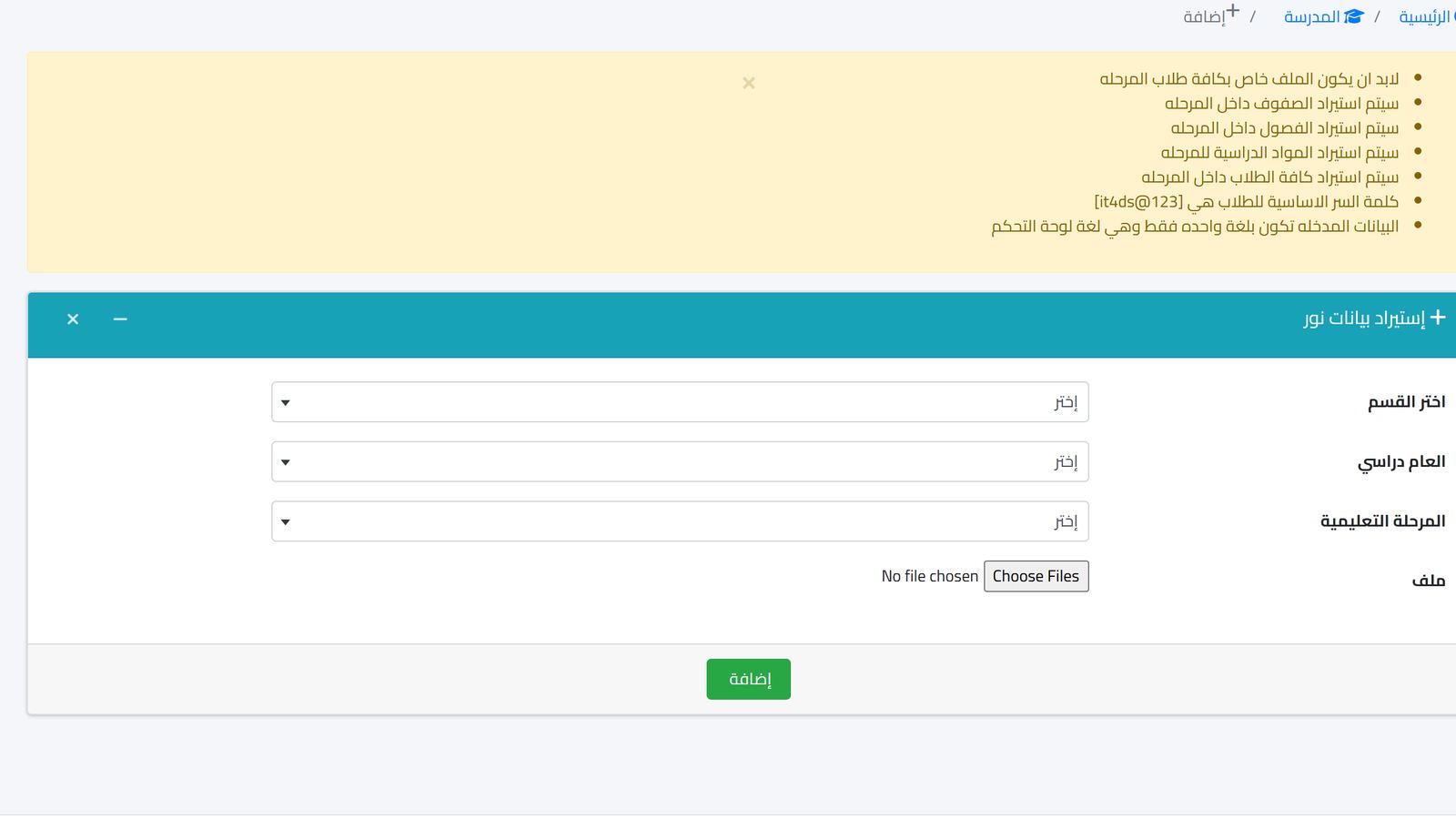
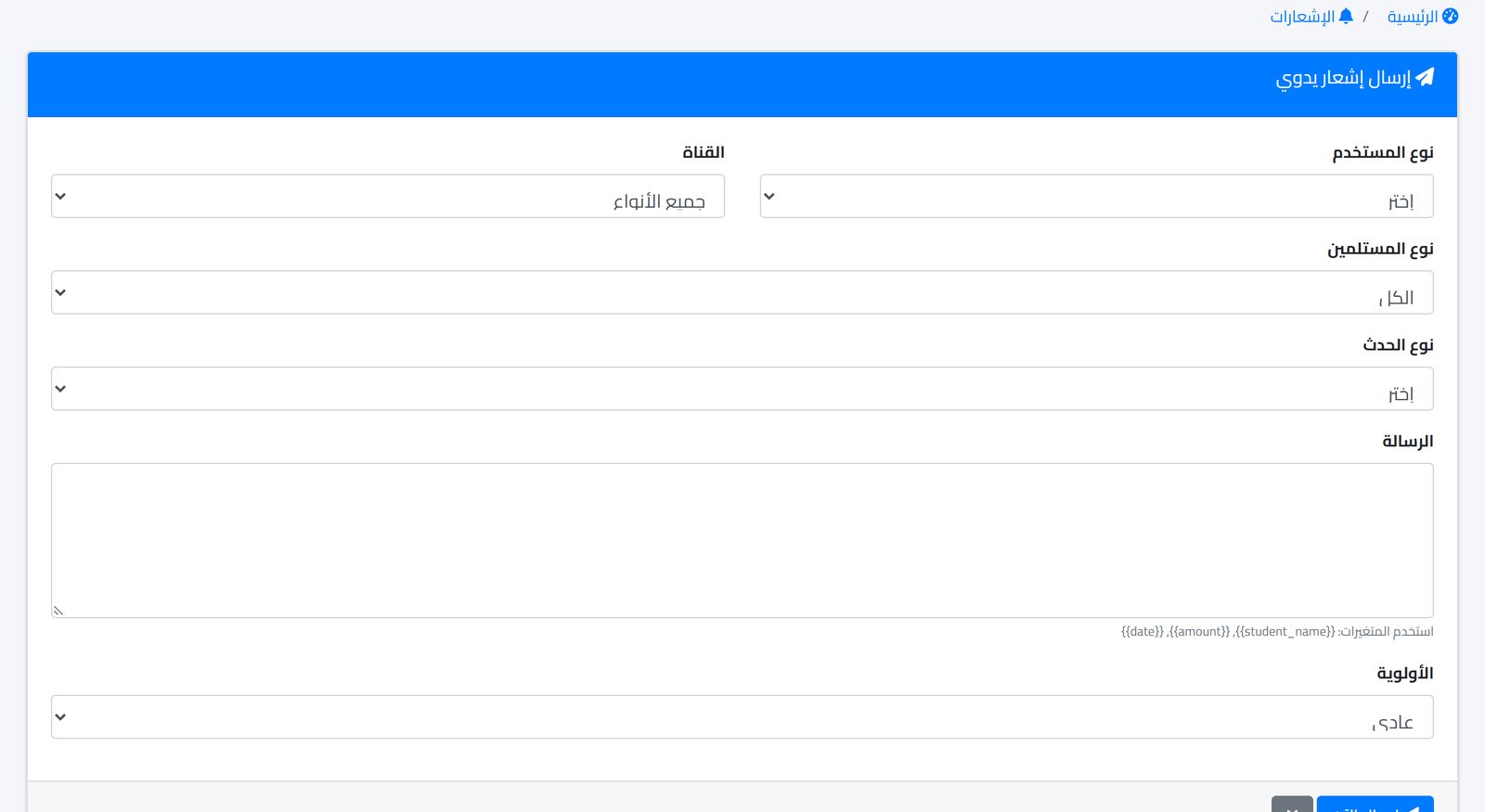
In Prima Schools, communication runs from one notification center with SMS, WhatsApp (through the Meta WhatsApp Business API), email and in-app channels. From the manual sending screen, as in the image above, you choose the user type, group and channel, and write the message with variables such as the student's name, so it reaches each parent with their child's name without writing it once for each. Templates are available to standardize the text of recurring messages.
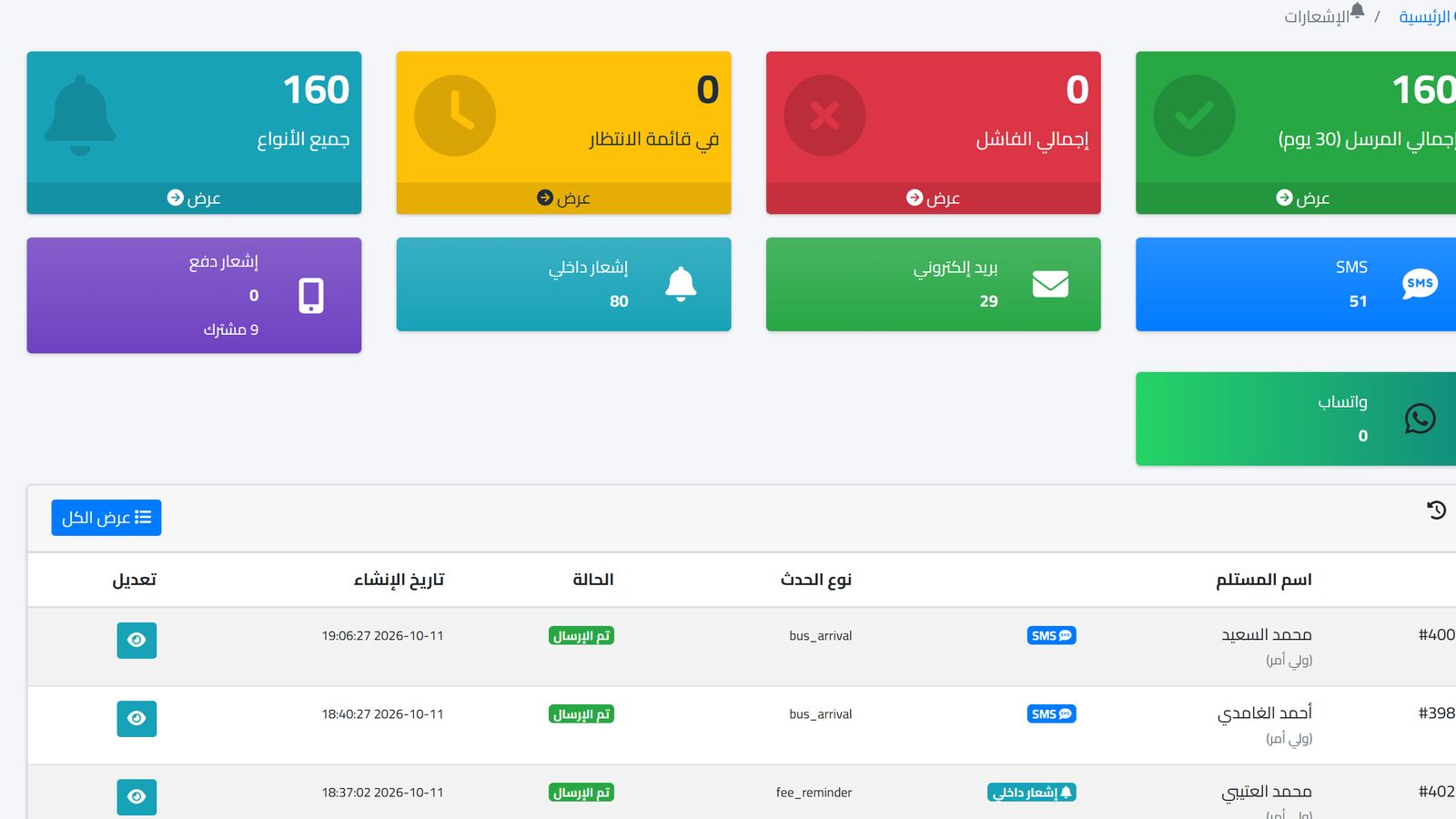
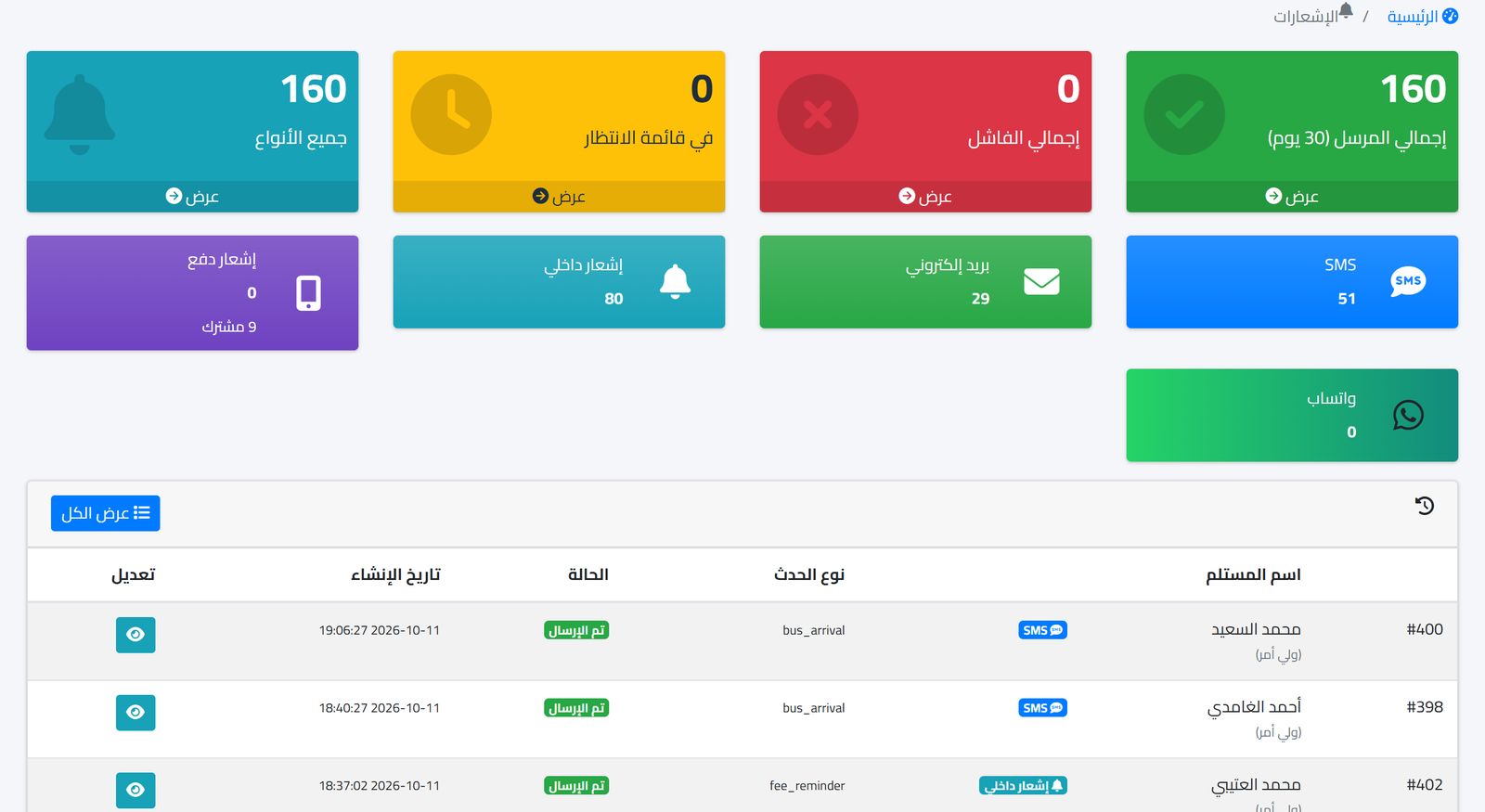
The notifications dashboard shows the total messages, those sent, pending and failed, and their distribution across channels, with the latest notifications and their status. These are the numbers you need in the monthly review.
The Prima Schools SMS app turns a school's Android phone into a message gateway: the phone is linked with a one-time code from the control panel, then sends the school's messages from its SIM in the background even with the screen off, and the status of each message appears in the control panel. It is an additional option alongside sending through a message provider.
You can follow the rest of the modules on the features page, or read Communicating with parents without the chaos of groups.
Frequently asked questions
Can I drop SMS and rely on WhatsApp only?
Not entirely. Some parents do not use WhatsApp or are not always online, and absence and emergency messages need a channel that reaches everyone.
Does an Arabic message cost differently from an English one?
Usually an Arabic message fits fewer characters before it is split into two parts, so the length of Arabic text affects cost more.
How does the school send messages from its own SIM?
With the Prima Schools SMS app on an Android phone with the school's SIM: it is linked with a code from the control panel, then sends messages in the background and their status appears in the control panel.
If you want to see what your school's messages will look like and what they will cost before any commitment, contact us and tell us the number of parents and the messages you send each month.