A school staff app should open each employee on their own job, not on a long list of permissions: a stage head sees today's attendance and the classes running late, the gate officer records early dismissal, the nurse records a clinic visit, the librarian lends and receives books, and the driver runs the bus trip. Everything any of them records reaches the relevant parent as a notification, and appears to management in the same system.
Why one app instead of one app per department?
Many apps mean many accounts, passwords and training sessions, and data scattered in places that never meet. In one app the employee logs in with their account, and the app knows their job and permissions from the school's settings and shows only their screens. If the employee is both a teacher and a supervisor, the tabs for both jobs appear.
Administration: overview, attendance and announcements
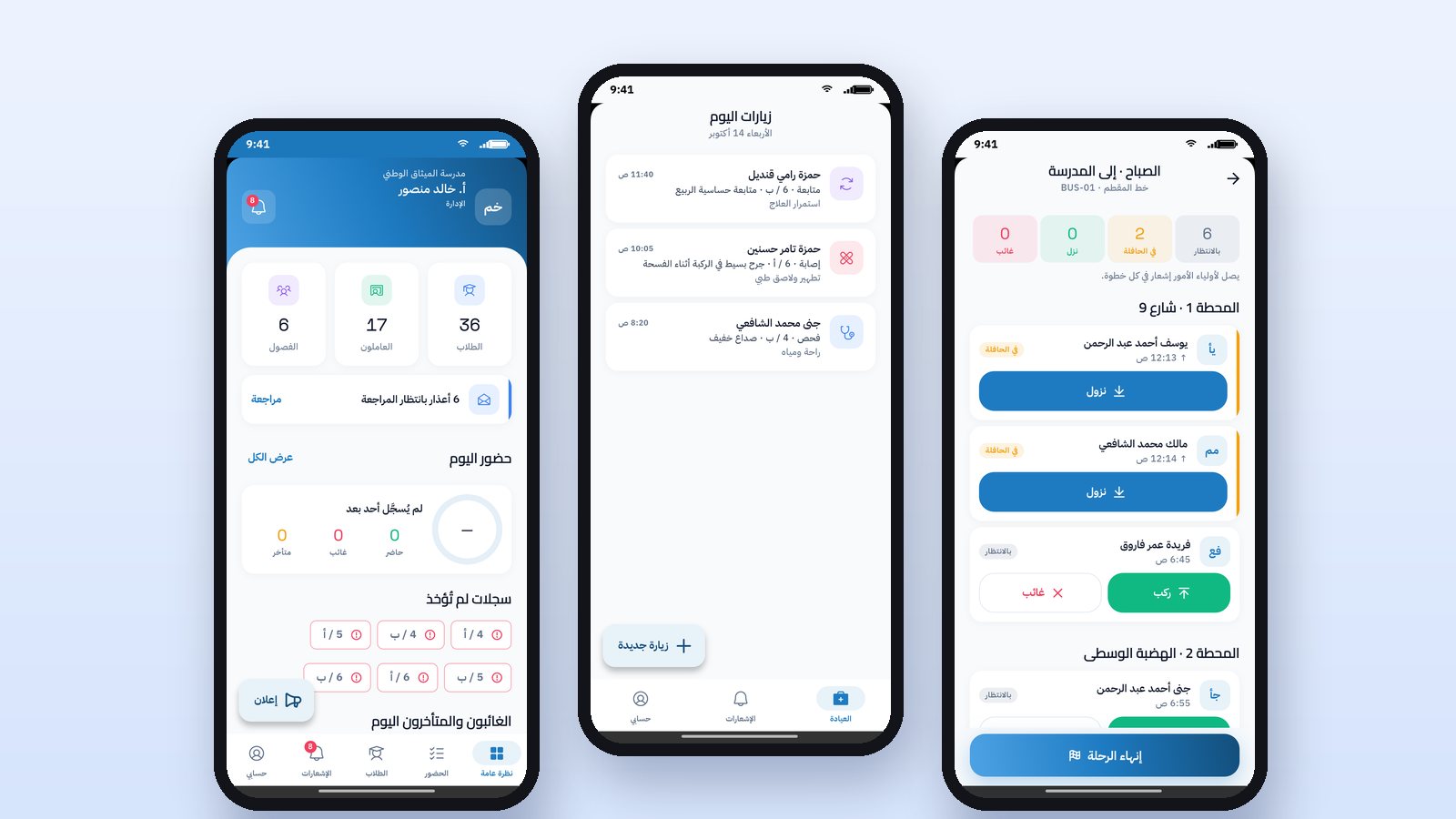
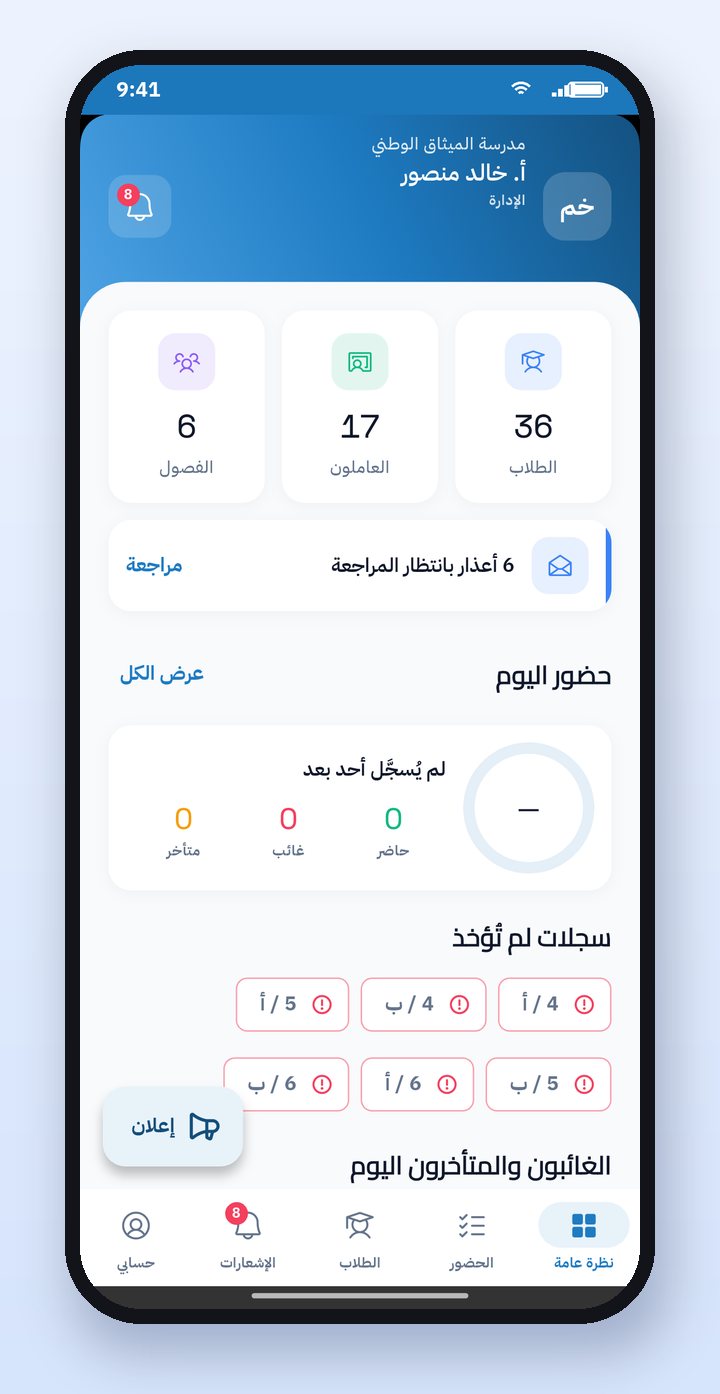
In "Overview", management sees the numbers of students, staff and classes and today's attendance, the classes that have not yet recorded attendance, and those absent or late. From the attendance tab you open any class on any day, and record or edit attendance according to your permissions, for example changing an absent student to excused. From the student's file you see his parents, his attendance rate and his grades, and you can call the parent directly.
Management sends an announcement from the phone to parents, students, staff, everyone, or a single class, and they receive an instant notification. This is the method we described in the article School circulars: from the paper in the bag to the instant notification.
Security at the gate: early dismissal
The gate officer searches for the student by typing two letters of his name, taps "Left early", and writes the reason if he wants. A notification reaches the parent immediately, and the student appears in today's log. That way no student leaves the school without his family knowing at that same moment. To organize the whole daily dismissal, read the article Student call and dismissal system.
The supervisor: behavior notes
The supervisor chooses the student, then the type of note: positive or needing follow-up, then the reason, and writes the details if he wants. Positive notes are as important as the others, because they reach the family and encourage the student.
The nurse: clinic visit
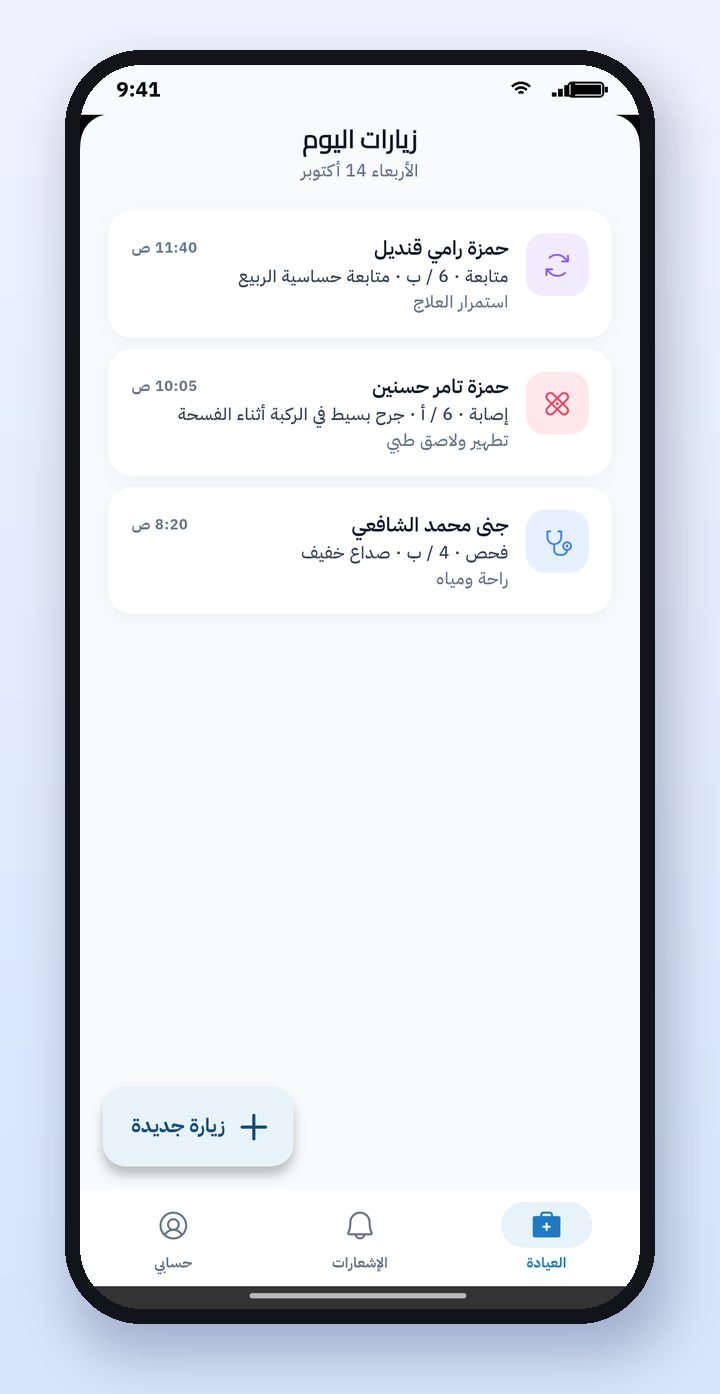
The nurse records a new visit: chooses the student and the type of visit, the date and time are added automatically, then writes the symptoms, diagnosis, treatment and medication if any. The visit notification reaches the parent, and the visit appears on the parent's clinic page. For the complete health record of students, read the article The school clinic: student health records.
The librarian: lending and returns
From the library screen the librarian taps "Lend a book", chooses the student, then the book from the available books, then the copy by barcode. When the book comes back, he opens the list of borrowed books and taps "Return". The parent sees the borrowed books and their return date in his app.
The driver: the bus trip
The driver starts the morning or midday trip from his phone, parents receive a notification that the trip has started, and the bus's location appears to them on the map. At each stop he records whether the student boarded, got off or was absent, and a boarding or drop-off notification reaches each student's family. At the end of the trip the app records the drop-off of anyone left on the bus and notifies their families. Safety and cost details are in the article School bus GPS tracking.
How it works in Prima Schools
The Prima Staff app serves teachers and all staff, and opens each employee on the screen for their job according to the school's settings in the control panel. It works on iPhone and Android in Arabic and English, and everything the employee records appears in the same system that management uses on the website. Watch each job in the app tutorial videos.
Frequently asked questions
Does every department in the school need a different app?
No. Prima Staff is a single app, and it opens each employee on the screen for their job: administration, security, clinic, library, bus or teaching.
Does every employee see the data of all students?
No. Each employee sees only what their job needs, according to the permissions the school sets for their group in the control panel.
Does the parent receive a notification when early dismissal or a clinic visit is recorded?
Yes. Early dismissal, a clinic visit, a behavior note, and bus boarding and drop-off all reach the student's family as an instant notification.
Can an employee be both a teacher and a supervisor?
Yes. The tabs for both jobs appear to them in the app.