Parents open WhatsApp dozens of times a day, ignore email and do not read the note in the school bag. That is why most schools moved to WhatsApp, but in a haphazard way: the student affairs clerk sends absences from her personal phone, the teacher sends grades from his own number, and a month later nobody knows who was notified and who was not.
This article explains how to move school WhatsApp from an employee's phone to an official channel connected to your management system, one that sends absences, results and circulars in a standard text and keeps a record of every message.
Why a school phone and an employee's number are not enough
The common approach is for the school to buy a SIM and a phone, and an employee sits with it sending messages by hand after the first lesson. It works in the first week, then the problems start: the employee is absent so no absence messages go out, the number gets blocked because repeated bulk messages from a regular account look like spam, and the phone itself holds the numbers of hundreds of families with no protection.
There is a deeper problem: there is no record. When a parent calls at the end of the term and says nobody told him his child was absent for five days, the school has nothing to show him except a chat on a phone that may have changed. A message you cannot tell was delivered or not does not protect the school in any dispute.
A teacher's personal number is a different problem. The parent keeps the number and writes to the teacher at ten at night, and the teacher finds himself in endless conversations outside working hours. Separating the school's official channel from personal numbers protects both sides.
WhatsApp Business through Meta: what changes
Meta provides organizations with what is known as the WhatsApp Business API, an official WhatsApp account that is connected to software instead of being run from a phone. Messages go out from the school's number under its name, and the system sends them itself when something happens, not an employee copying and pasting.
There are practical things management should know before starting:
- The number you connect to the official API is used for it, so choose a number dedicated to the school, not the phone number of one of the staff.
- Messages the school initiates need templates that Meta approves in advance, so write your texts in clear, formal language well before launch.
- Meta charges for messages, with prices that vary by message type and country, so check the current prices in your account before you decide what goes out on WhatsApp and what is fine with an in-app notification or email.
These restrictions are not a flaw. They are what makes the school's number trusted by parents and keeps it from being blocked after two weeks.
What deserves to go out on WhatsApp
The mistake many schools make after connecting is sending everything on WhatsApp. After a month the school's number becomes like the big family group: many messages, little reading. The simple rule is that WhatsApp is for things that need the parent's attention today.
Absence and lateness
This is the most important message of all. A parent who learns at nine in the morning that his child did not arrive at school can act, but one who finds out at the end of the month can do nothing. Keep the absence message short: the student's name, class, date, and a number to contact if there is an excuse.
Results and grades
When a monthly exam result or the first-term result is approved, a message telling the parent that the result is out, and giving the grade or asking him to visit the school, is enough. Do not send sensitive details about the student's level or behavior in a group message; those belong in a meeting or a phone call.
Fees and urgent circulars
A reminder of the second installment due date, a weather closure, or a change in dismissal time. These are messages the parent is harmed by not receiving on time. News of the annual celebration or photos from the trip belong on the school's website or in an in-app notification.
Writing the message: templates and variables instead of copy and paste
A good message is written once and used all year. Instead of an employee writing "We inform you of your child's absence..." every day and making mistakes in the name or class, management writes a template with variables, and the system puts the student's name and class in each message.
An example absence template:
Parent of {student name}, we would like to inform you that your child did not attend school today. If the absence has an excuse, please contact student affairs.
When writing templates, watch for three things. First, the text should be understandable to a parent reading quickly at work, so do not write long paragraphs. Second, write an Arabic version and an English version if you have families who do not read Arabic, which is common in language schools and international schools. Third, review the template with the principal before approving it, because it will reach every home in the same wording all year.
Common mistakes when launching school WhatsApp
From what we see repeated in schools, these mistakes spoil the experience in its first weeks:
- Parent numbers that are not up to date. A number registered since kindergarten may no longer be in use. Ask families to update their numbers in the first week of the year, and make sure every student is linked to the right parent.
- An absence message sent before registration is complete. If absence messages go out right after the first lesson and the teacher has not recorded attendance yet, an absence message will reach the parent of a student who is present. Set a fixed time after attendance recording is complete.
- Too many messages. If a parent gets five messages a day, he will stop reading all of them, including the absence message.
- Not following up on failed messages. A wrong number or a number with no WhatsApp account means a parent learned nothing. Review failed messages weekly and correct their numbers.
- No clear person in charge. Assign an employee to follow the notifications panel and answer parents who call after a message.
What to measure after the first month
It is not enough for the service to work; you need to know whether it serves its purpose. A few numbers deserve tracking. The first is the number of failed messages compared with those sent; if it is high, the problem is usually in the parents' data, not in WhatsApp. The second is the number of messages stuck waiting, because a pile-up means there is a problem in the connection that needs review.
The third, and the most important, is what parents themselves say. If calls that start with "Nobody told me" decrease, the system is working. Ask the parents' council at its first meeting about the clarity and timing of the messages, and adjust the templates based on their feedback.
How it works in Prima Schools
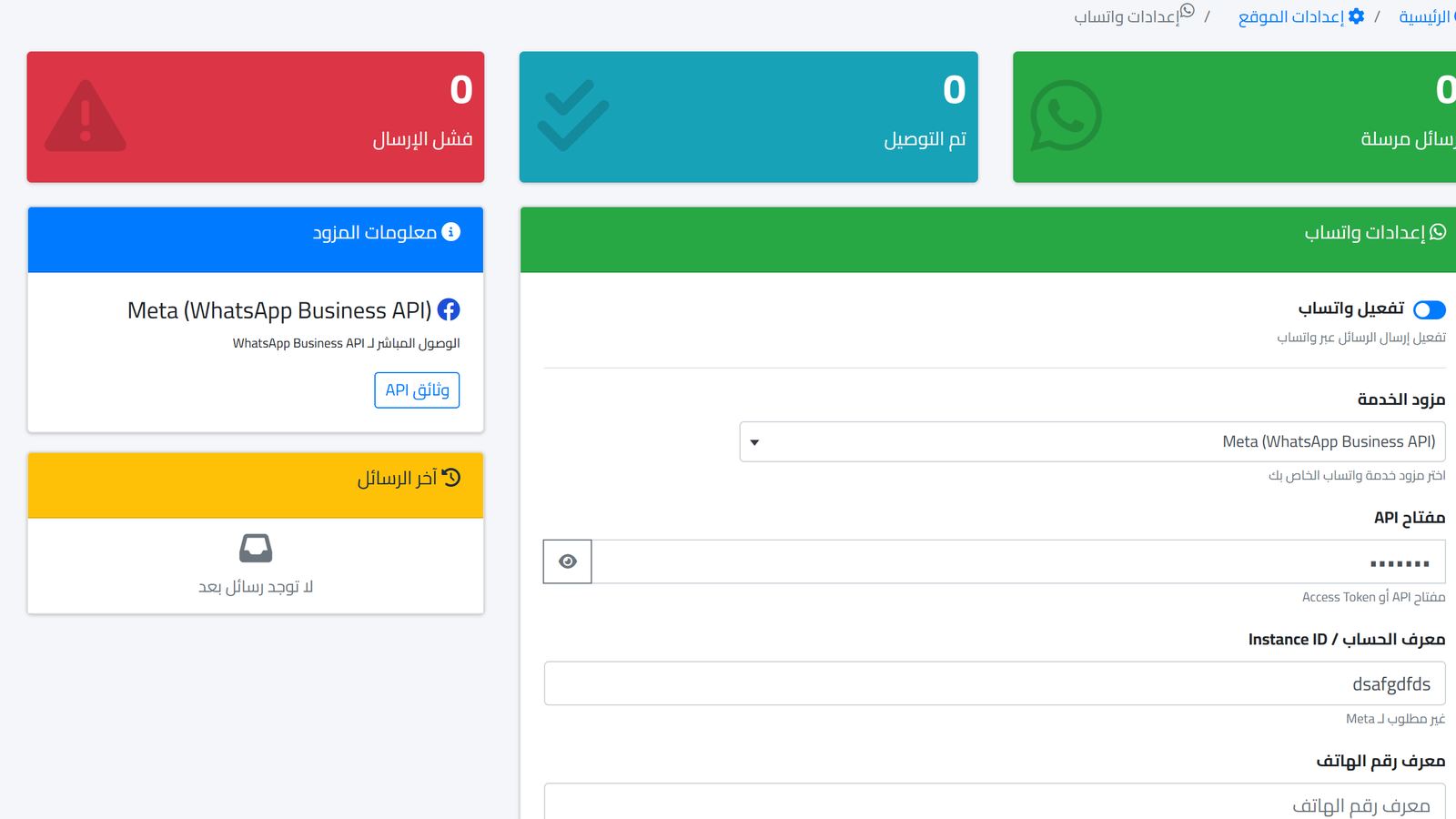
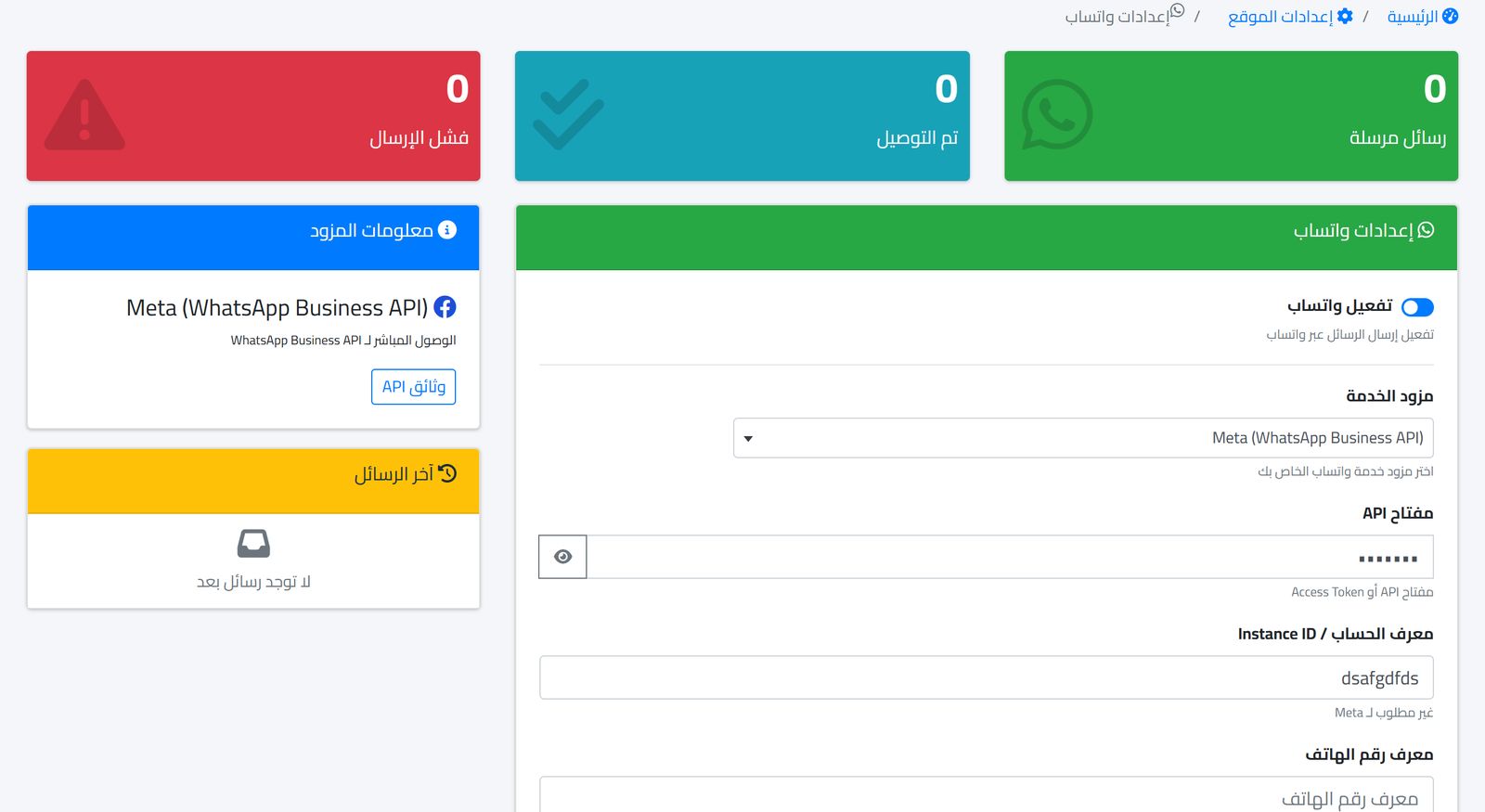
In Prima Schools there is a single notification center that sends through four channels: SMS, WhatsApp, email, and the in-app notification inside the system. WhatsApp is connected from the settings screen shown above: you activate the service, choose the Meta provider through the WhatsApp Business API, and enter the connection keys from the school's Meta account. The same screen shows counters for sent, received and failed messages.
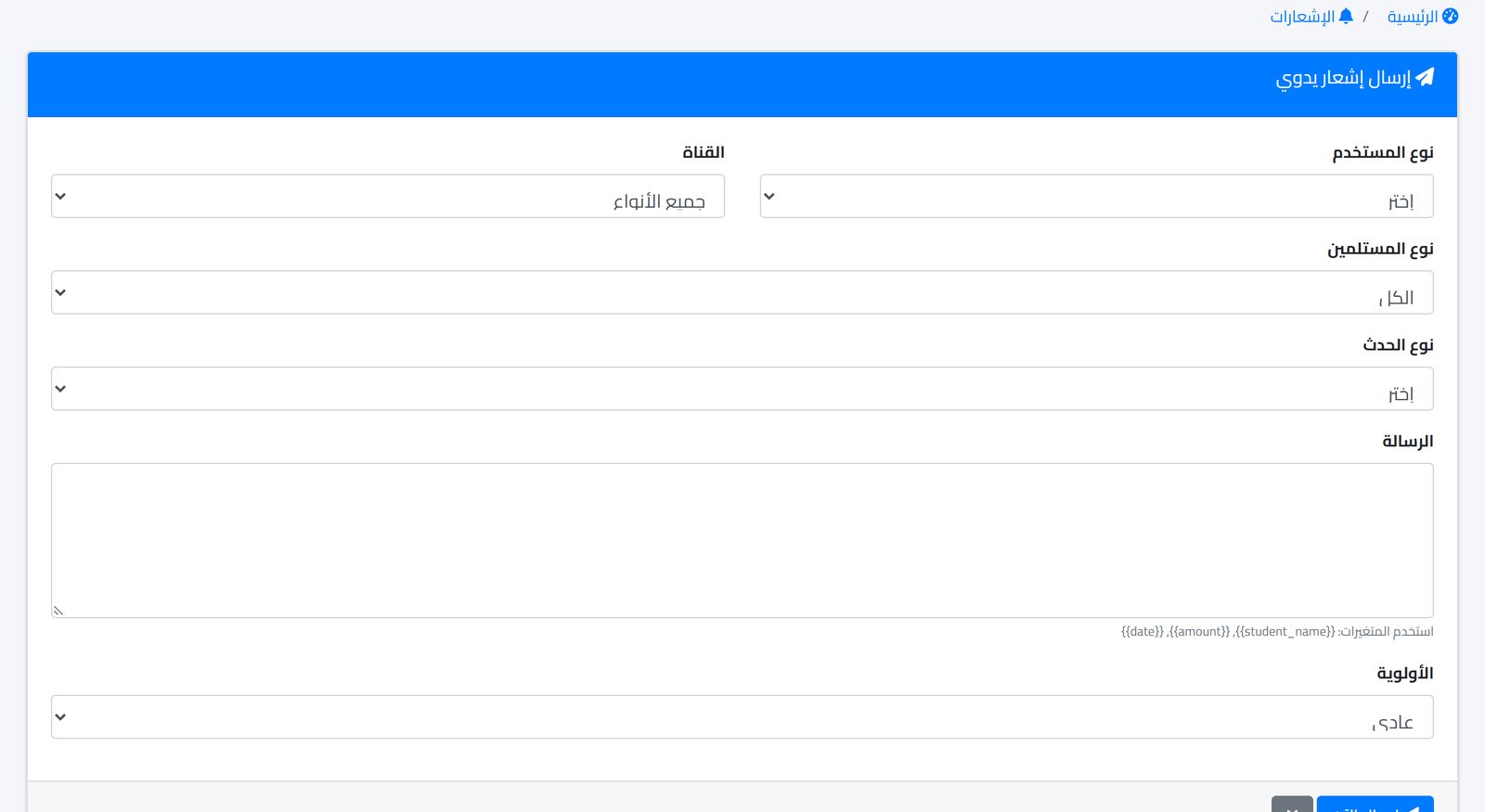
Attendance in the system is linked to notifications, so the parent can be told about his child's absence after attendance is recorded, whether it was recorded manually by the teacher, by scanning a QR code or from the fingerprint device. For other messages such as results and circulars, you use the manual send screen: you choose the user type, category and channel, write the text with variables such as the student's name, set the priority, then send. Repeated texts can be saved as templates.
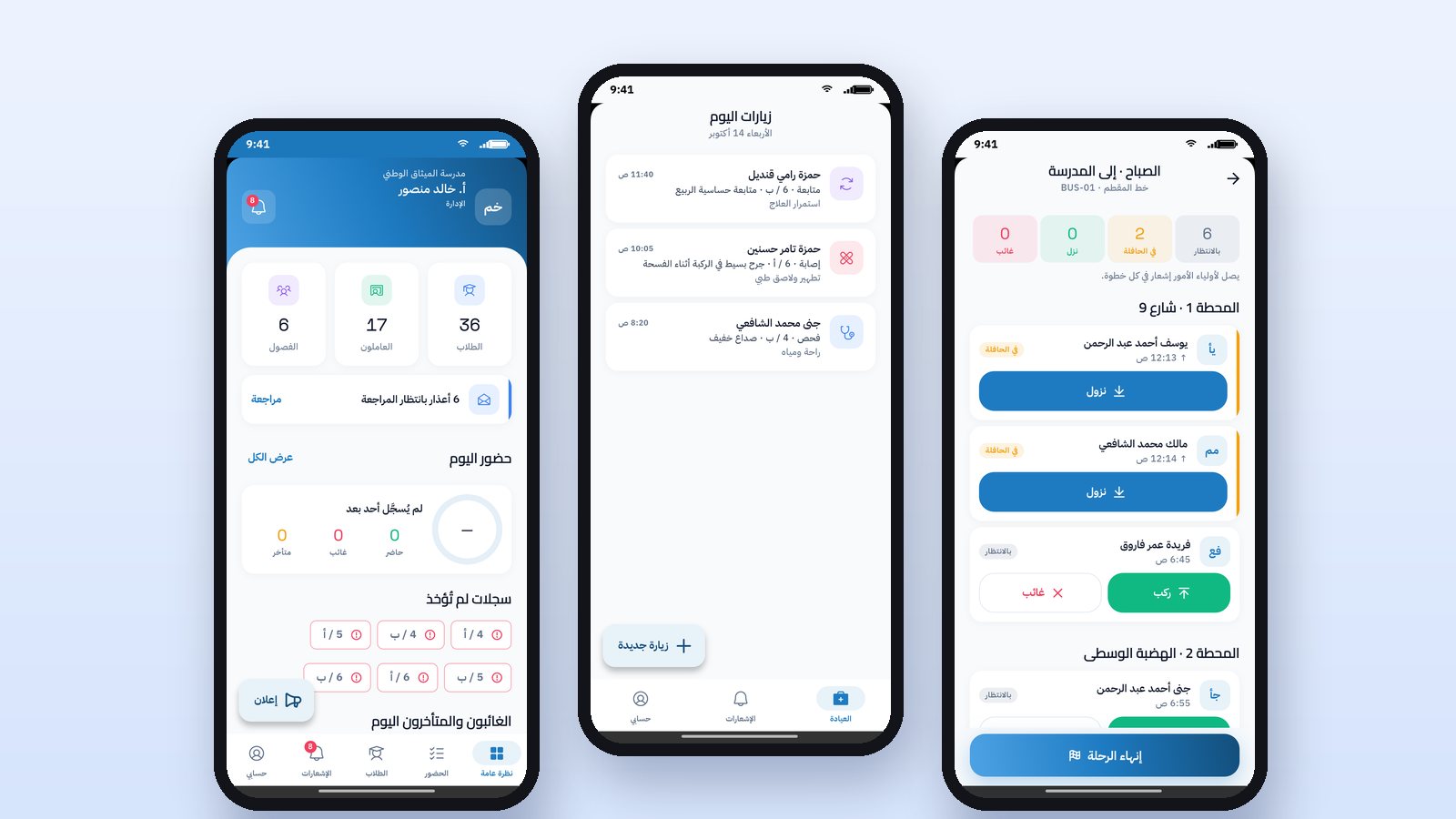
Every message is logged with its status: sent, waiting or failed. This is the record you show the parent if he says nobody told him. For those who prefer the app, the same notification reaches the Prima Schools app for parents on iPhone and Android.
If you are also considering text messages alongside WhatsApp, read School SMS at the lowest cost, and for how absence itself is recorded, see Recording absence electronically and notifying parents.
Frequently asked questions
Can I use the school's existing WhatsApp number?
Usually yes, but the number connected to the official API is managed through it. That is why many schools prefer to dedicate a new number to notifications and keep the existing one for receiving and replying.
Does the parent see the number of the employee who sent the message?
No. The message goes out from the school's official number, whichever employee pressed the send button.
What if the parent does not have WhatsApp?
You can send to him through another channel, such as text message or email, from the same notification center, and the failed message appears in the log so you can notice it.
If you want to see the WhatsApp connection and absence messages on your own school's data, start a free trial and try sending your first message to a parent yourself.