In many schools, absences are marked on a sheet of paper in the first period. The sheet reaches the student affairs office around noon, and the parent learns that their child was absent in the evening, or never. The problem is not the teacher or the clerk. It is that the information passes through three pairs of hands before it arrives. An electronic system cuts that path down to minutes.
Why parents need to know the same morning
A student who left home and never reached school is a safety issue before it is a discipline issue. A parent who learns about the absence at nine in the morning can act. A parent who finds out at the end of the week can only blame the school.
There is another side to it: repeated absence on Sundays or before holidays is a pattern that shows up quickly when every day is recorded in one place, and disappears completely when it is scattered across sheets in classroom drawers.
Ways to record attendance: choose what fits your school
Teacher marking in the classroom
The simplest and most common method. At the start of the first period, the teacher opens the class list on a phone or classroom device and marks each student as present, absent or late. It needs no extra hardware, but it depends on the teacher marking on time.
Attendance by QR code
The student scans their card in front of a device camera at the gate or the classroom door. It suits schools that want to record arrival time accurately without specialized devices.
Fingerprint devices
Suited to large schools and to staff attendance. Their advantage is that they do not depend on a card that can be forgotten or lent. For a detailed comparison of the two methods, read QR or fingerprint attendance: which suits your school.
Implementation steps in two weeks
- Make sure every student is enrolled in the correct class, and that each parent's phone number is up to date and linked to the student. This is the most important step, because an alert is worthless if it goes to an old number.
- Set a daily deadline for recording attendance, such as the end of the first period.
- Decide who records attendance in each class, and who covers if that person is absent.
- Agree on a definition of late: how many minutes after the start of the day does a student count as late rather than absent?
- Pilot with one grade level for a full week before rolling out to everyone.
- Write the text of the absence message and show it to management before switching it on.
During the pilot week, watch how long each teacher needs to record their class. If it takes more than a few minutes, the problem is usually the class list itself, such as transferred students whose classes were not updated, or the teacher's device. Fix these before rolling out, because a teacher who finds marking attendance annoying in the first week will go back to paper.
The absence message: how to write it
The message that reaches the parent should be short, specific and respectful. State the student's name, the date, the status, and a way to contact the school. Avoid an accusing tone; the student may have a medical appointment that the parent mentioned to someone else at the school.
An example of suitable wording: "Parent of [student name], we would like to inform you that your child did not attend school today, [date]. For inquiries, please contact the student affairs office." For late arrivals, use a different text that states the arrival time.
Choose the channel according to your parents. WhatsApp is read quickly in most homes, text messages arrive even without internet, and email suits longer reports. Many schools use two channels together for absences because it is a message worth making sure arrives.
What to measure every week
The system collects the data, but its value lies in reading it regularly. Set aside weekly time with the vice principal or the student counselor to review:
- Overall attendance rate, compared with the previous week.
- Classes that are late recording attendance each day.
- Students who were absent or late more than twice in the week.
- Messages that failed to send, and why: a wrong or unregistered number.
The last item is often neglected. An absence message that did not arrive means a parent who thinks the school is not following up, and correcting the wrong numbers once solves the problem for the rest of the year.
Repeated absence: from notification to follow-up
The daily alert solves today's problem, but a student who is absent one day every week needs different handling. Set clear steps that the counselor and the vice principal both know: after a certain number of absence days in a month the counselor calls the parent, and after a larger number the parent is invited to a meeting, and what was agreed is written in the student's file.
The numbers themselves differ from school to school and from stage to stage: a kindergartener who is often sick in winter is not the same as a high school student who is absent before every exam. What matters is that the steps are written down and applied to everyone, so that it does not depend on one employee's memory or mood.
Pay attention to morning lateness too. A student who arrives after the morning assembly three times a week misses part of the first period each time, and the parent often does not know, because they dropped the child at the school door or the bus. A lateness message is as useful here as an absence message.
Staff attendance in the same place
Teacher and staff attendance affects student attendance more than it seems. The class whose teacher is late in the first period is often the class that is late recording attendance, so its parents' messages are late too. When you see staff attendance and student attendance on one dashboard in the morning, you know early which class needs a substitute teacher before the period starts without one.
Common mistakes
The first mistake is switching on notifications before cleaning up parents' numbers, so absence messages go to wrong numbers or do not arrive. The second is leaving the recording window open all day, so some teachers record in the afternoon and the message arrives late. The third is relying on the notification alone with no follow-up: a student who is absent three days in a row needs a phone call from the school, not a fourth message.
After the first month, review the wording of the message itself. Ask a number of parents: is the message clear? Did it arrive at a suitable time? Did they know whom to call? A small change in the text or the sending time can reduce the incoming calls to the student affairs office every morning, and lets the message do its job without follow-up questions.
How this works in Prima Schools
In Prima Schools, attendance is recorded daily for each class with the statuses present, absent and late, from the browser on a computer or phone. You can also record by QR code using the device camera, or by connecting ZKTeco fingerprint devices, with an option to mark absent automatically anyone who has not recorded attendance.
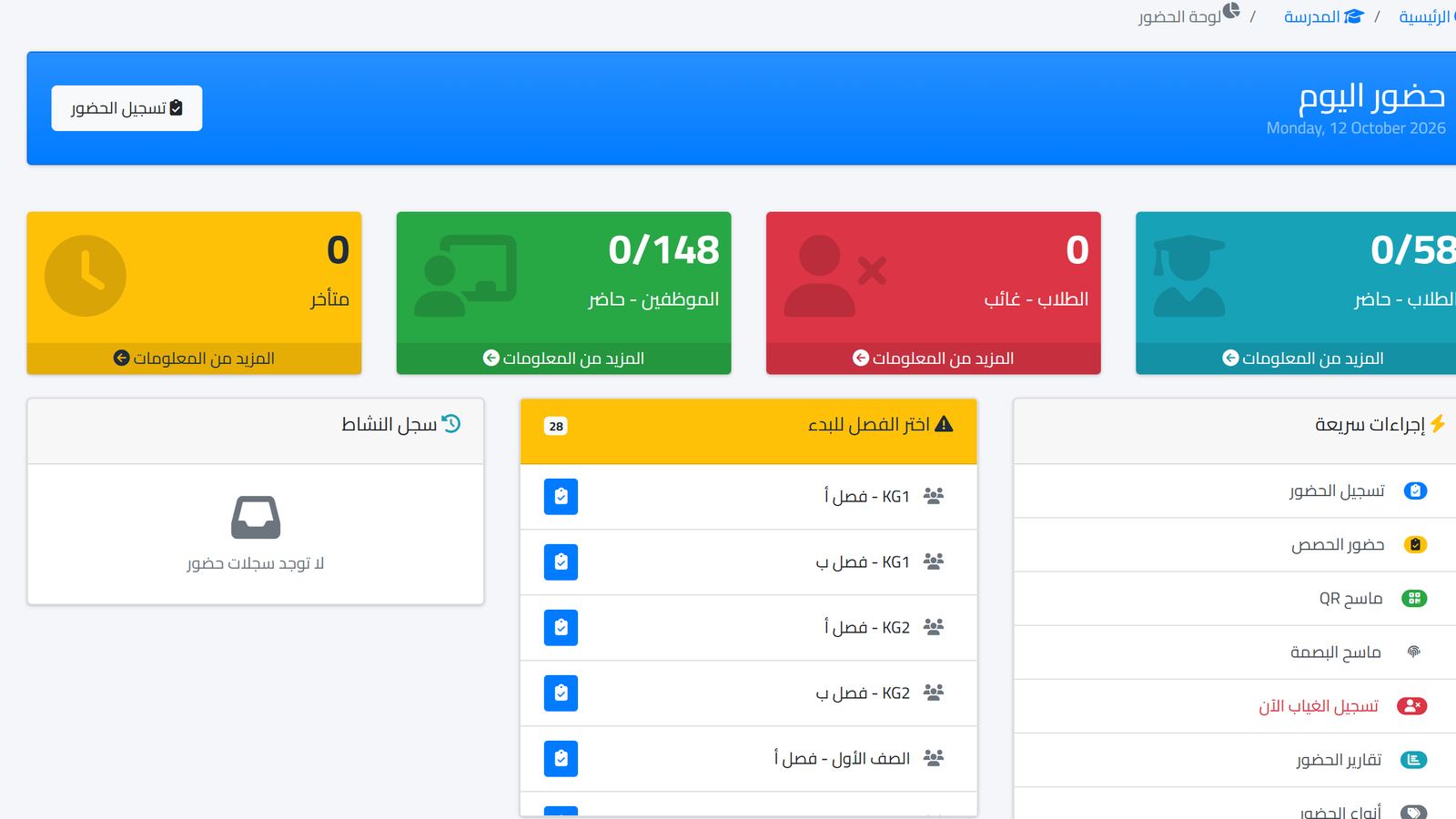
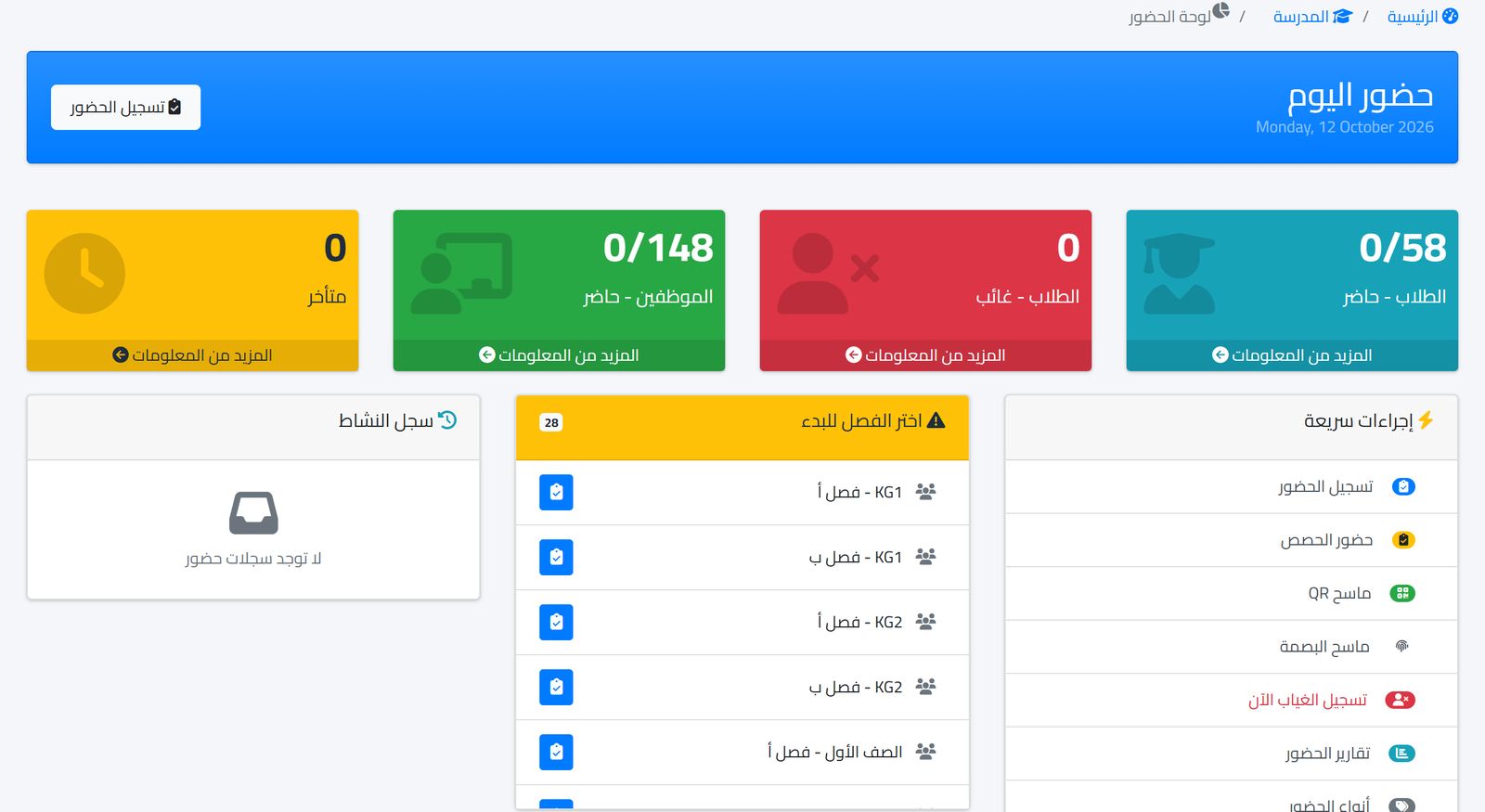
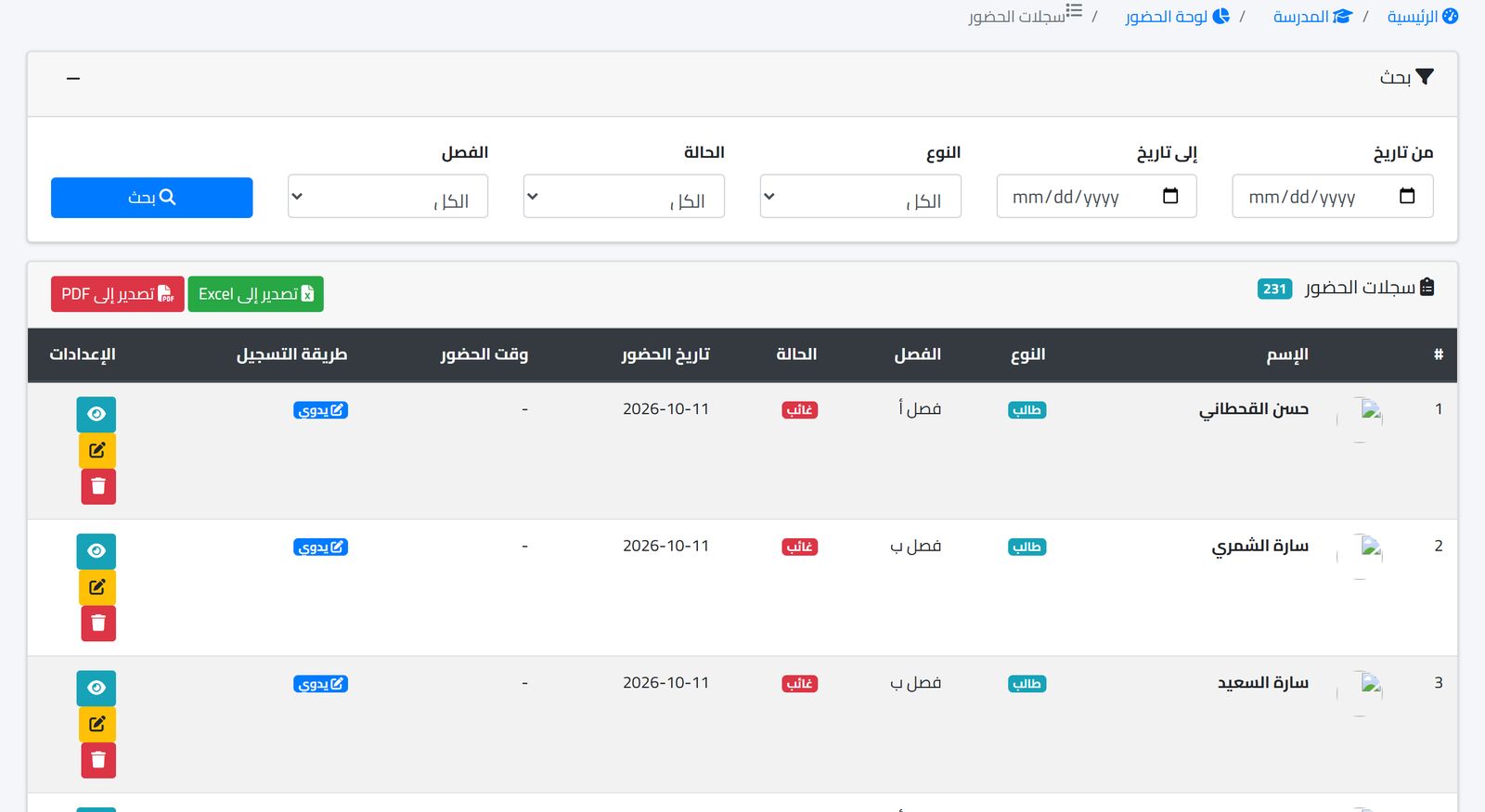
The today's attendance dashboard, as in the first image, shows late arrivals, absentees, those present, staff attendance and the latest classes to record, with quick actions for recording attendance, the QR scanner and reports. The attendance log keeps each student's status, recording time and method, with filters and export to Excel and PDF.
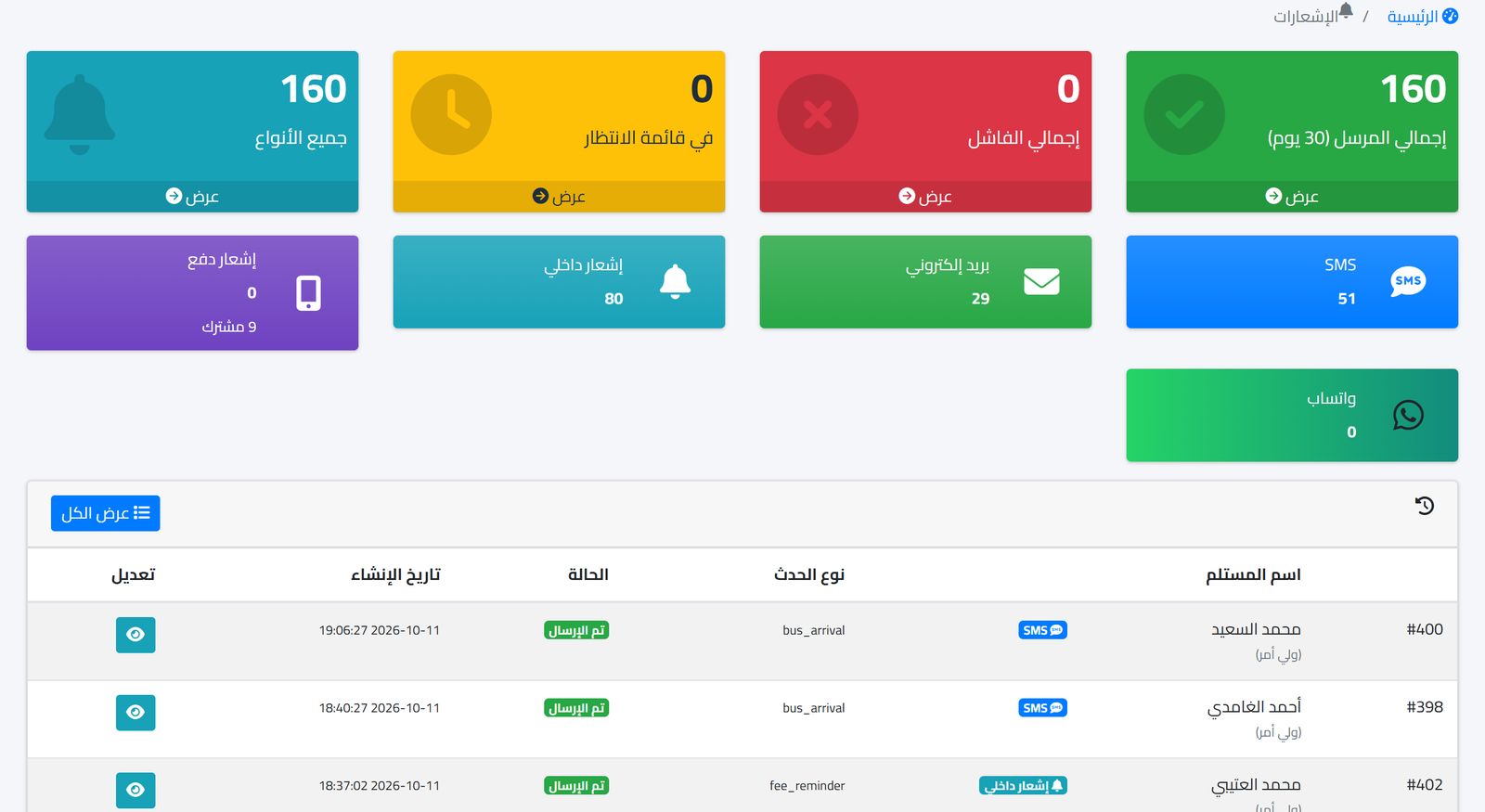
Notifications go through the notification center with SMS, WhatsApp, email and in-app channels. The notifications dashboard shows the total, sent, pending and failed, and their distribution across channels, which is what you need to review messages that did not arrive.
To learn more about organizing communication with families without the chaos of groups, read Communicating with parents without the chaos of groups, or see all the modules on the features page.
Watch the steps in the app
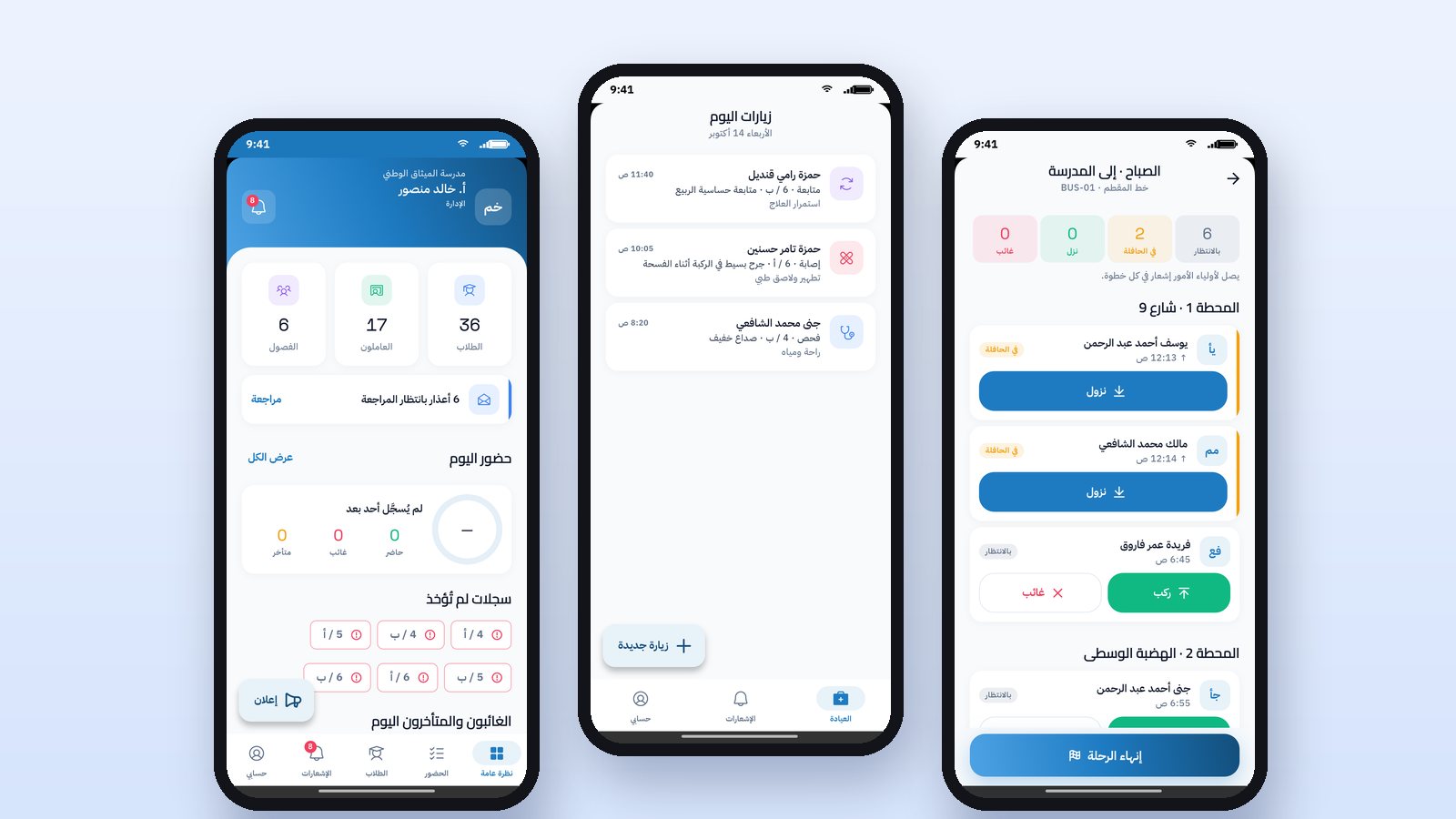
The teacher records class attendance from the Prima Staff app by tapping "All present" and then changing only the absent and late students, and the notification reaches their parents when it is saved. The same applies to lesson attendance, and to management recording and editing attendance.
Frequently asked questions
Does the teacher need a special device to record absences?
No, a phone or any device with a browser is enough. Extra devices are needed only if you choose fingerprint.
When does the absence message reach the parent?
After attendance is recorded in the class. That is why the recording deadline determines when the parent finds out.
What if the absence was excused in advance?
Agree within the school on who receives excuses and informs the teacher before attendance is recorded, so that an absence message does not reach a parent who already told the school.
The easiest way to know whether this suits your school is to try it on one class for a week. Start the free trial and record your first class's attendance tomorrow morning.